Tech pack
Measurement points and sizes, sketch, colour card, sample rounds and a bill of materials broken down by colour and size, all in the style's single tech pack.
For ready-to-wear brands that make their own styles, and for clothing stores. Styles, colour-size variants, tech packs, cutting, sewing and quality in the workshop; till, broken size runs, seasons and distribution in the stores. All on the same data: cut quantities are recorded by size, sold pieces against store stock.
No credit card, nothing to install.
Who it's for
One product, set up for your business: the flow of a brand that makes its own styles and of a store that only sells are on separate pages.
Highlights
Measurement points and sizes, sketch, colour card, sample rounds and a bill of materials broken down by colour and size, all in the style's single tech pack.
Variants are generated in bulk; orders, goods receipts and counts are entered in a matrix, and an assortment fills the cells from the number of packs.
Each roll is tracked with its width, weight per square metre, weight, dye lot and shade; stock is kept in metres and kilograms together.
Cut orders, marker plans and CAD import; spread and cut are marked on the cutting room tablet, «Post Cut» deducts the fabric from stock and bundle cards are produced.
Bundle cards and operation coupons; coupon scanning measures the minutes produced, and piece-rate pay goes to payroll.
Operations are distributed across operators and the skills matrix suggests who; the line board shows the hourly target, line output and operator efficiency on a TV or tablet.
The inspector scans the bundle on a tablet, the defect is linked to the operation and operator, and the faulty piece goes to repair; before shipment the lot is inspected to AQL.
Work going to and returning from subcontract workshops is tracked; material is issued to the subcontractor and the order for the processed product is followed.
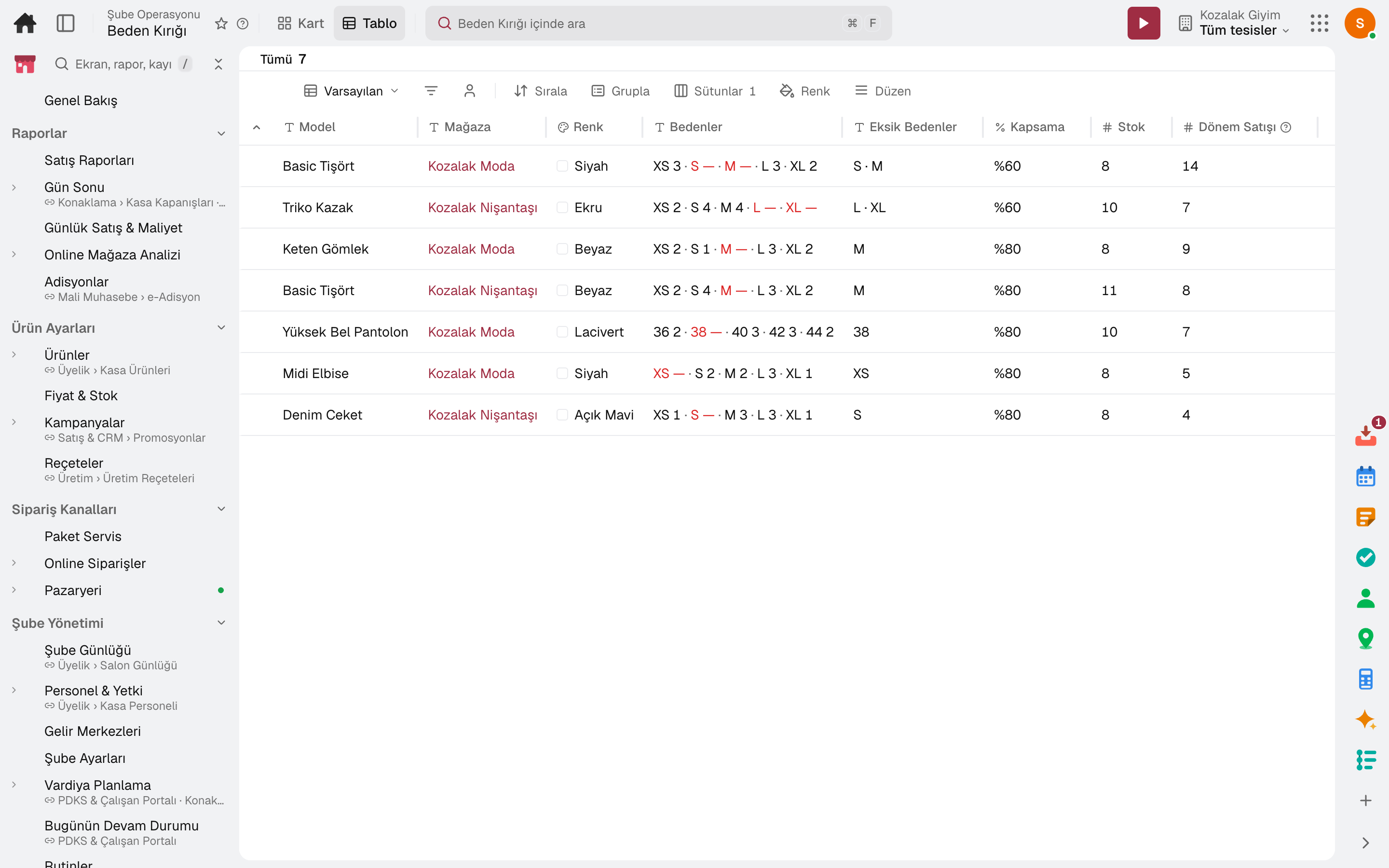
Seasons, store clusters and store allocation; broken sizes shows which store is missing which size and suggests rotation between stores.
A day
Every step works on the same data: a record entered in one step is never keyed in again in the next.
Size quantities are entered for one colour of a style; the marker plan works out plies, size ratio and fabric requirement.
The spreader and cutter mark on the tablet; when the cut is posted, fabric is deducted from stock and bundle cards are printed.
The operator scans the ticket, the line board shows the target; the inspector scans the bundle and records the defect.
The sewn run is split across stores with store allocation, and a transfer order is opened.
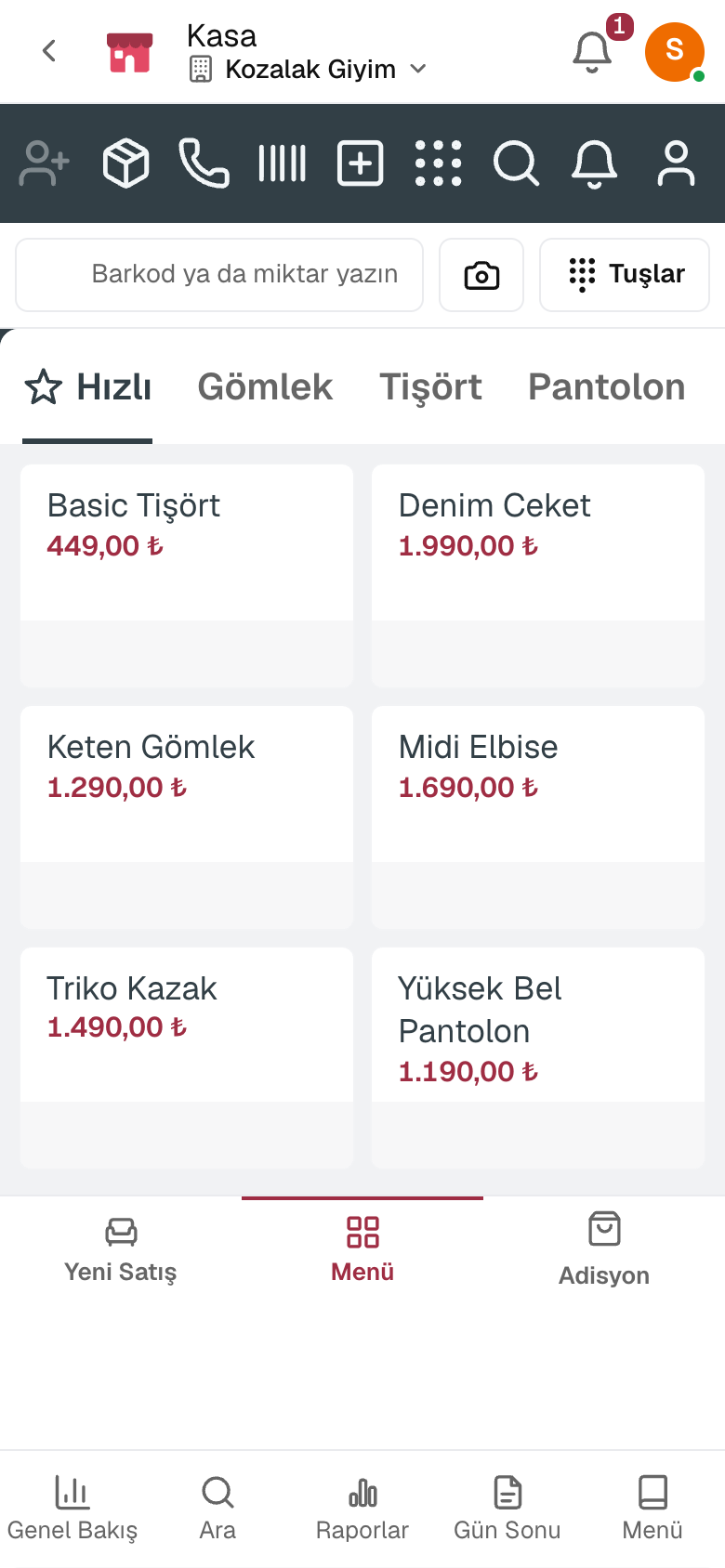
The cashier taps the style and picks colour and size; the sale is deducted from store stock.
A size that runs out drops into the list; the rotation suggestion opens a transfer from the store with surplus.
Frequently asked
No. The package is for garment manufacturing and retail; yarn, weaving and dyehouse production are not included.
Yes. Subcontracting issues the material to the subcontractor and tracks the order for the processed product.
No. On orders, goods receipts and counts, quantities are entered in a colour × size matrix; choosing a size pack fills the cells from the number of packs.
No. The cutting room, ticket scanning, line board and quality control screens open on a tablet.
Ticket scanning records the operation's standard minutes × quantity as earned minutes; piece-rate pay is transferred to payroll from there.
Free for 15 days
Every app is open for 15 days. No credit card, no installation; your team signs in from the browser.
Try it free for 15 days; no credit card needed. We reply to your questions within one business day.