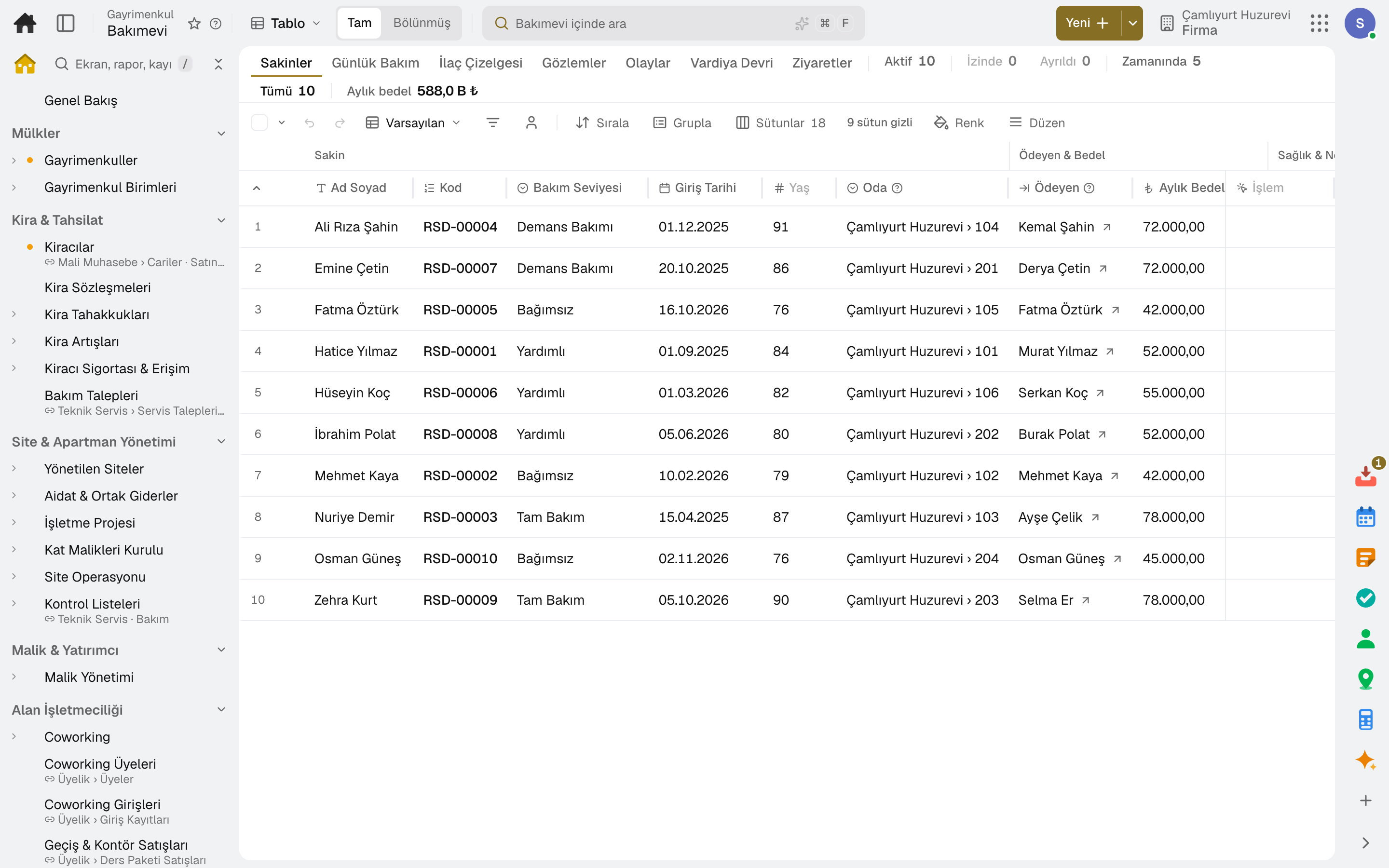
Resident file
Room, care level, payer and monthly fee, relatives and the emergency contact; health information is open only to those with the health permission.
For retirement homes and nursing homes: resident file, personal care plan, risk assessments, daily care and medication round, observation and incident records, shift handover, visit booking, family page and monthly billing. Invoices post to accounting automatically.
No credit card, nothing to install.
Who it's for
The same program, set up for your type of care home: each line of business has a page describing its own flow.
Highlights
Room, care level, payer and monthly fee, relatives and the emergency contact; health information is open only to those with the health permission.
Medication (name, dose, times), nutrition, mobility, hygiene and physiotherapy; care goals, fall and pressure-ulcer risk assessments, and wound follow-up on a body map.
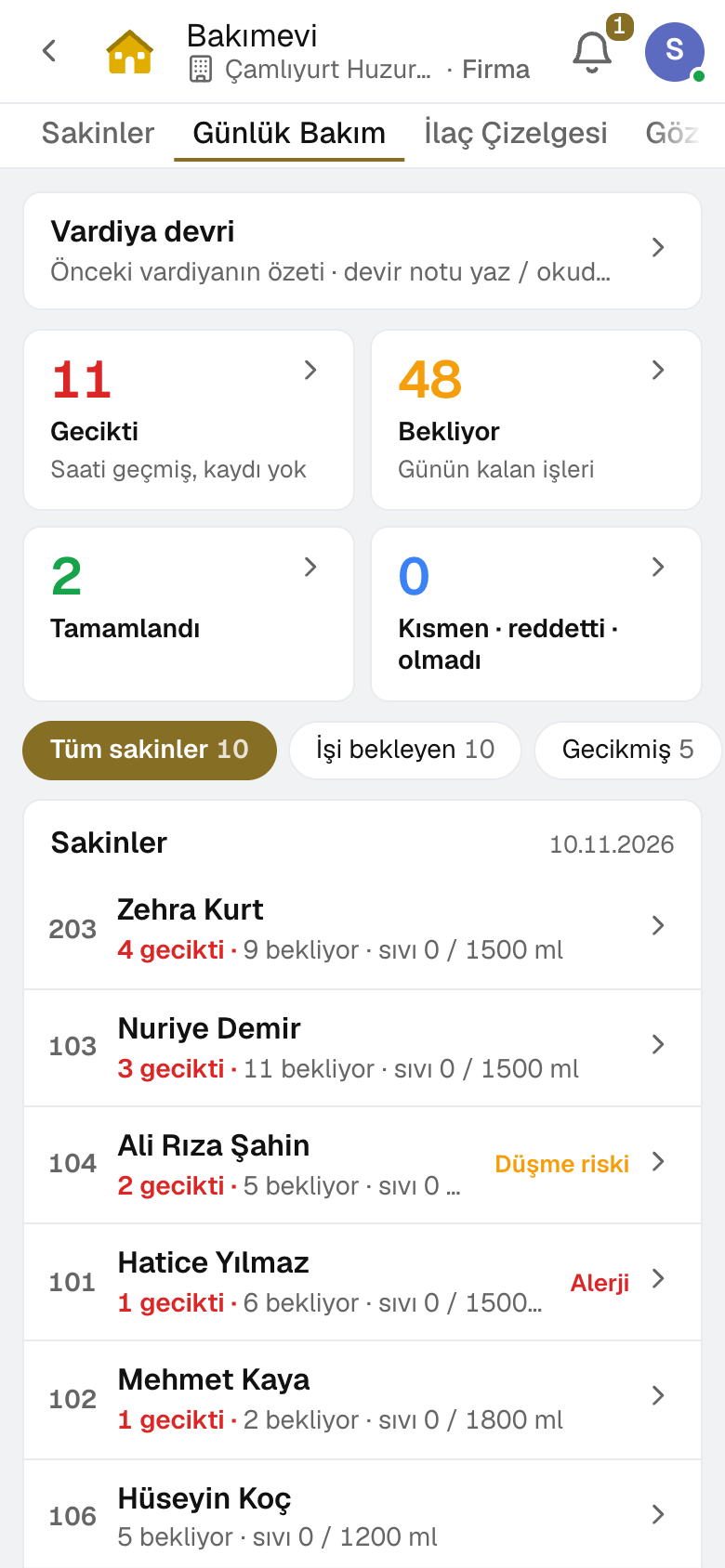
The round comes from the care plan; each medication is marked as given, partly given or refused, and a monthly medication chart is kept.
Observations of mood, meals, fluids and sleep; an incident report becomes an alert for the manager, and shift handovers and visits are recorded.
The carer runs the day's work from the screen on their phone; an authorised relative sees the daily summary, visit appointments and invoices on the family page.
The resident's monthly fee is invoiced; for a move-in or move-out during the month it is calculated pro rata, and the invoice is issued to the payer.
A day
Every step works on the same data: a record entered in one step is never keyed in again in the next.
The incoming shift reads the previous shift's resident-by-resident summary and handover note.
The carer selects the resident on the phone and records doses and scheduled care tasks.
Meals, fluids, mood and measurements are recorded; an incident notifies the manager.
Records shared with the family reach the family page as the daily summary; visit requests are approved.
Risk assessments and plan reviews that fall due become tasks for the person responsible.
Monthly invoices for all residents are previewed and issued in one go.
As you grow
When you open a second building, you continue in the same account: rooms are added as units of the new building, and residents and past records stay where they are. Accounting, HR and purchasing share the same data.
Frequently asked
Only users with the health permission. Every opening of the family page leaves a trace.
Pro rata: for a move-in or move-out during the month, the fee is calculated for the days stayed and a sales invoice is issued to the payer.
No. The carer runs the day from the phone: taps the resident and records the dose or task with one tap; if the connection drops, records wait on the phone.
Yes. Each dose is recorded with the person and time; for an entry changed later, the previous version and the reason are kept, and the monthly medication chart can be printed.
An authorized relative sees the daily summary, messages, visit booking and invoices on the family page; you decide which relative sees what.
The resident is marked as in hospital or on leave; scheduled medication and care are recorded as «on leave» and don't count as late. For the hospital, a transfer summary is prepared with identity, allergies, medications and latest measurements.
Yes. You can take your data out at any time via Excel, CSV or the API.
Free for 15 days
Every app is open for 15 days. No credit card, no installation; your team signs in from the browser.
Try it free for 15 days; no credit card needed. We reply to your questions within one business day.