Identity and room
Name, date of birth, room, care level (independent · assisted · full care · dementia), admission and discharge, photo.
For care homes and retirement homes: the resident file, care plan and risk assessments, the daily care and medication round, observations and incident reports, shift handover, the carer's phone screen, the family page and monthly billing. Invoices post to accounting.
01 / 06
Each resident's room, care level, payer, monthly fee and relatives in one file. Once a resident moves in, the room shows as occupied.
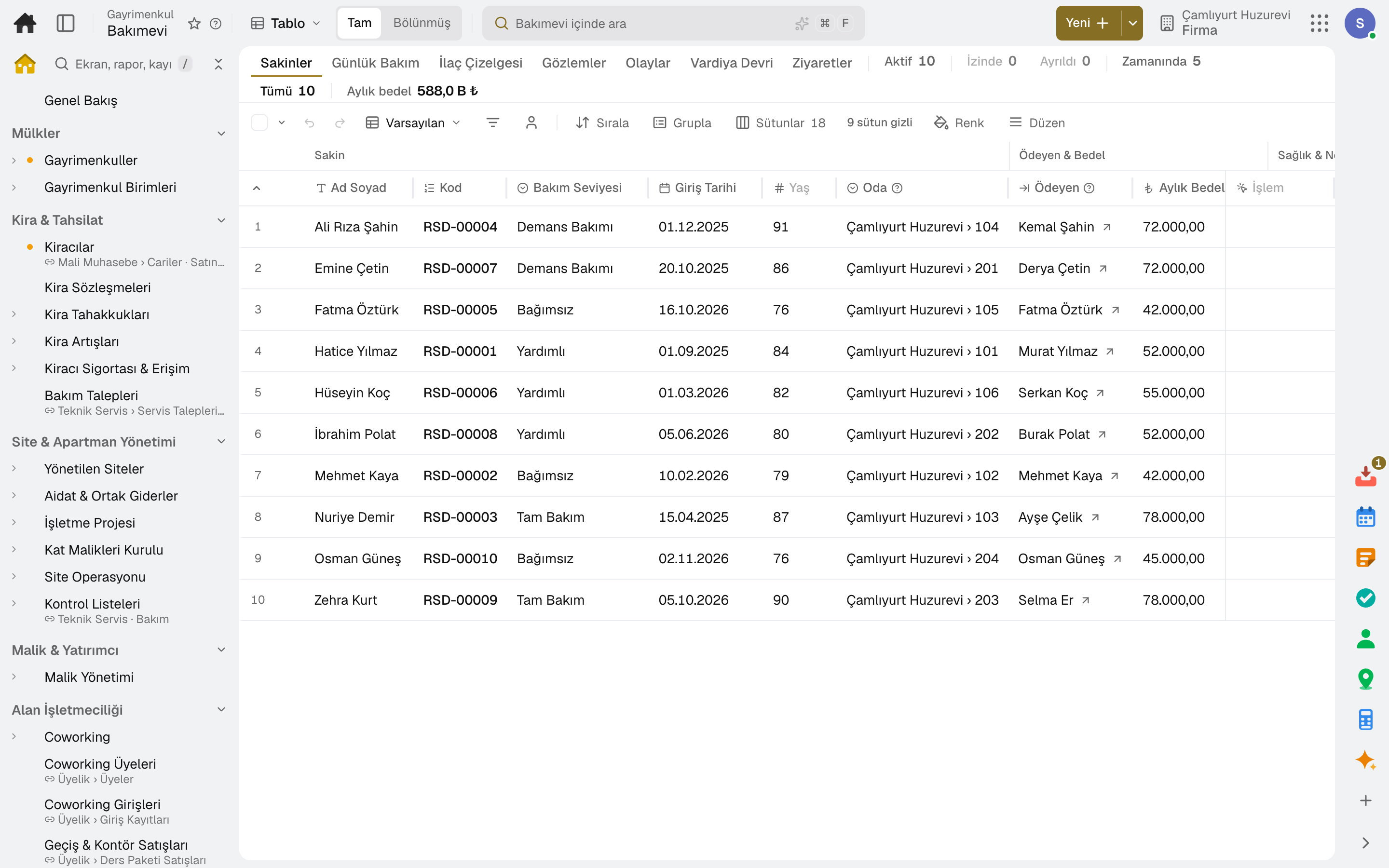
Name, date of birth, room, care level (independent · assisted · full care · dementia), admission and discharge, photo.
Who pays the monthly fee is in the resident's file; the invoice goes to them. The payer can be the resident or a relative.
The emergency contact, relatives who may receive information, and who can open the family page or see invoices are marked separately.
Preferred name, life story, likes, habits, communication needs and what calms them are in the file; a new carer reads it on day one.
Allergies, diet and health notes are open only to users with health permission; others see them masked.
When a resident goes on leave or to hospital, scheduled tasks are recorded as «on leave» and don't count as late; a transfer summary is prepared for the hospital.
02 / 06
The resident's plan holds their medications and scheduled care tasks; the daily care list comes from this plan. Risks, goals and wound tracking are on the same screen.
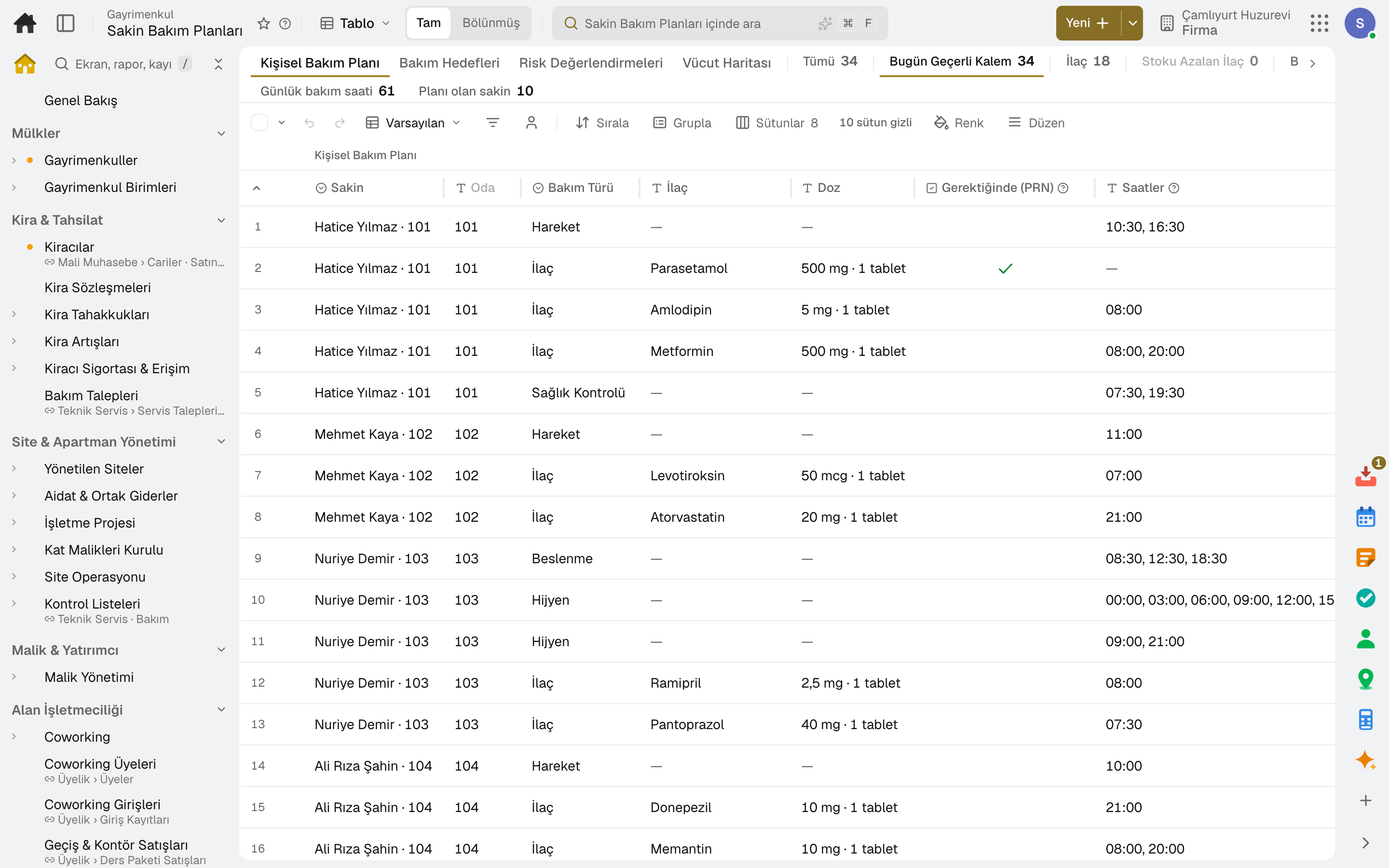
Name, dose and times; for as-needed medication, a minimum interval between doses and a maximum per 24 hours; controlled drug flag.
Nutrition, mobility, hygiene, physiotherapy and checks are written with their times: repositioning, help with bathing, walks, night checks.
Receipts, counts, disposal and returns are recorded; each dose given is deducted from stock and low stock raises a warning.
Falls, pressure ulcer, nutrition and mobility risk; level, scale, score and measures. A review that falls due becomes a task.
Area, goal, measure and support; progress is reviewed regularly and the goal is closed as achieved or abandoned.
Wounds, bruises and pressure ulcers are marked on a body chart by location and tracked by stage, size and photo.
03 / 06
The carer runs the day from the phone: taps the resident and marks the medication as given or the task as done. Overdue tasks show as late.
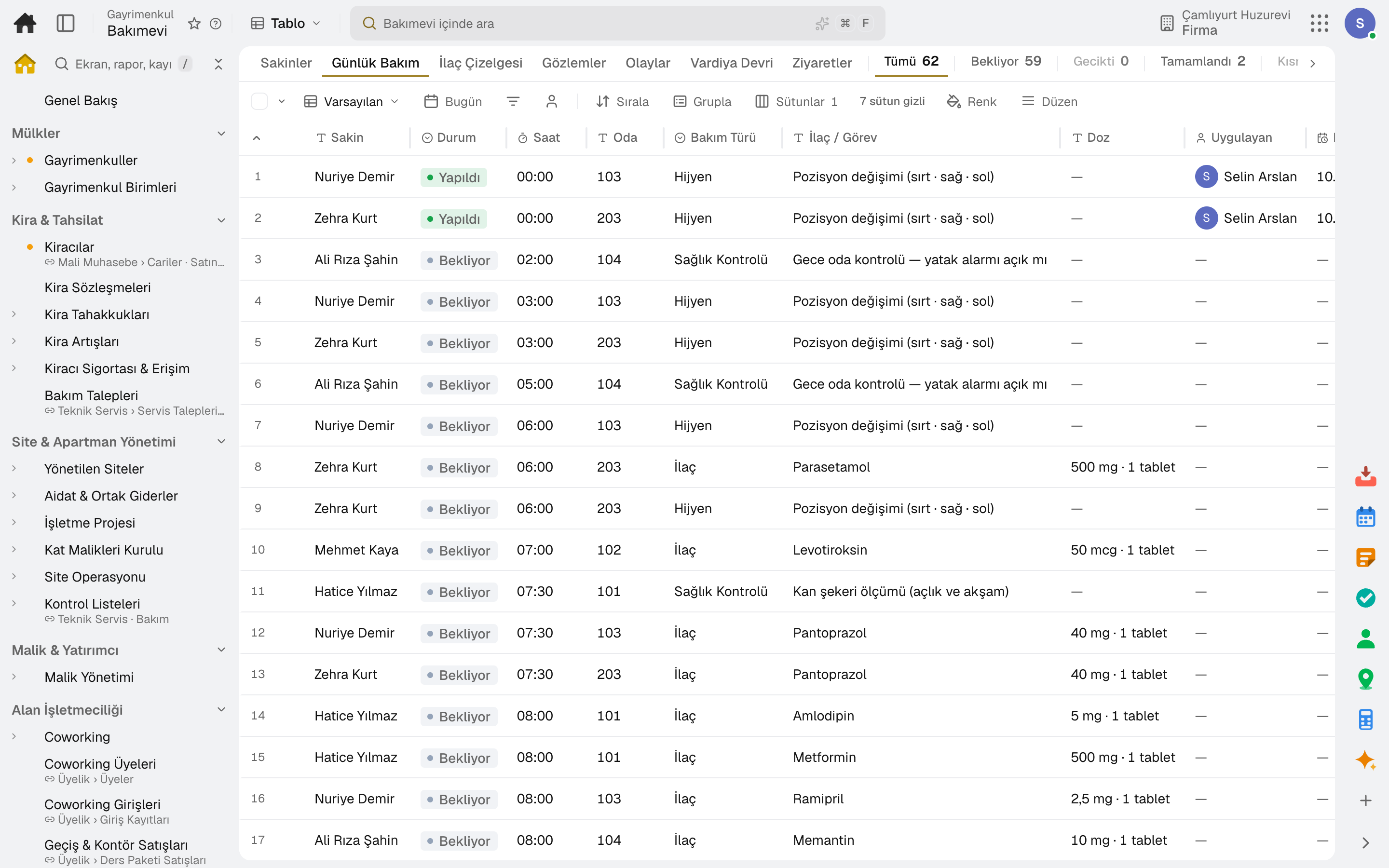
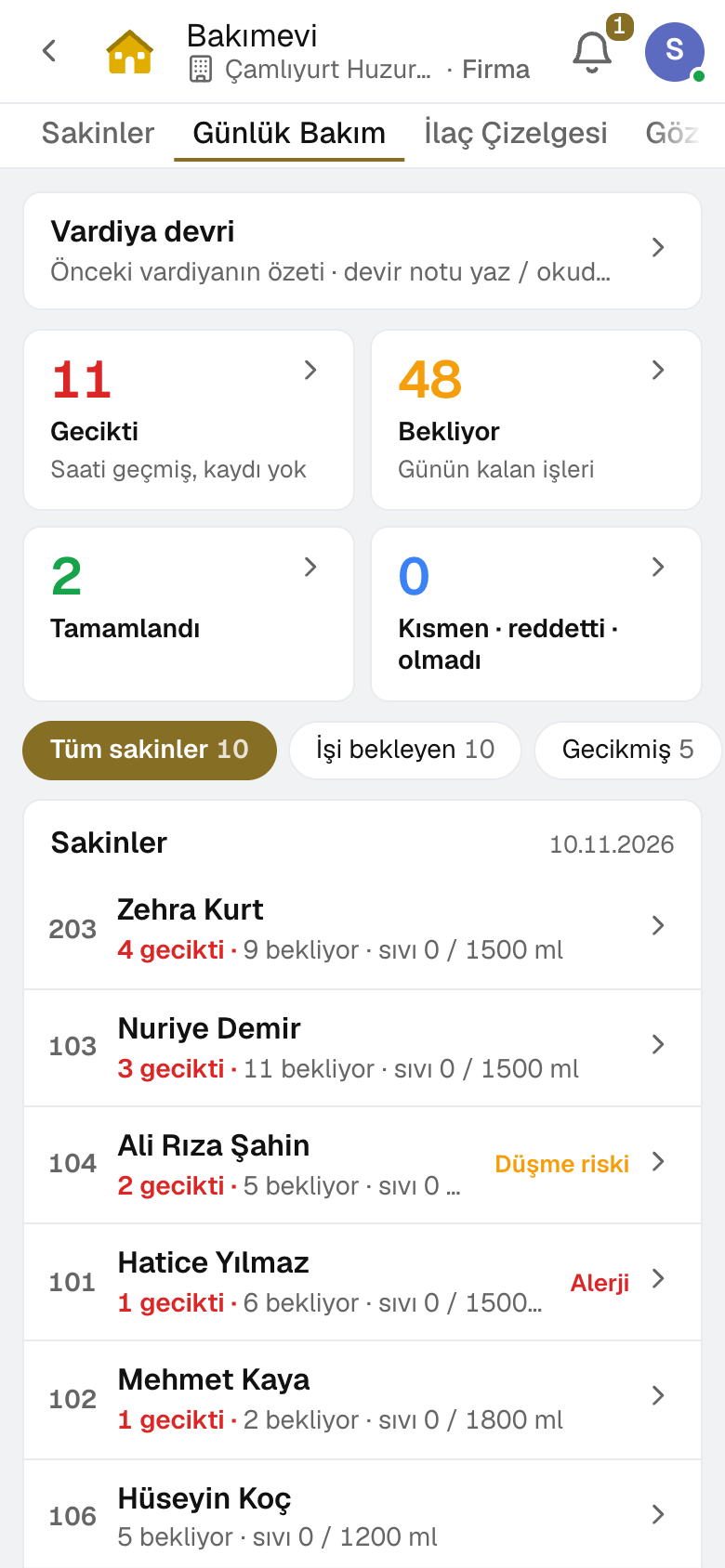
A dose is recorded as given, partly given, refused or not given; a dose not fully given or a task not done asks for a reason.
If the resident is asleep or out of the room, the dose is postponed with a reason; the new time shows on the list.
A reason is required; if the interval or daily limit would be exceeded, the dose is not recorded; the dose's effect is recorded afterwards.
Overdue doses and refused medication land in the manager's task inbox.
If the outcome of a recorded entry changes, the previous version, who changed it and why are kept.
A monthly chart with day-by-day results per resident, medication and time; printable and exportable to Excel.
04 / 06
Mood, meals, fluids, sleep and measurements are recorded through the day. An incident report alerts the manager; the incoming shift starts with the previous shift's summary.
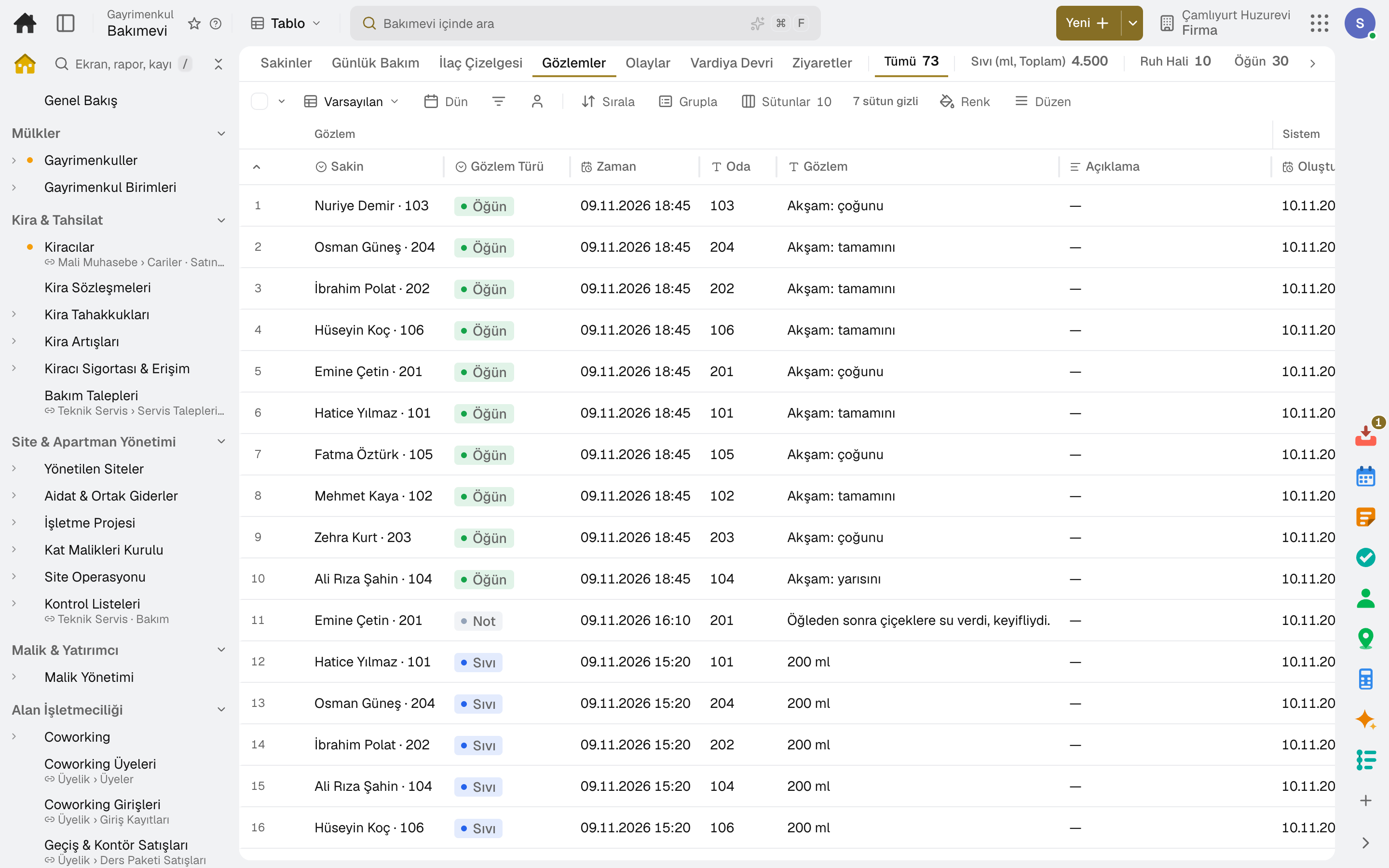
Mood, how much of a meal was eaten, fluids against the daily target, sleep and notes with photos.
Blood pressure, pulse, temperature, oxygen, blood sugar, weight and pain; out-of-range values raise a warning.
Falls, skin, behavior, medication errors and other incidents notify the manager; the measure taken and that the family was informed are recorded.
A resident-by-resident summary of the shift and a handover note; the incoming shift marks it as read.
Occupancy, care revenue, open incidents and late doses on the Overview; the incident and dose cards are visible to managers only.
05 / 06
An authorized relative opens the family page with a single link: the daily summary, messages, visit booking and invoices are there. Every visit to the page is logged.
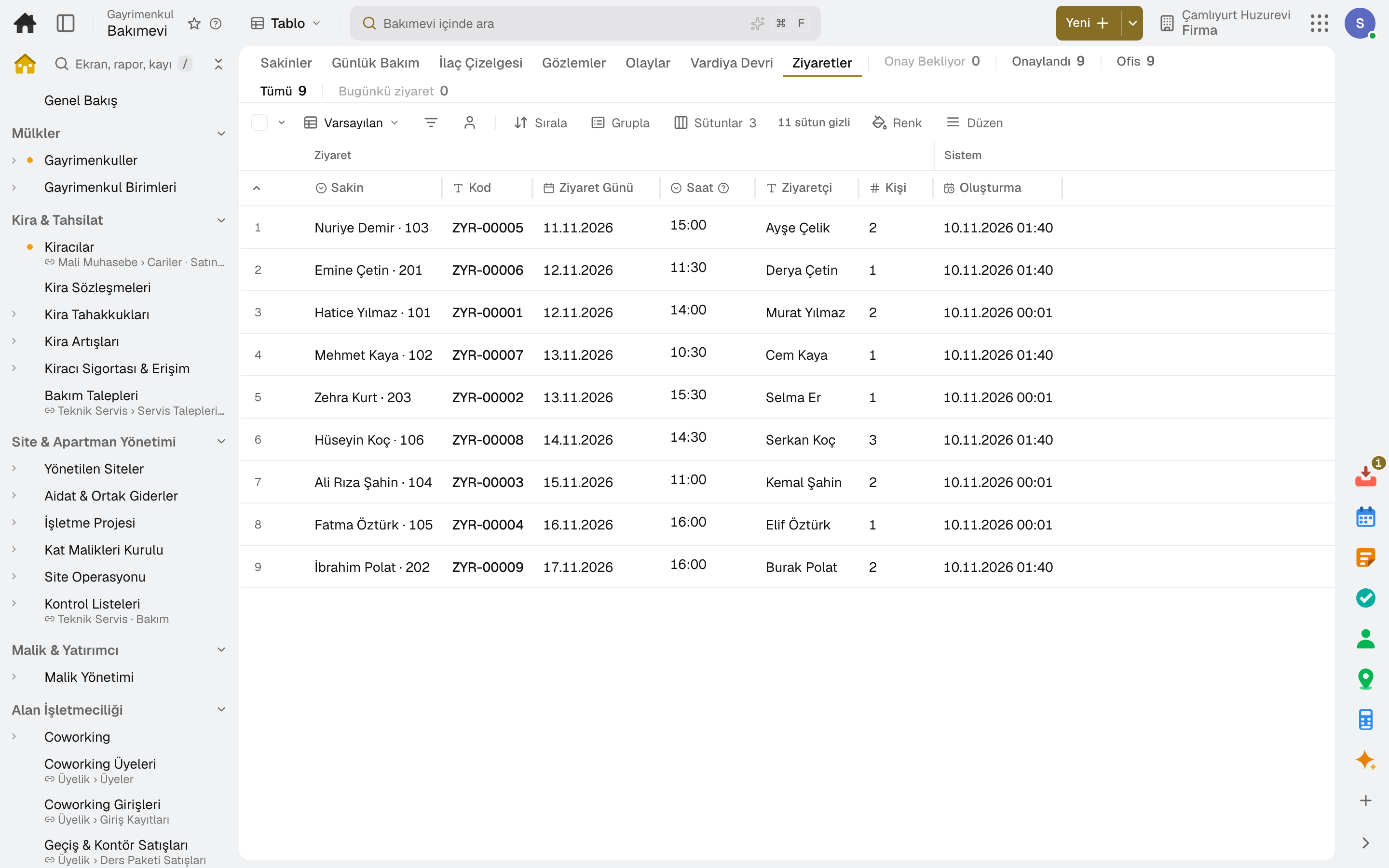
Observations and notes shared with the family reach the relative's family page as the daily summary.
Messages between the family and the care home live on the family page, together with the resident's record.
The relative picks a visiting time; hours, slot length and capacity are the care home's settings. The request is approved and a reminder goes out before the visit.
Relatives allowed to see invoices see them on the family page.
Visit bookings and plan reviews that fall due appear on the calendar.
06 / 06
At month end, invoices for all residents are issued in one go: pro rata for admissions and discharges within the month, a sales invoice with VAT to the payer.
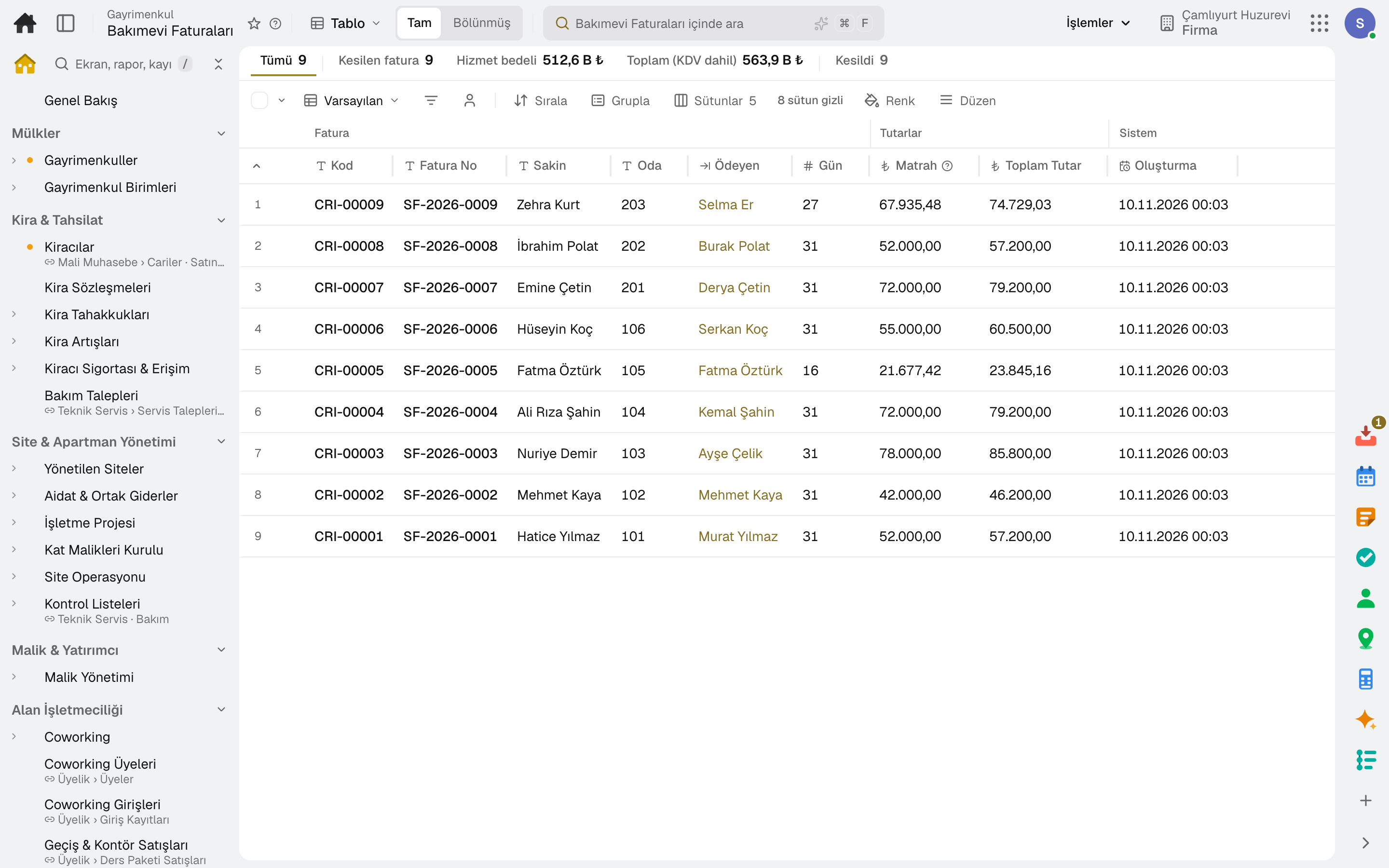
Before issuing, you see each resident's days, net amount, VAT and total.
For a resident who arrives or leaves during the month, the fee is calculated for the days stayed.
The invoice is issued as a sales invoice to the payer's account; the journal entry is posted automatically.
A second invoice cannot be issued for the same month; a cancelled invoice is reversed together with its accounting entry.
The invoice of a resident leaving mid-month is issued on its own from the Residents list.
In the package
All on the same data model: a record entered in one module is never re-entered in another. The other 22 modules are open in your account too.
Try it free for 15 days; no credit card needed. We reply to your questions within one business day.