Dispatch board
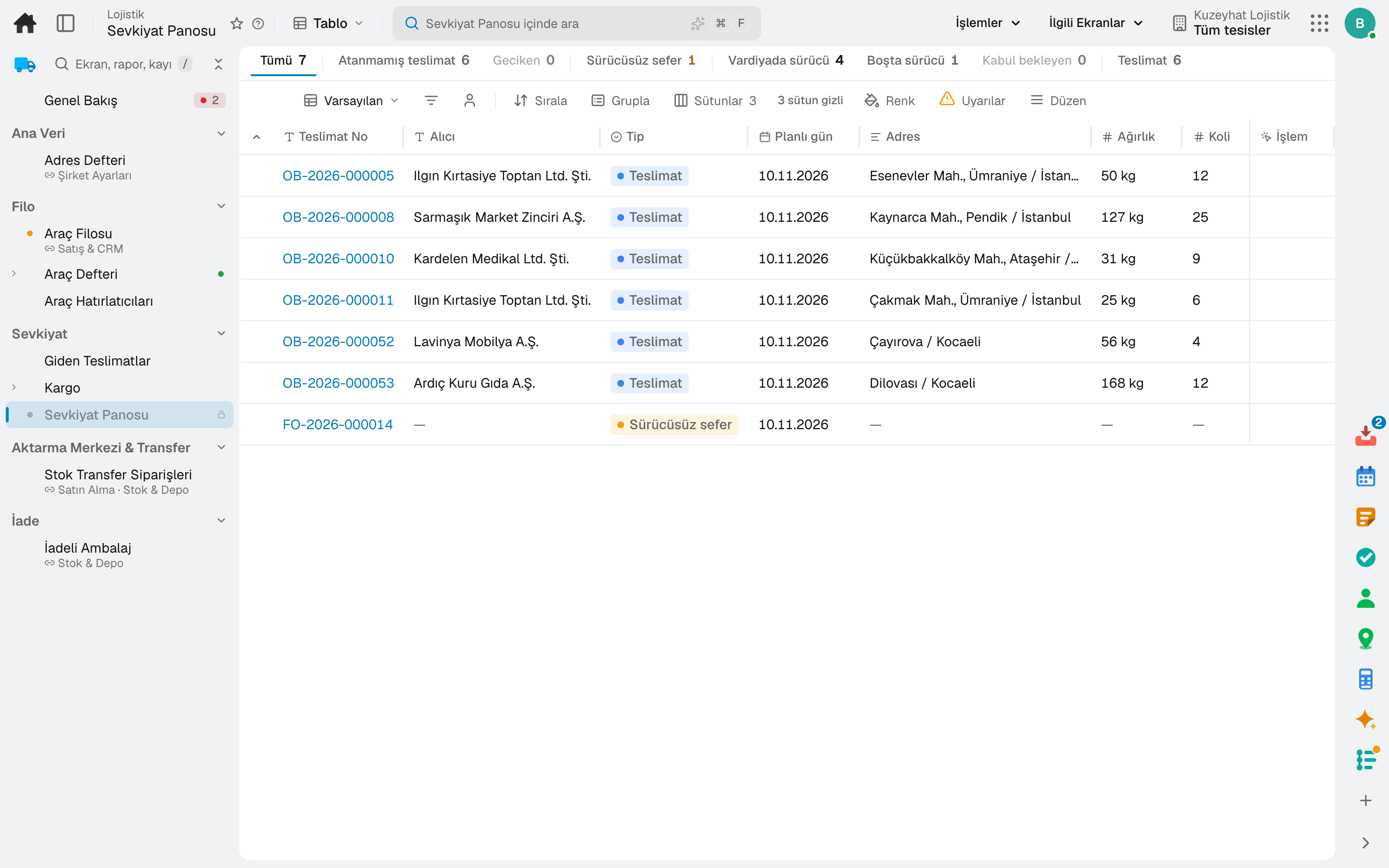
Deliveries without a trip and drivers on shift on one screen; a job is assigned in one click or distributed to drivers automatically.
For companies that distribute within the city with their own fleet: dispatch board, driver phone, proof of delivery with signature and photo, cash on delivery, delivery routes and delivery performance.
Other lines of business: Contract warehousing · Freight brokerage · Cold chain transport
Urban distribution
Deliveries without a trip and drivers on shift on one screen; a job is assigned in one click or distributed to drivers automatically.
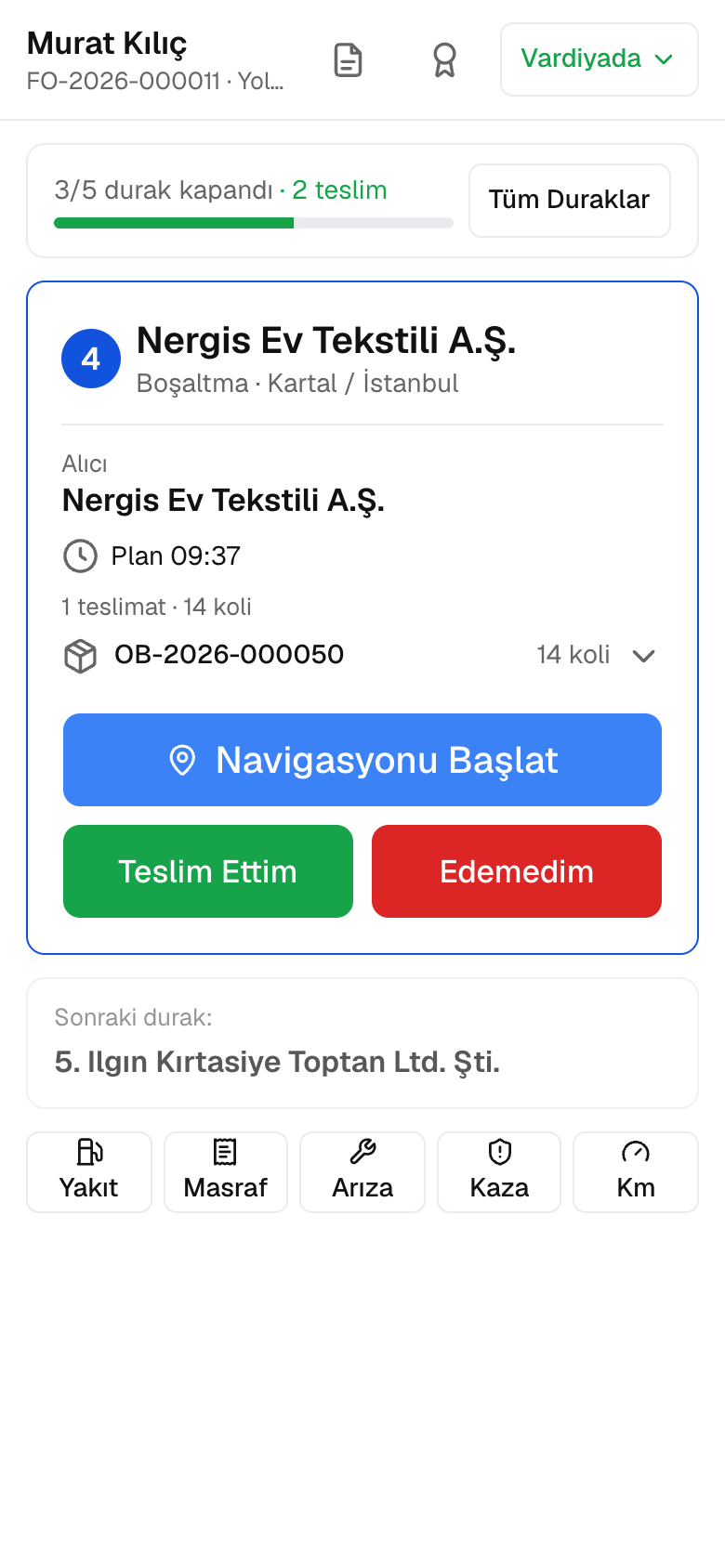
The driver sees the day's trip and the next stop on the phone; arrival and delivery are recorded.
Signature, photo, location and recipient; a partial, damaged or refused delivery is recorded with its reason.
The amount the driver collects is handed in to the cash desk at the end of the day; a collection not handed in becomes a task.
Trip days, order cut-off time and delivery window are on the route; a delivery finds its route automatically.
Delivered, failed and on-time rate per day and per driver; the recipient rates the delivery and leaves a comment.
A day
A delivery is created from the sales order; a delivery without a trip waits on the dispatch board.
The wave is released; the operator confirms the picking task on the RF terminal and the goods are packed.
The job is assigned to a driver; once the trip is confirmed, the loading list goes to the vehicle.
The vehicle's location and the driver's driving time are tracked; delays and temperature breaches land in the TM Alert Centre.
The driver closes the delivery with a signature and photo and records the cash on delivery; the money is handed in to the cash desk at the end of the day.
Delivery performance is updated per driver, and the carrier scorecard by on-time delivery and cost.
Frequently asked
No. The driver screen opens on a phone; the day's trip, its stops and proof of delivery are all there.
The amount the driver collects is recorded on the delivery; at the end of the day it is handed in to the cash desk and posted to the customer's account as a collection.
Try it free for 15 days; no credit card needed. We reply to your questions within one business day.