Skip to content
Lidyos Estate

Lidyos Estate featuresReal estate brokerage and property management software

For real estate agencies, businesses that let property and residential management companies: listings, listing agreements, request matching, viewings, offers and two-sided service fees; lease contracts, index-linked rent increases, online rent collection and management on behalf of owners; residential site management, coworking and self storage. Invoices, collections and agent bonuses flow into accounting and payroll.

01 / 07

Listings and ads

Sale and rental listings are kept with owner, agent, price, location and features. Once a listing agreement is attached the listing goes live; when it closes, its ads are flagged for removal.
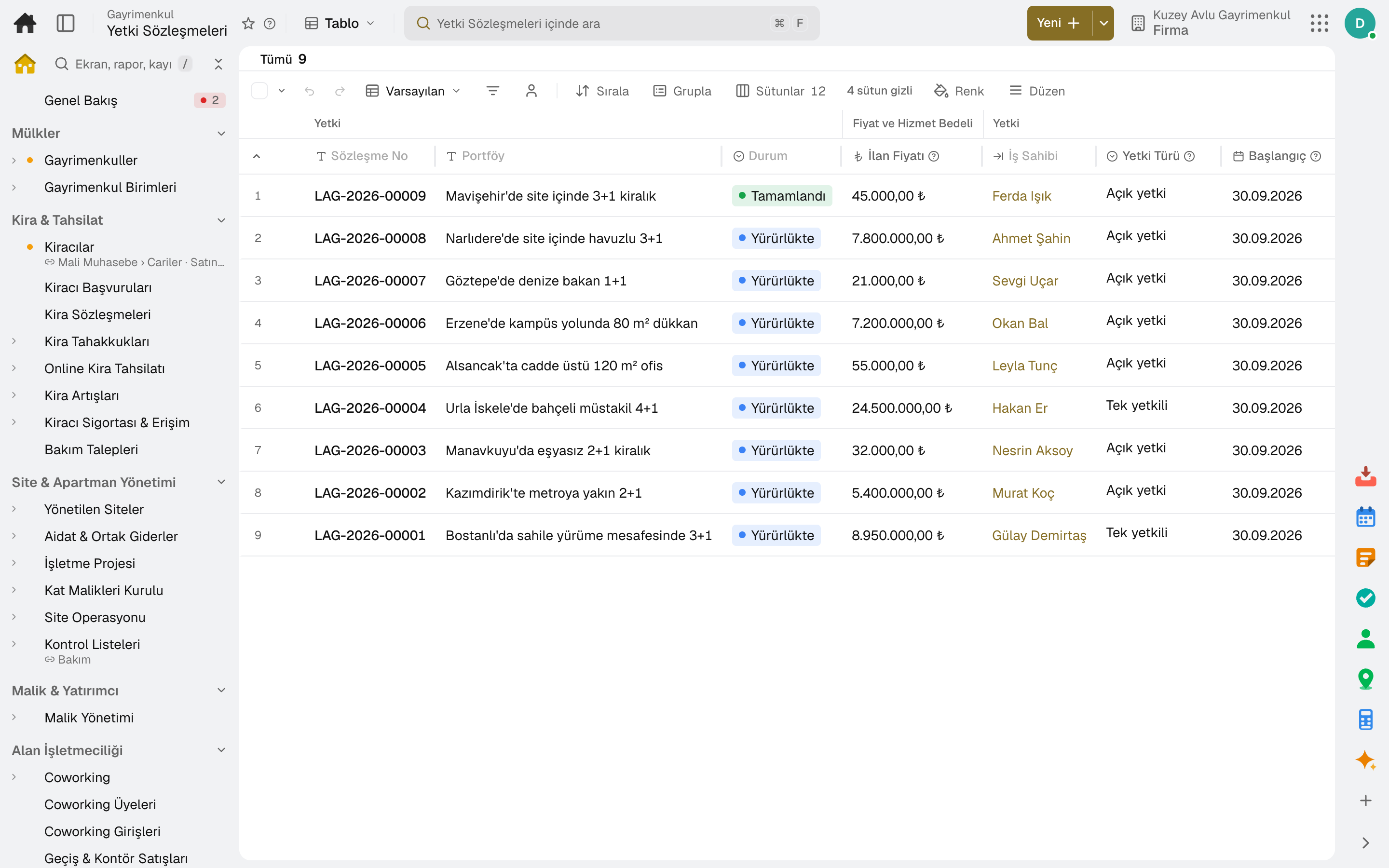
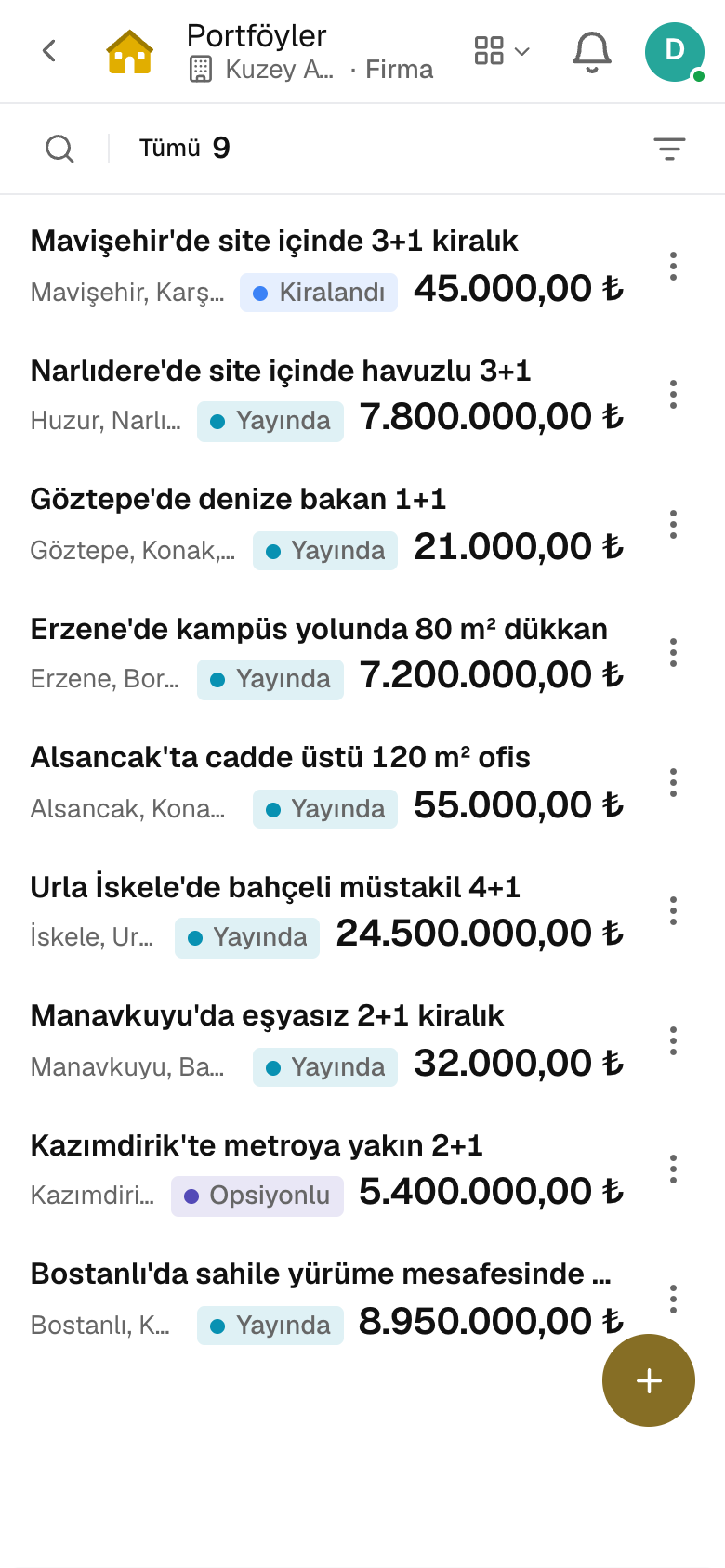
Screen in the productListingsListing AgreementsProperty AdsValuations
Listing Agreements
Listings
Screen in the product
  • Listing Agreements
  • Listings

Listing card

Deal type, property type, price, deposit and dues; gross and net m², rooms, floor, year built, heating, furnishing and title status on one card.

Listing agreement

Exclusive or open; term, list price, commission and termination fee. A second agreement with an overlapping term cannot be opened.

No unauthorized ads

In Türkiye a listing without a valid agreement cannot be advertised; the listing site requires the e-Devlet listing authorization and the property number.

Listing feed

Each channel gets a listing feed link; sold, rented or withdrawn listings drop out of the feed.

Valuation

Owners coming from the «What is my home worth?» page get a value range from market comparables; «Convert to Listing» brings the property into the portfolio.

Option and withdrawal

An accepted offer puts the listing under option automatically; an expired option is lifted. A listing with live business cannot be deleted.

02 / 07

Requests, viewings and offers

What buyers and prospective tenants are looking for is recorded, and matching published listings are ranked by score. Viewings come with a signed form; offers end in acceptance, a counteroffer or rejection.
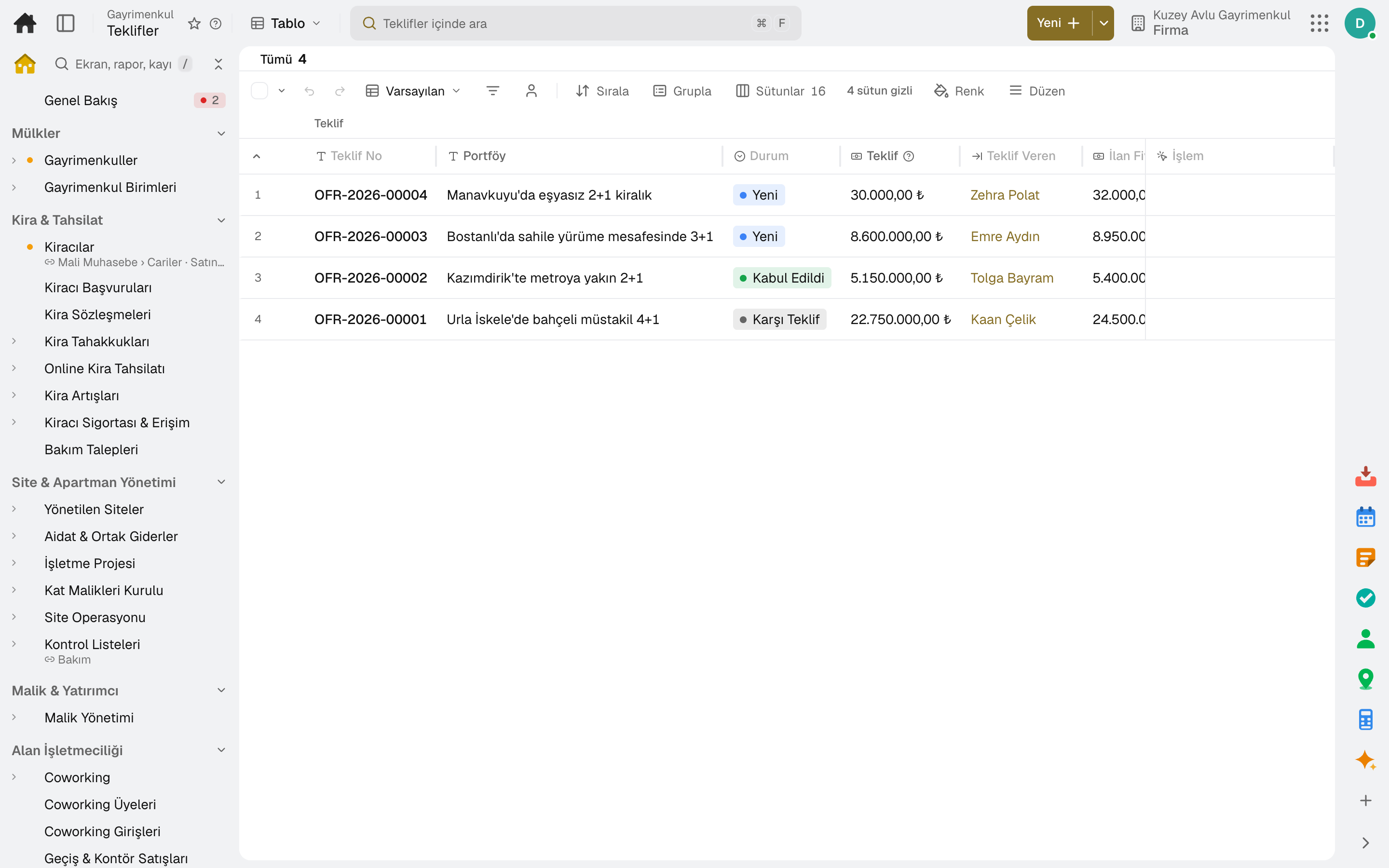
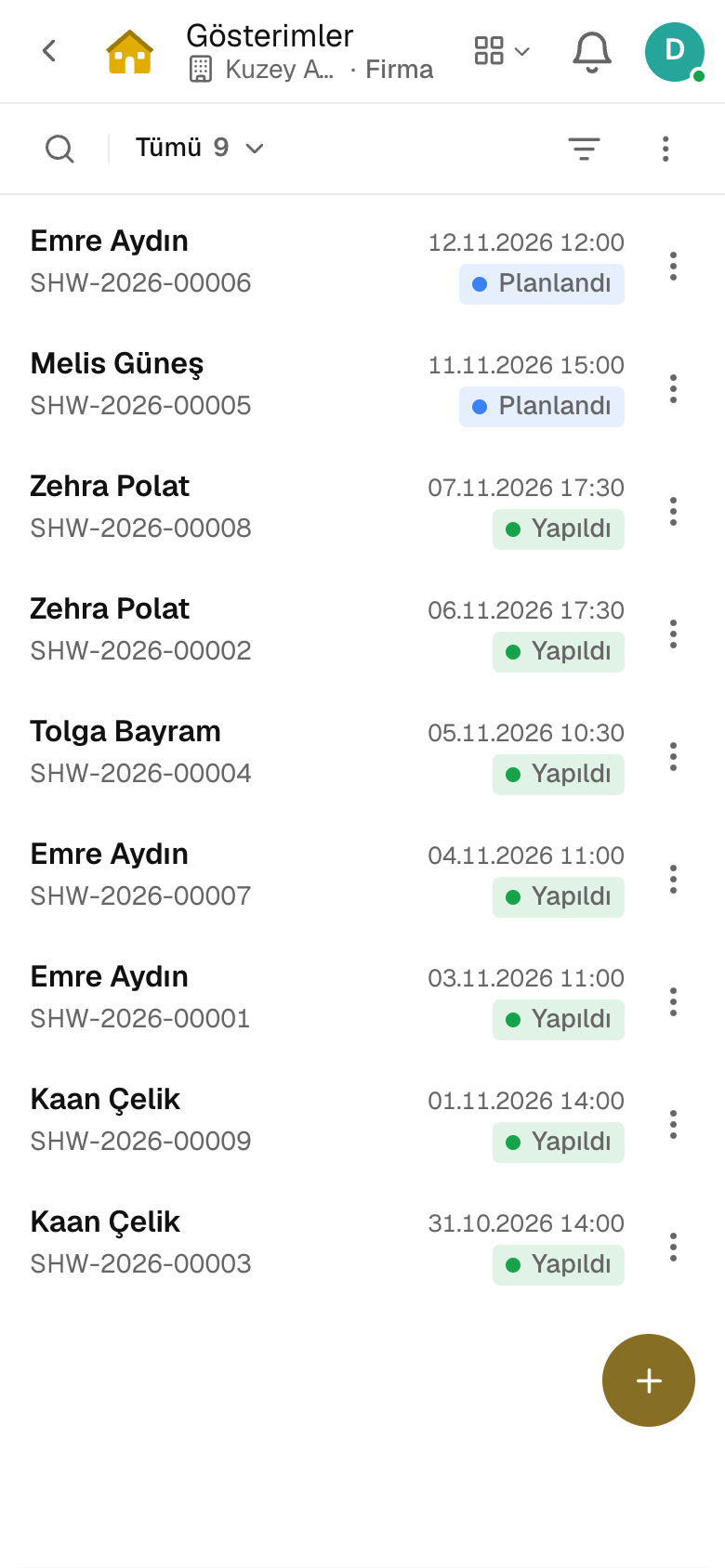
Screen in the productBuyer RequestsViewingsOpen HousesOffersLead Routing
Offers
Viewings
Screen in the product
  • Offers
  • Viewings

Request and matching

Deal type, property type, city and district, budget, rooms and m² range; matching listings are ranked with a score and the reason.

Distribution rule

A new request goes to an agent by source, area or budget; one not answered in time passes to the backup.

Follow-up plan

Task, email, SMS and note steps are applied to the request in order; the plan stops once the client is reached.

Viewing form

One form per visitor with a separate signature for each listing shown; feedback is requested after the viewing.

Open house

The open house is announced on the listing site; visitors sign in with the QR code at the door, and the sign-in becomes a request.

Offer and counteroffer

An offer shows its difference from the list price; accept, counter or reject on the same row, with the expiry on the calendar.

03 / 07

Brokerage deals and commission

Sales and rentals are recorded with their parties, price and both parties' commission. On completion the listing closes, invoices are issued and agent shares are sent to payroll.
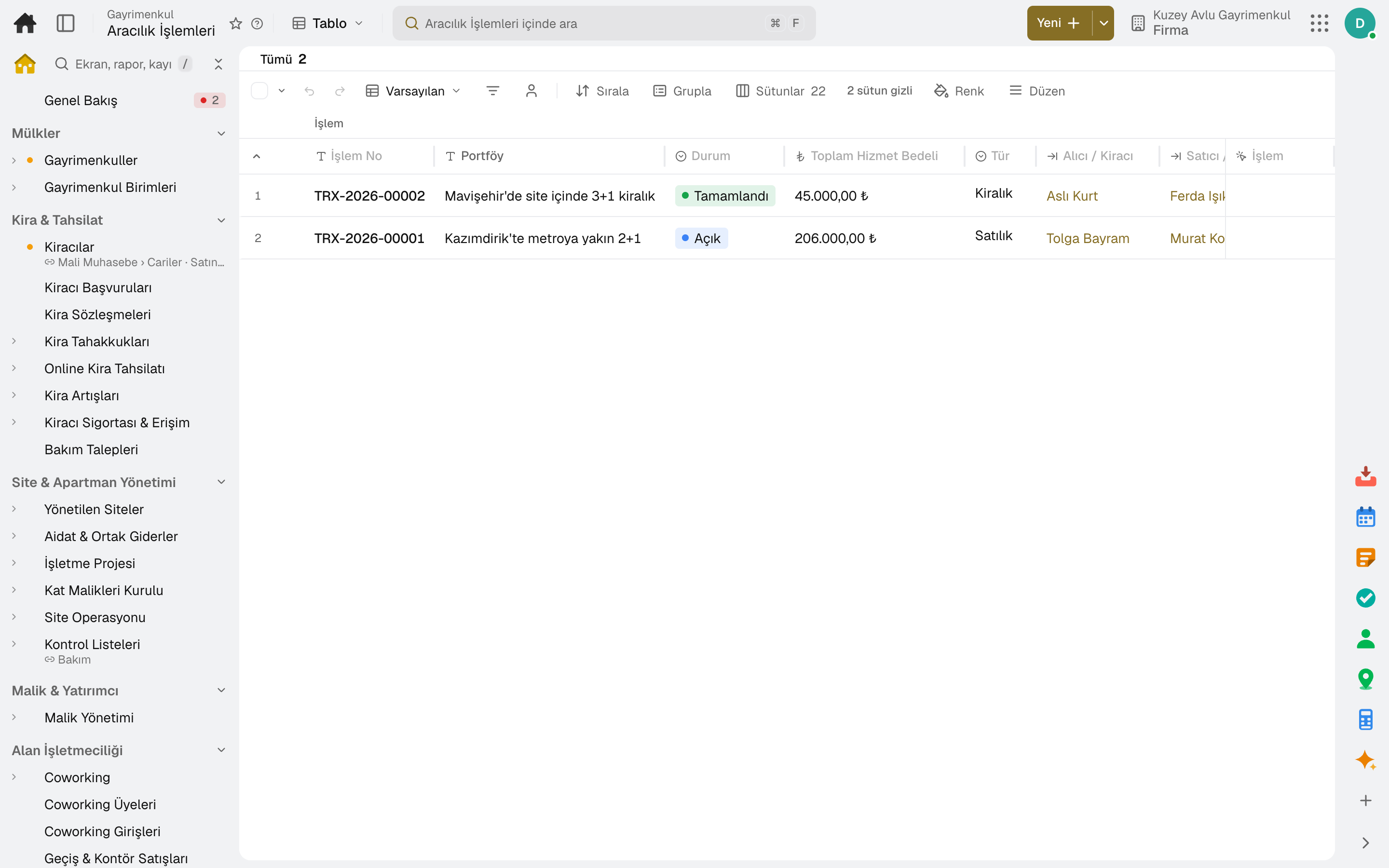
Screen in the productDealsLead Performance
Deals
Screen in the product
  • Deals

Deal room

The deal's steps, party page and messages in one record; the documents required for the deal type go through manager review.

Two-sided commission

Separate commission from buyer and seller; in Türkiye the record is stopped if the legal cap is exceeded.

Complete and invoice

A completed deal closes the listing and invoices both parties; the same deal is never invoiced twice.

Agent share

Agent shares go to payroll as additional pay with «Send Shares to Payroll»; a manager makes the transfer.

Termination fee invoice

A termination fee is invoiced to the party who backs out of a cancelled deal, and to the owner of a terminated listing agreement.

Request performance

Requests opened in the period by agent or source: first response time and conversion to viewing, offer and deal.

04 / 07

Rent and collection

Buildings you lease out are set up with their units, and each lease is kept with its terms and duration. Rent is accrued period by period and a payment clears the rent item.
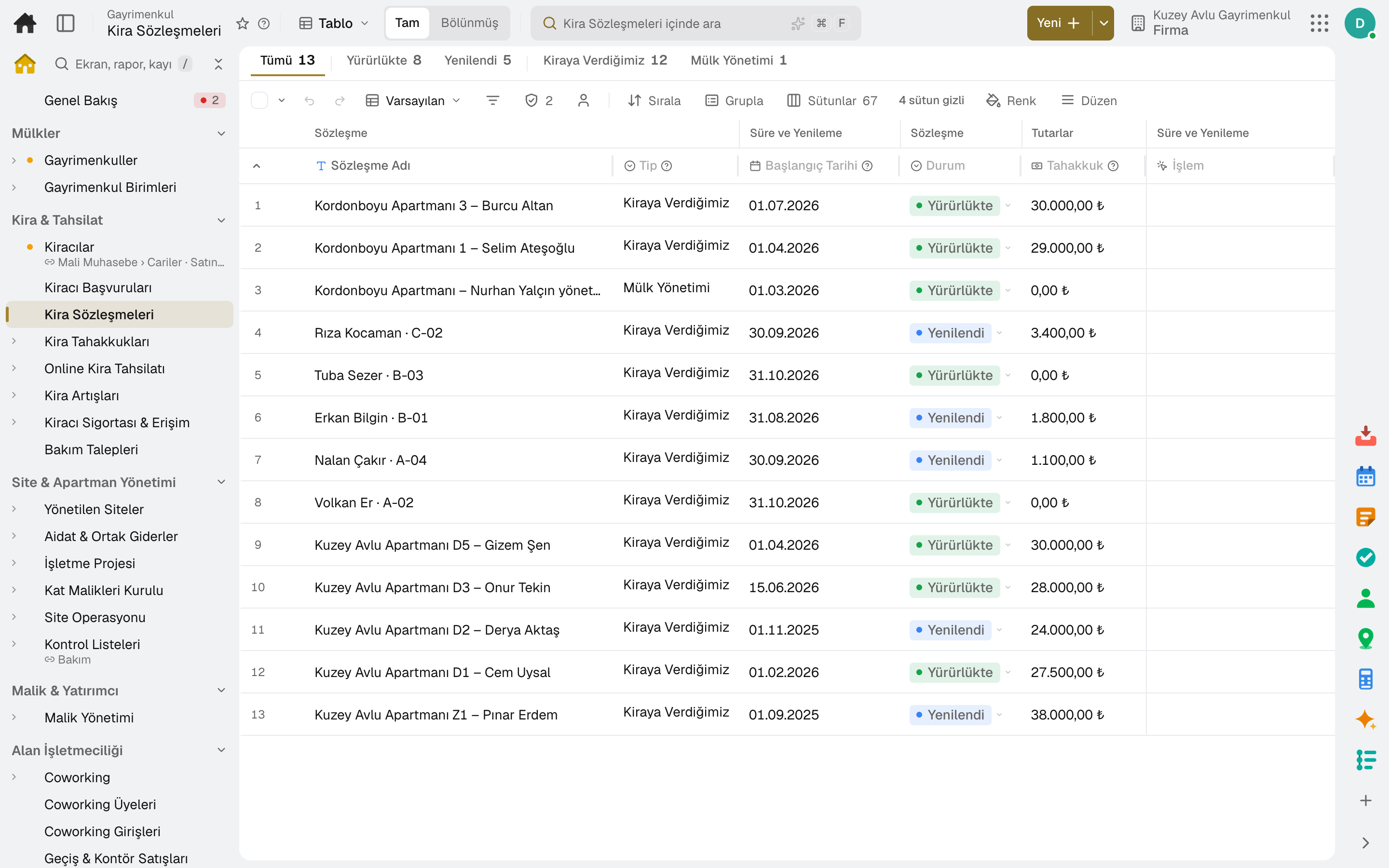
Screen in the productPropertiesProperty UnitsProperty Lease ContractsPeriodic Posting RunRent IncreasesRent Pricing
Property Lease Contracts
Screen in the product
  • Property Lease Contracts

Building and unit

Apartment, shop, storage and parking units under the building; a vacant unit's ad and its performance on the same screen.

Lease contract

Tenant, leased unit, rent and service charge items, VAT and withholding, start, end and termination notice period.

Periodic accrual

Rent and cost accruals are posted in bulk each period; the tenant statement shows accruals, payments and balance.

Rent increase

A lease reaching its anniversary gets an index-based increase proposal within the legal cap; the increase plan is applied and a notice is issued.

Deposit

The deposit is collected and refunded with deductions; you are warned if it exceeds the three-month rent cap.

Rent suggestion

A vacant unit gets a rent proposal from the comparable rent/m² median, occupancy and days vacant.

05 / 07

Management on behalf of owners

If you manage property for others, rent is held in trust for the owner, costs on the owner's behalf are paid within a limit, and an owner statement is issued each month.
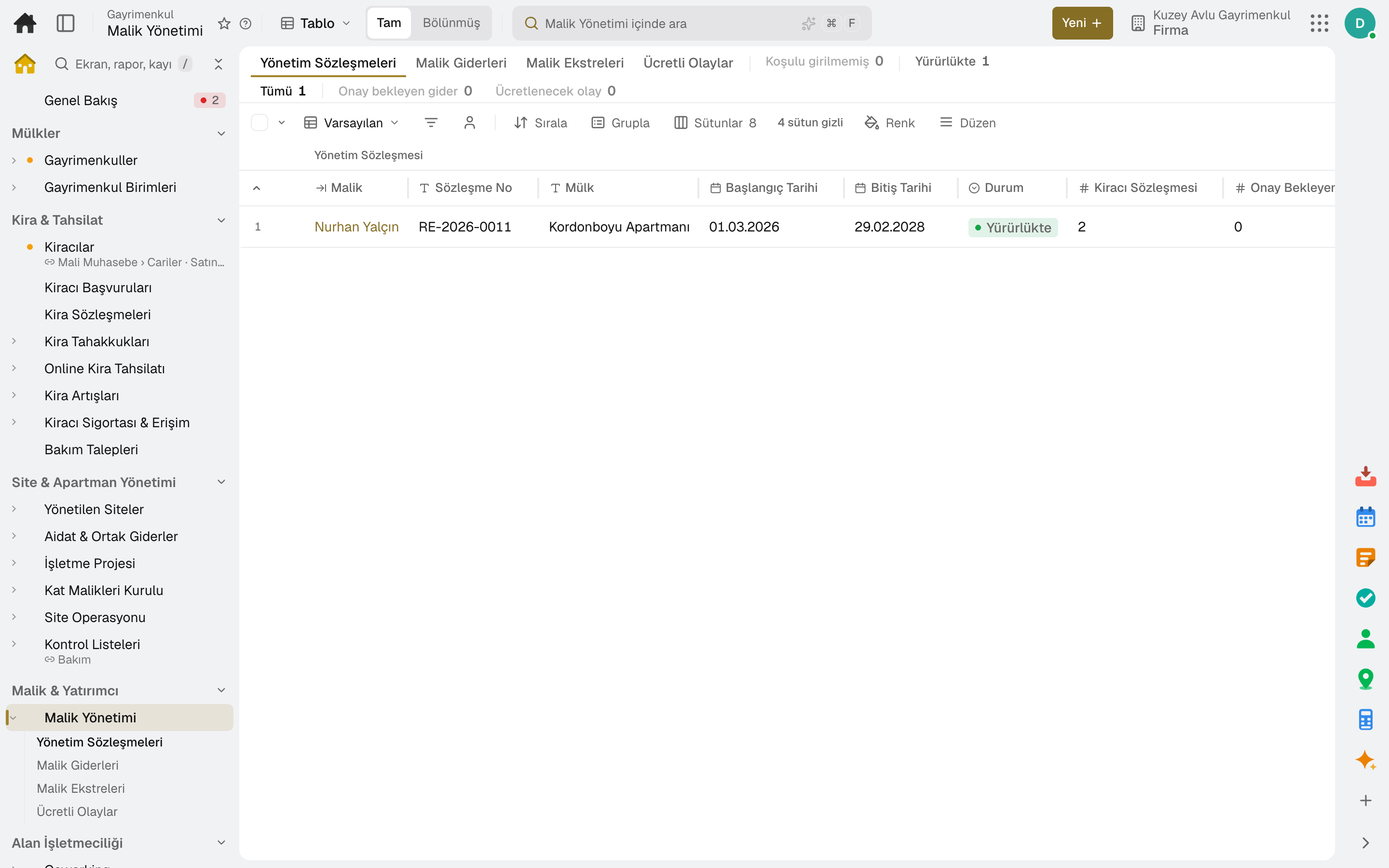
Screen in the productOwner ManagementProperty Portal Accounts
Owner Management
Screen in the product
  • Owner Management

Management contract

The management agreement with the owner is kept with its commission and fee terms.

Owner trust and costs

Collected rent is held in trust for the owner; a cost on the owner's behalf above the approval limit goes to the owner for approval.

Owner statement

At period end the owner statement is produced automatically: collected rent, owner costs, management fee and net payout.

Portal accounts

Tenants, owners and investors get portal access by bulk invitation; each person signs in at one door with a code.

06 / 07

Residential site management

Every managed site on one row: this month's dues billed and collected, open balance, visitors and parcels waiting at the gate. From the operating budget to the assembly's decisions, the site's year in the same data.
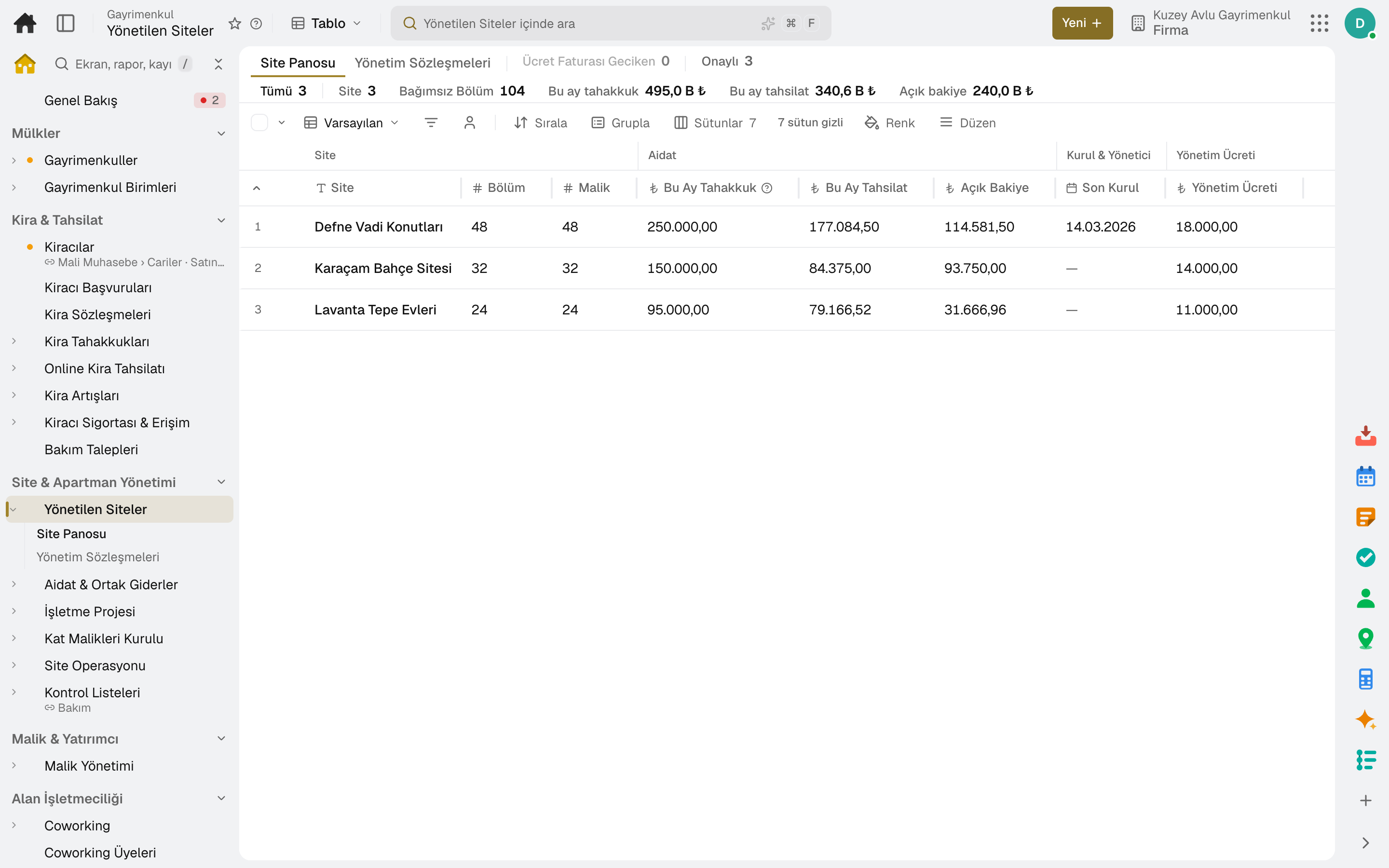
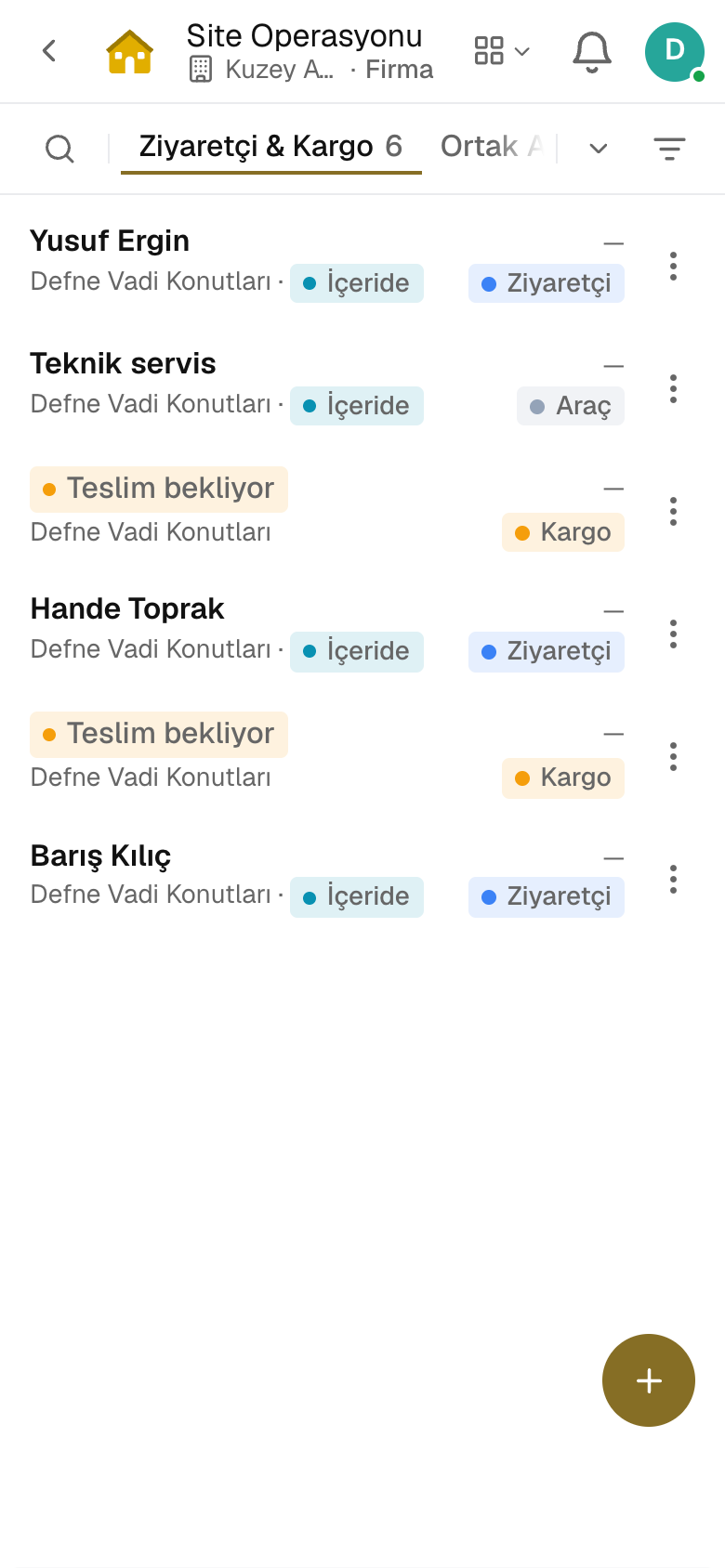
Screen in the productManaged SitesOperating BudgetService Charges & Common CostsOwners' AssemblySite Operations
Managed Sites
Site Operations
Screen in the product
  • Managed Sites
  • Site Operations

Create Site

Opens the building, its units and the management contract in one step; the management fee is invoiced to the site's account.

Operating budget

The year's estimated cost items become the budget; once the owners' assembly approves it, monthly advance dues are accrued.

Late payment penalty

Overdue shares are charged late fees at the configured rate; each debtor's statement is produced as a PDF.

Owners' assembly

Notice, agenda, attendance list and proxies; resolutions are voted by quorum type and numbered in the minutes book.

Gate log

Visitor, parcel and vehicle log; guests pre-registered by residents are expected, unannounced visitors go to the resident for approval.

Amenities and announcements

Amenity bookings are approved by rule; announcements and surveys go to residents from the same screen.

07 / 07

Coworking and self storage

Coworking runs with memberships, meeting rooms and guests; self storage with units, rate plans and access locks, in the same app. Invoices and payments go to accounting.
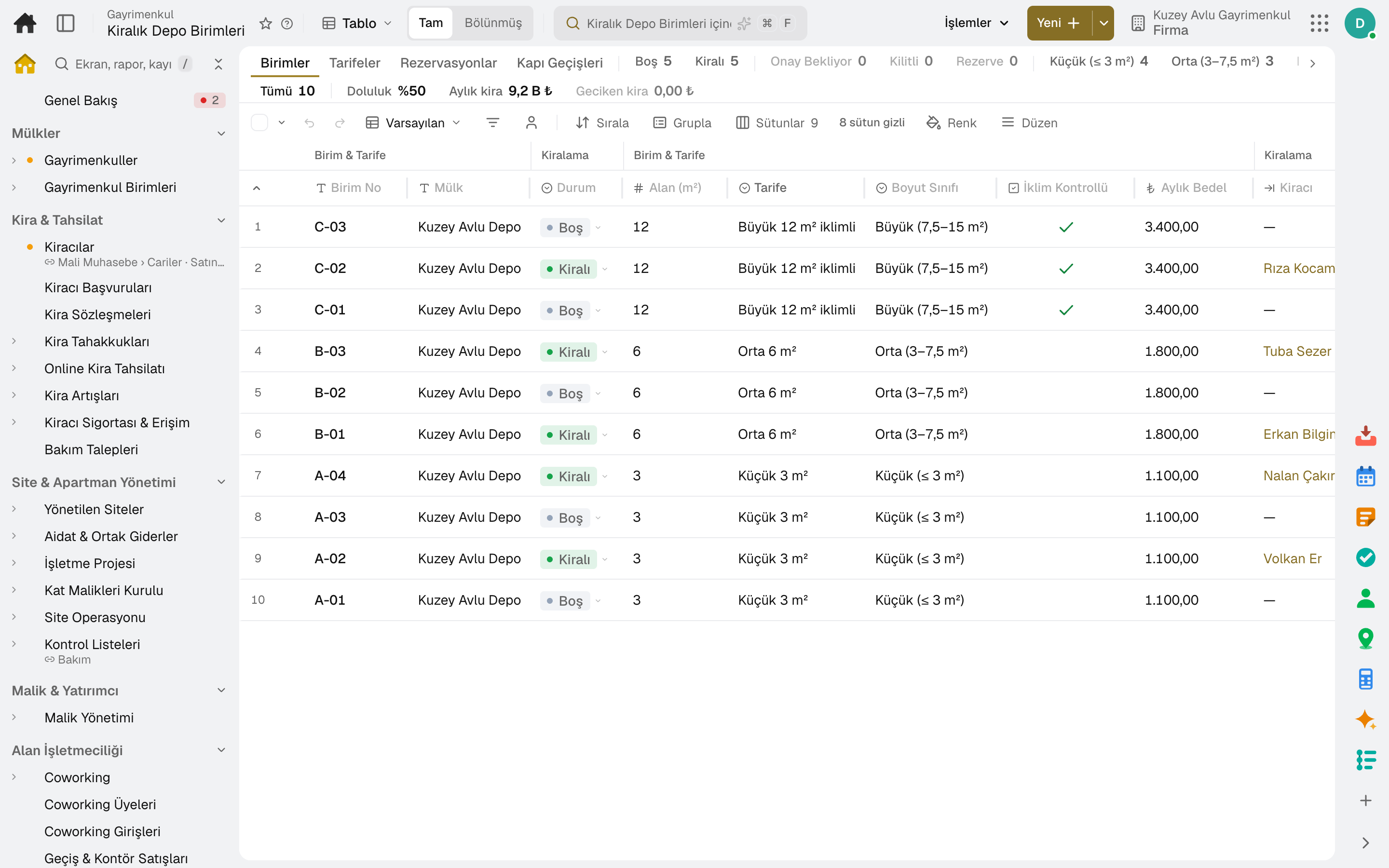
Screen in the productCoworkingMembersFront DeskSelf Storage
Self Storage
Screen in the product
  • Self Storage

Membership plan

Monthly fee per seat with included entry days and meeting room hours; usage beyond the allowance is invoiced.

Meeting room

Members book a slot in the room's calendar; the time is deducted from the membership's room-hour allowance.

Reception and guests

A code is scanned at the entrance and the decision shows instantly; guests invited by members enter with a QR code.

Size and rate

Units are tied to a tariff by size class, climate control and monthly fee.

Quick rental

A monthly rental is opened in one step; the lease renews automatically.

Access lock

Access to the unit is locked when rent is late and unlocked on payment; every lock and unlock is logged.

Sub-modules

Lidyos Estate: 9 sub-modules

This list is generated from the product itself; it grows as new functions are added to a sub-module. Master data and settings are the shared ground of every module and are not counted as sub-modules.

Properties

  • PropertiesRecords owned and leased real estate with its attributes; insurance policies (DASK/home/business), property tax and rental tax are parts of the same screen.
  • Property UnitsDefines a building's apartment, shop, warehouse and parking units; the rental listings posted for vacant units and their performance are part of the same screen.

Rent & Collections

  • TenantsKeeps suppliers, customers and employees in a single business partner record; manages balance, contact and bank information.
  • Rental ApplicationsEvaluates rental applications from listings: the public application form and documents, automatic pre-screening (ID number, income-to-rent ratio, enforcement records, overdue rent, missing documents), approve/reject, and converting an approved application into a draft lease.
  • Rent PricingSuggests rents for lettable units: on a base of the median comparable rent per m² × area it adds the effect of the property's occupancy, days vacant and demand on the listing (coefficients in company settings); the suggestion is written in bulk to a vacant unit's listing and rent, with an audit trail and undo.
  • Property Lease ContractsManages the leases of properties we rent out and manage on behalf of the owner, with terms, duration and Turkish Code of Obligations (TBK) art. 344 increase rules. Contracts for places we rent (store · office · vehicle · equipment) are in Financial Accounting › Leased Assets.
  • Periodic Posting RunPosts rent and expense accruals in bulk by period.
  • Online Rent CollectionManages tenants paying rent by card: the company's virtual POS, payment links and portal payments; once paid, the collection is posted and the rent items are cleared.
  • Rent IncreasesRaises the rent of contracts reaching their lease anniversary according to the index: contracts due for renewal and a proposal within the legal cap, increase plan and its application, notification; the index values the increase is based on are kept here as well.
  • Tenant Insurance & AccessRuns tenant insurance and access credentials: insurance compliance of every active lease (mandatory, minimum cover, expiry warning), approval of the policy the tenant uploads from the portal and reminders; the access code is issued when the contract takes effect, cancelled at expiry and move-out, and suspended when storage rent is overdue; events (for a storage lock, with the delay at the moment of locking) are sent to the access system by signed webhook.
  • Maintenance RequestsCollects maintenance and breakdown requests coming from the field/branch and converts them into work orders — this is the main way to report a breakdown.

Community Association Management

  • Managed SitesMode for a professional site management company: every managed site on one row (units · owner · this month's dues accrued/collected · open balance · late-payment compensation · visitors/parcels waiting at the gate · last board · manager and term end · this year's operating project · management fee invoice delay); Site Setup creates the building, numbered units, the site's business partner and the management contract in one operation (in the site holding engine the subsidiary is selected, and dues are kept in that company's ledger); the management contract carries a monthly fee + VAT + invoice day, and the fee invoice is issued to the site's business partner manually with "Invoice" or, if the company setting is on, by the night job (once per period). Caretaker payroll: with the 'Caretaker — income tax/stamp duty exemption' flag on the employee card and the payroll setting on, income tax and stamp duty are calculated as zero (specific to Türkiye).
  • Service Charges & Common CostsSplits the building's common expenses (cleaning, security, common electricity) across units and passes them on to the tenant; at year end it settles the difference between the advance paid and the actual share.
  • Operating BudgetRuns the operating project of the site/apartment management (KMK art. 37): the year's estimated common expense items become the annual budget, and once the unit owners' board approves it the monthly advance dues accrue period by period (manually or by the night job); the Overdue Dues section calculates overdue shares and, for every full month elapsed, late-payment compensation at the rate in the company setting (Türkiye default 5%), and posts it per debtor in one operation; the Operating Account section shows the monthly accrual · collection · expense · cash summary (KMK art. 36), Debtor Statements show each owner/resident/tenant's balance and PDF statement, and Bank Reconciliation shows whether shares marked paid match bank movements.
  • Owners' AssemblyRuns the unit owners' board (KMK art. 27-34): meeting call (at least 15 days in advance), agenda, attendance sheet (the building's unit owners and land shares — in person/by proxy, proxy limit), quorum (at the first meeting a majority of count and land share, not required at the second), minutes; decisions are numbered (year/sequence), voted per attendance row, counted by quorum type (majority of votes · double majority · 4/5 · unanimity, one-third cap) and when final they take a decision book number (art. 32); minutes and the book page download as PDF; the Manager & Auditor section tracks elected officers, their term, fee and audit report (art. 34 · art. 41).
  • Site OperationsRuns the site's daily work: the visitor, parcel and vehicle log at the gate (what the resident announces in the portal is expected, and the resident gets an email at entry), approval of common area reservations and building announcements.
  • ChecklistsMaintenance checklists filled in step by step on the work order: pass / fail / N/A, measurement, choice, photo and signature. A failed answer turns into a maintenance request and a flagged measurement goes to the equipment's meter; an unfinished checklist doesn't let the work order close.

Owners & Investors

  • Owner ManagementRuns management of properties owned by others: the management agreement with the owner and its commission/fee terms, posting tenant rent to the owner's trust account, expenses on the owner's behalf (owner approval above the limit), and the monthly owner statement with the management fee invoice.
  • Investment ManagementRuns the investor ledger of properties held through funds, special purpose vehicles and joint ventures: investor commitments, pro-rata capital calls with payment tracking, the distribution waterfall (return of capital, preferred return, catch-up, profit split) and the investor portal.

Space Operations

  • CoworkingDaily work of the coworking space: members' meeting room reservations (time on the room's calendar, duration is deducted from the membership's room-hour allowance), guests (invitation QR, scanned at entry) and announcements/surveys to members. Members, membership plans, contracts, invoices, entry, day passes and credits are in the Membership screens under Real Estate › Space Operations.
  • MembersMembers of the gym or coworking space: contact details, club, emergency contact and entry code; membership status, plan and remaining entries are read from the subscription contract. Check-in is done from the row in one click; a membership is frozen for a while and reopened (frozen days are added to the end of the membership). With an automatic payment mandate, membership invoices are charged to the member's saved card automatically; the card is saved when the member pays by card on the payment page. The member app link is sent from the row by SMS or email; the member signs in with a code on their registered phone, opens the door QR and books classes themselves.
  • Subscription Plans & BillingManages subscription plans, contracts, periodic billing and payment tracking in one place; invoices of contracts with an automatic payment mandate are charged to the payer's saved card automatically.
  • Check-insThe decision for every scan: accepted, accepted with a warning or rejected, with the reason (expired, payment overdue, no entries left). A wrongly taken entry is cancelled and the period entry comes back.
  • Class Pack SalesPacks sold to members (class pack · day pass · credit hours): remaining credits, validity, invoice and collection trail. On sale a draft sales invoice is opened, and if payment is taken it is posted to the cash or bank account; an unused pack is cancelled together with its invoice.
  • Front DeskThe screen where entry is taken: the code is scanned or the member is chosen by name, and the decision shows instantly. On a usage-based plan the entry is deducted from the period allowance, and entries beyond it are invoiced.
  • Self StorageRuns self storage units: price lists by size class, climate control and monthly fee; linking a unit to a price list; quick monthly rental (a self-renewing lease); access lock when rent is overdue, unlock when paid, and gate passes; the trail of locks and unlocks is in the access events of Tenant Insurance & Access.

Senior Living

  • Senior LivingRuns the care home's daily work: residents (room, care level, payer and monthly fee, relatives and emergency contact), with health details visible only to users with health permission; the daily care and medication round (given, partly, refused, with limits for as-needed medication), the monthly medication chart, observations (mood, meals, fluids, sleep), incident reporting with an alert to the manager, shift handover and visits; a carer screen on the phone; an authorised relative sees the daily summary, visit appointments and invoices on the family page through a single door (every visit is logged).
  • Resident Care PlansWrites the resident's care plan: medication (name, dose, times), nutrition, mobility, hygiene, physiotherapy and check-ups; care goals and progress, falls, pressure ulcer, nutrition and mobility risk assessments, and wound and bruise tracking on the body map. The daily care and medication round comes from this plan.
  • Senior Living BillingInvoices residents' monthly fees: prorated by day for move-ins and move-outs within the month, with a sales invoice including VAT to the payer; an issued invoice can be cancelled.

Brokerage Listings & Ads

  • ListingsFor-sale and for-rent properties brokered by the office: owner (Business Partner), responsible agent, price, location, features and title deed. A listing on option is not suggested to new customers; it is withdrawn if the owner changes their mind.
  • Listing AgreementsWritten agreements by which the owner authorises the office to market the listing: exclusive or open, term, list price, service fee and withdrawal fee; in Türkiye, the e-Devlet listing authorisation (EİDS). The printed copy is signed in two copies.
  • Property AdsListings' ads on listing sites and your website: channel, ad number and address. When a listing is sold, rented or withdrawn, the ad is marked to be taken down; in Türkiye no ad is opened on a listing site without a listing agreement and the e-Devlet listing authorisation.
  • ValuationsOwners asking what their property is worth: they come from the "What Is My Home Worth?" page on the listing site or by phone — property (transaction, type, location, area, rooms), contact and a "I want to give my property to you" flag. The value range is calculated from the last two years' comparables in the same province (the district if there are enough): the office's portfolios, completed transactions and entered market comparables; the comparables it counted show in the bottom strip. If the consultant enters their own value, it replaces the calculated one. "Convert to Portfolio" opens the owner as a business partner and takes the property into the portfolio.

Brokerage Leads & Deals

  • Buyer RequestsThe property buyer and tenant prospects are looking for: buy or rent, type, province and districts, budget, rooms and m², mortgage or furnished requirement. Matching listed properties are listed with a score; on the listing side, matching requests appear by the same rule.
  • ViewingsProperty viewing documents: one document per viewer, a separate signature and fee rate for each listing shown. Planned from the request's matches; feedback is written after it takes place. No fee is charged for the viewing itself.
  • Open HousesOpen house days when listings on the market can be visited without an appointment: listing, start and end, hosting agent, note to visitors. Announced on the listing and its card on the listing site; no showing times are offered for the listing or the agent during the open house. Visitors sign in on the page opened on the tablet at the door or via QR; a visitor not working with an agent becomes a lead. «Done» sends visitors a thank-you email when the company setting is on.
  • OffersPrice offers from prospective buyers and tenants on listings: difference from the list price, financing and conditions. They arrive from the listings site via «Make an Offer» or are entered manually; accept, counter or decline — the offeror follows the response from their own link.
  • DealsSales and rentals made through the office: parties, price, both parties' service fees and agent shares. On completion the listing closes, the listing agreement and request are concluded, service fee invoices are issued to both parties, and agent shares are transferred to payroll as bonuses.

Reports

  • Property ReportsProduces the real estate portfolio as the selected report: profit/loss by property, rent roll, portfolio analysis (WALT/WALE), receivables/accruals, real estate income return (GMSİ) and IAS 40 disclosure.
  • Branch 360°Brings together a branch's property, lease and expense information in a single 360° view.
  • Lead PerformanceLeads opened in the period by agent or source: new, not contacted, speed to lead, attempts, reached rate, converted to showing, offer and deal, conversion and commission; for agents, calls, messages and meetings in the period.

Setup master data and settings

  • Site SettingsSite information defined once at setup: common areas and reservation rules, the guide to the building's important numbers and the registered vehicle plates of units.
  • Coworking SettingsThe coworking space's bookable meeting rooms and their rules (opening hours, slot, maximum duration, how many days ahead). Membership plans are in Coworking Memberships & Invoices › Plans, day passes and credit packages in Definitions › Pass & Credit Packages.
  • Class PacksDefinitions of prepaid packs — class pack, day pass or credit hours: credit unit and count, how many days valid, VAT-inclusive price and VAT rate; a class pack can optionally be restricted to a single class. Changing a definition doesn't affect packs already sold. Each pack is a service material; its price is the Sales price record.
  • Property Portal AccountsLists portal access granted to tenants, owners and investors: bulk invitation, closing and reopening access; the person signs in with a code through a single door, and the portal shows the contract, account statement and maintenance request.
  • Lead RoutingWho gets a new request from the listing site, saved searches and connections. Rules are tried in order; the first whose source, deal type, area or budget matches assigns it: round robin, first to claim, a single agent, the listing agent or the pond. A request not answered in time is handed to the backup.
  • Action PlansStep-by-step follow-up for a request: task, e-mail, SMS, stage and note steps, each a set number of days after the previous one. A routing rule starts it on new requests or an agent starts it from a request; it stops when the client is reached or the request closes.

Enter your first listing today.

Try it free for 15 days; no credit card needed. We reply to your questions within one business day.