Availability calendar
Rental products and their units; the calendar shows which vehicle or piece of equipment is free on which day.
For vehicle rental companies and businesses renting out equipment and event supplies. Availability schedule, rental orders, pick-up and return reports, damage, price rules, an online booking page, vehicle charges and the official notification queue come ready; invoices and deposits flow into accounting.
No credit card, nothing to install.
Who it's for
The same rental flow, set up for your business: each line of business has a page with its own details.
Highlights
Rental products and their units; the calendar shows which vehicle or piece of equipment is free on which day.
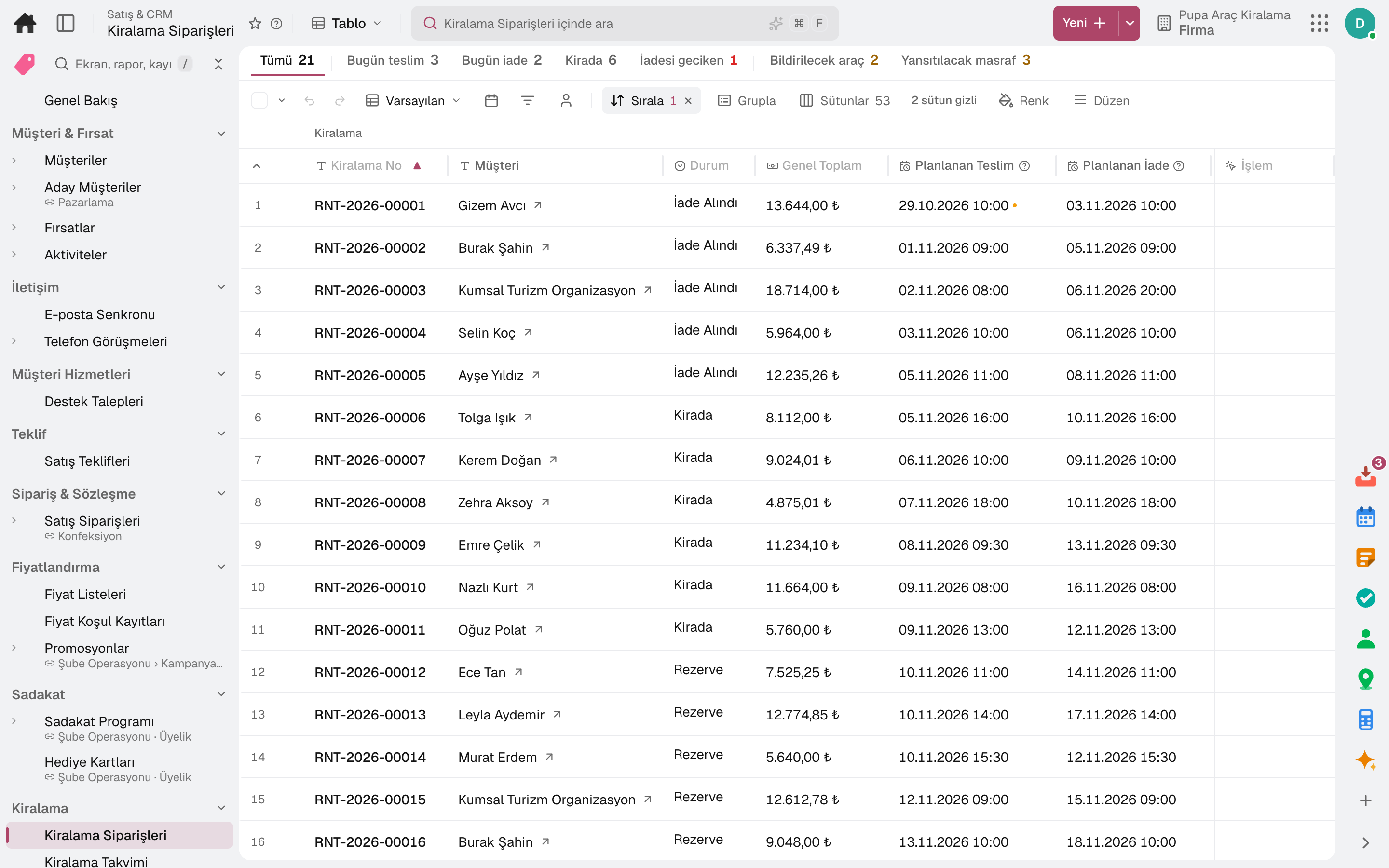
Reserved, picked up, on rent, returned and invoiced in one flow; rentals due out today, due back and overdue are counted in the top strip, and a booking that does not fit capacity is not saved.
A percentage difference in season and on selected weekdays, tiered discounts for long rentals, minimum and maximum rental length; a rule can be set per product, branch and channel.
On the company's rental page the customer picks branch, time and product and makes a reservation; the order lands in Rental Orders through the web channel. No pick-up or return is accepted in a closed period.
Driver records and licence requirements; the additional driver fee is added to the order automatically.
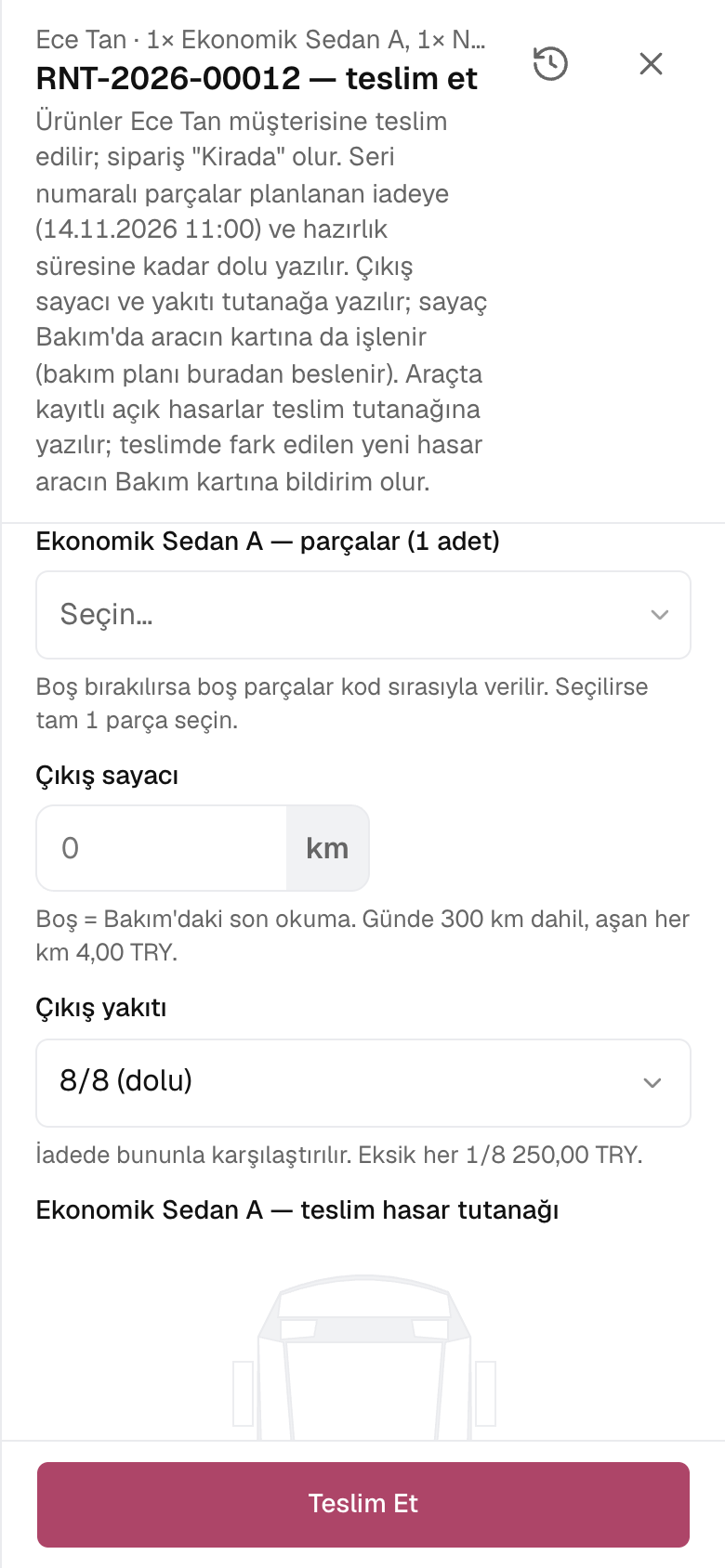
Mileage or hour meter and fuel level; excess mileage and the fuel difference are added to the invoice as line items.
Damage is marked on the vehicle diagram and written to the vehicle's record; a protection package caps the customer's share, and an unusable vehicle drops off the calendar.
Tolls, bridge fees, parking and traffic fines are matched by plate and time to the rental in progress and recharged to the renter; lines awaiting official rental notification are tracked in a queue.
A one-way fee is added to the order and the returned vehicle moves to the return branch's fleet; the agency's commission is totalled in the Commission Report.
A day
Every step works on the same data: a record entered in one step is never keyed in again in the next.
The strip counts today's pick-ups, returns and overdue rentals; the calendar shows which vehicles are free.
Driver and licence are checked; mileage, fuel, photos and signature go on the report, the deposit into the cash account.
The pick-up lands in the official notification queue; once entered in KABİS it is marked Notified.
Tolls and fines are matched to the rental by plate and time and recharged to the renter.
Excess mileage, fuel difference, late return and damage are calculated; the invoice is issued and the rest of the deposit refunded.
As you grow
As you add branches and vehicles you continue in the same account: customers, vehicle cards and past rentals stay in place. Vehicle maintenance, accounting and purchasing share the same data; if you also buy and sell vehicles, the dealership opens in the same account.
Car dealership and vehicle trading software — for used car dealerships and businesses that buy and sell vehicles.
3 modules in the packageField service management software — for businesses that provide service at the customer's site.
4 modules in the packageSales and customer management software
One customer record from opportunity to invoice.
16 sub-modulesMaintenance management software
Breakdowns reported by QR, maintenance plans from the calendar.
5 sub-modulesYour own fleet and your carriers in one control tower.
11 sub-modulesAccounting software
In the journal the moment the invoice is issued; no waiting for month end.
13 sub-modulesFrequently asked
Every rental vehicle is a maintenance record; the mileage read at pick-up and return is written to its meter, and the maintenance plan runs on it.
Yes. A rental product can be a vehicle, a construction machine or equipment; the meter is kept in kilometres or hours.
No. On save, the vehicle's availability for that period is measured; an overlapping rental is not recorded.
Yes. The one-way fee is added to the order and the vehicle joins the return branch's fleet.
No. In Türkiye, KABİS has no public web service; pending rows are tracked in a queue, marked Notified once entered in KABİS, and overdue ones raise an alert.
The statement is uploaded from Excel; each row is matched to the rental active at that time by plate and time, and Recharge to Renter adds a line to the order.
Yes. You can take your data out at any time via Excel, CSV or the API.
Free for 15 days
Every app is open for 15 days. No credit card, no installation; your team signs in from the browser.
Try it free for 15 days; no credit card needed. We reply to your questions within one business day.