Today's strip
Today's pick-ups, returns and overdue rentals are counted above the list; pending notifications and charges open their own screen from their count.
For car rental companies and those who hire out equipment and event supplies: rental products and the availability calendar, rental orders, pricing rules, web booking page, pick-up and return reports, damage and protection, vehicle charges and official rental notifications. Each rental unit is a maintenance record; invoices and deposits go to accounting.
01 / 08
Reserved, checked out, on rent, returned and invoiced in one flow. The strip at the top counts today's pick-ups, returns and overdue rentals; on save, the product's capacity for that period is measured.
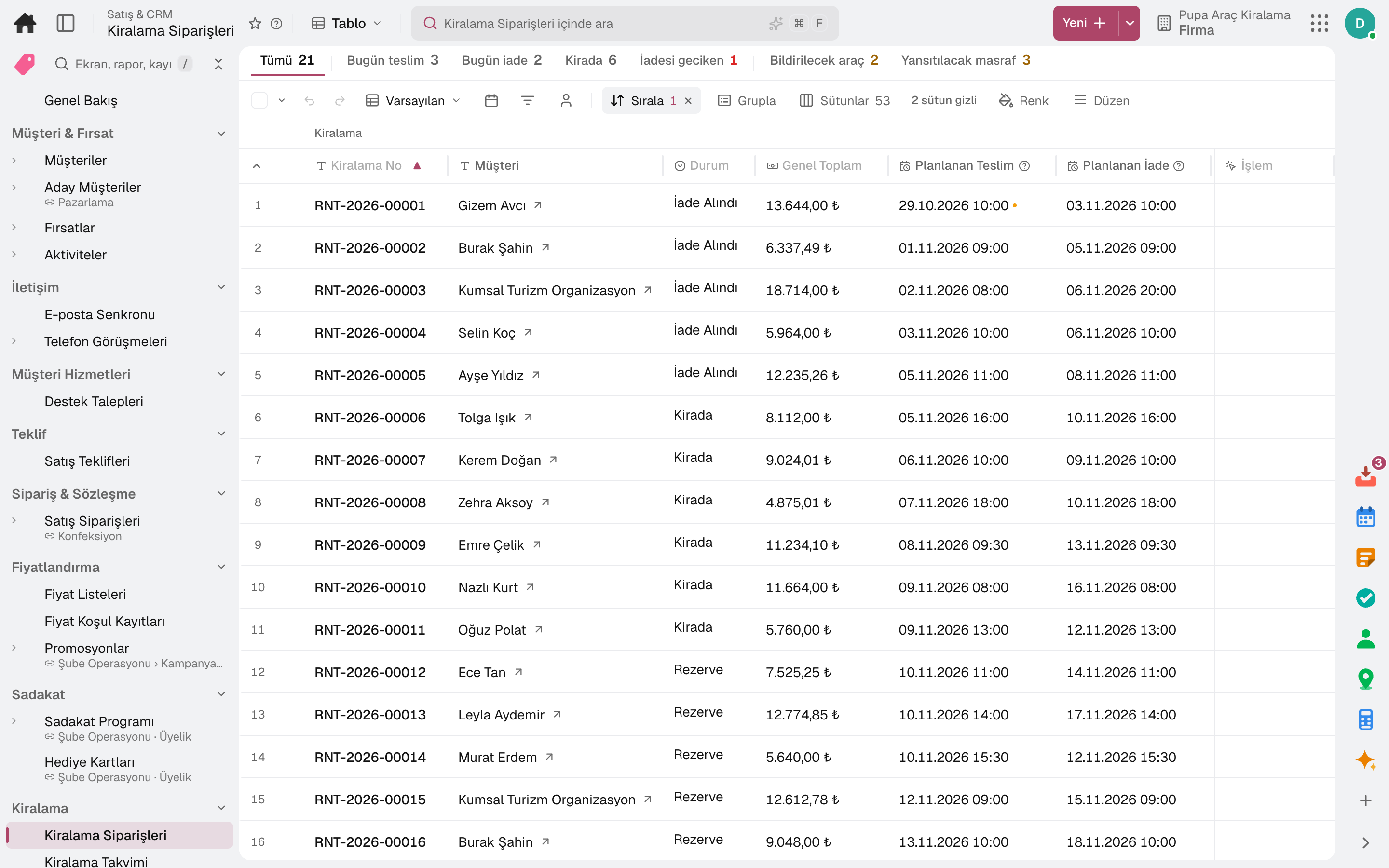
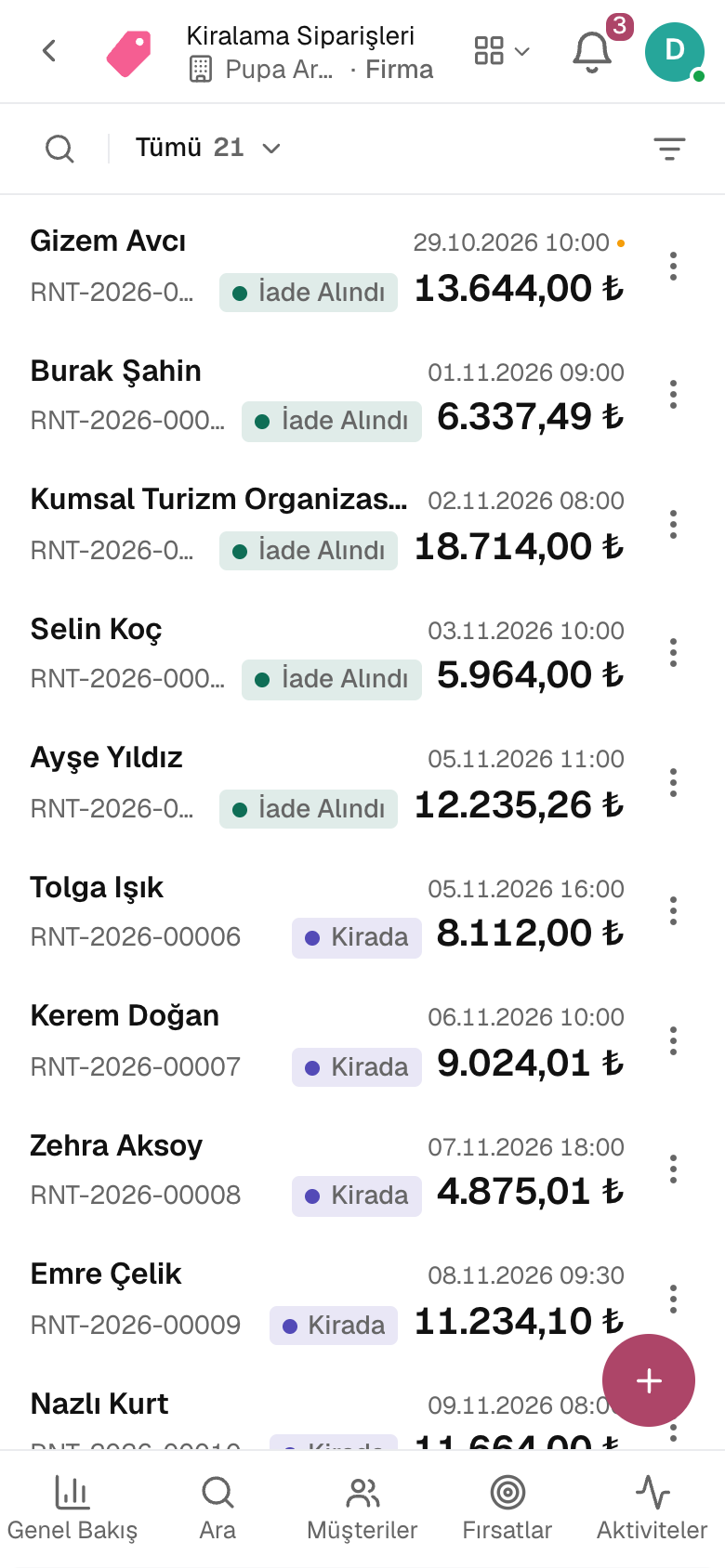
Today's pick-ups, returns and overdue rentals are counted above the list; pending notifications and charges open their own screen from their count.
On save, the product's capacity for that period is measured; a rental that does not fit is not recorded.
A quote is opened without holding availability; the customer accepts it from a link, and the reserved rental is deducted from capacity.
The driver's licence, age and years licensed are checked at pick-up; the additional driver fee is added to the order automatically.
Extensions are recorded; on cancellation, the deduction under the rule is shown in advance.
Monthly billing plan and an annual included mileage quota; period invoices are issued in turn.
02 / 08
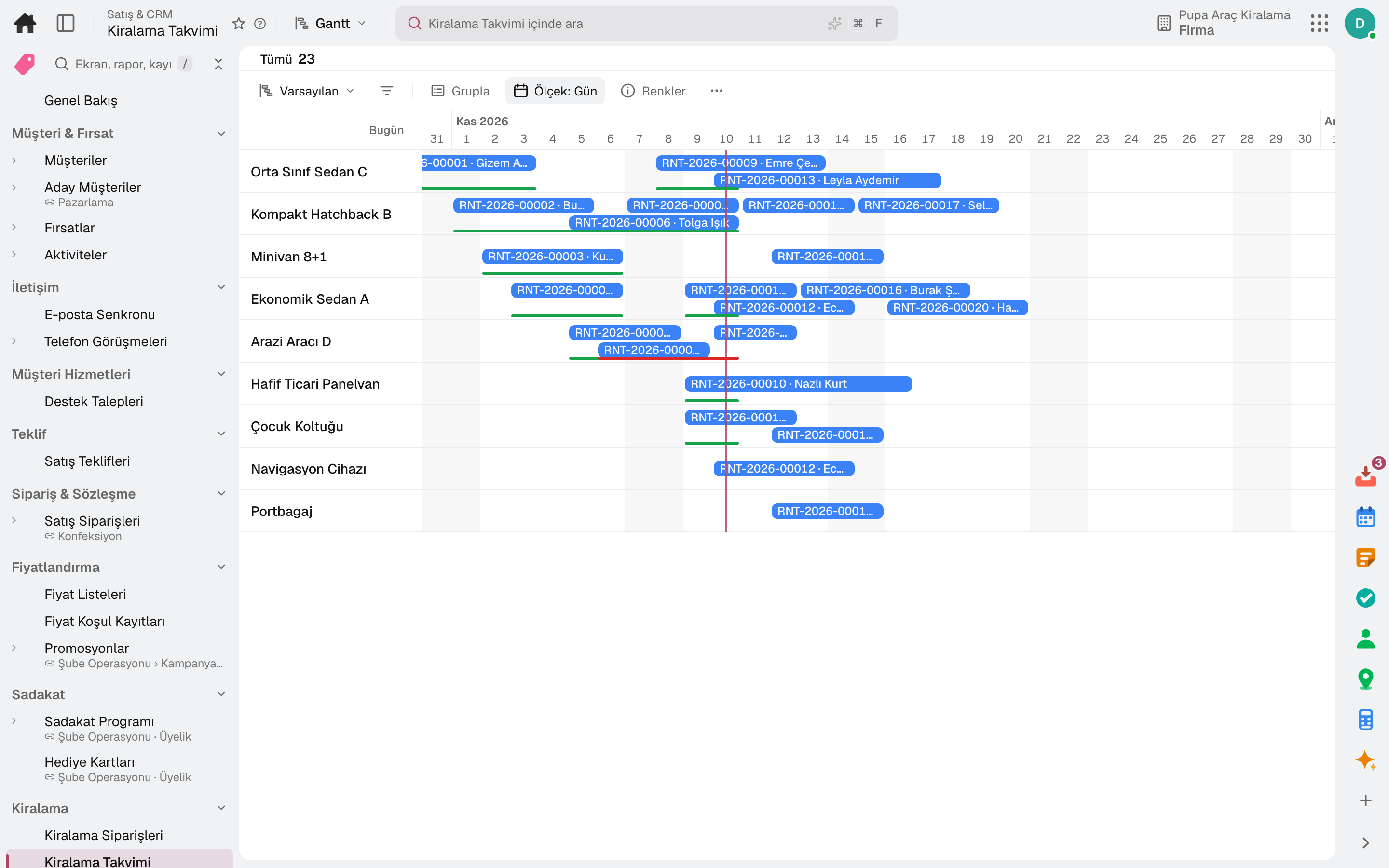
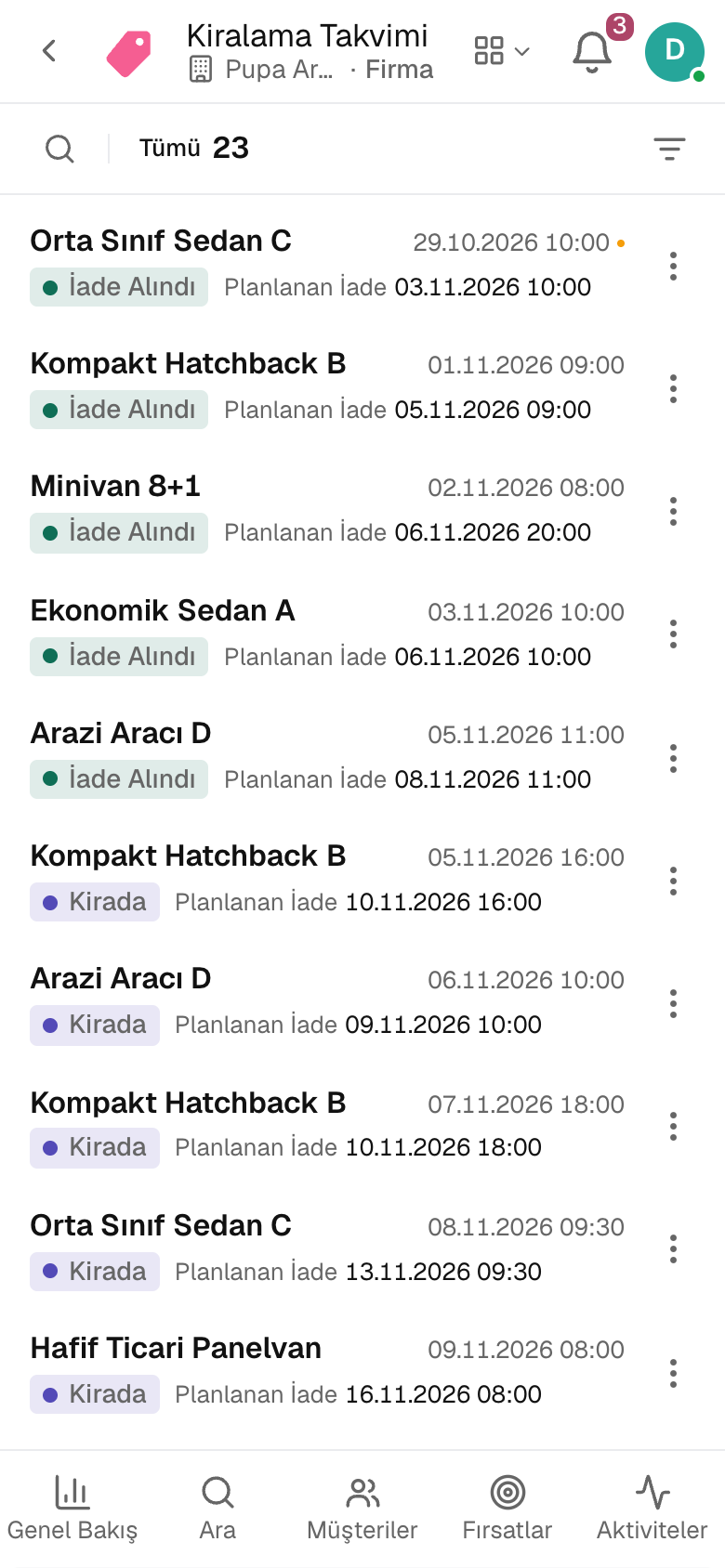
Each vehicle class or piece of equipment is a rental product; every plated unit is tracked on its own card. The calendar shows which product is booked on which day and which rental is overdue.
Vehicles and generators are rented as serialised units, chairs and tents by quantity, additional drivers and protection as services.
Hourly, daily, weekly and monthly prices; preparation time, late fee and deposit on the product card.
Plate, model year, mileage, inspection and compulsory traffic insurance are kept in one place on the Vehicle Fleet card.
One row per product, one bar per rental; planned and actual pick-up and return, and an overdue rental's bar extends to today.
A unit is closed to rental for a period for maintenance, repair or cleaning; the maintenance plan suggests the periods.
An item sub-hired from someone else is added to capacity as temporary stock.
03 / 08
At pick-up, the unit, odometer or hour meter, fuel and deposit are recorded; at return, late return, damage, excess mileage and fuel difference are calculated and the invoice and deposit refund follow.
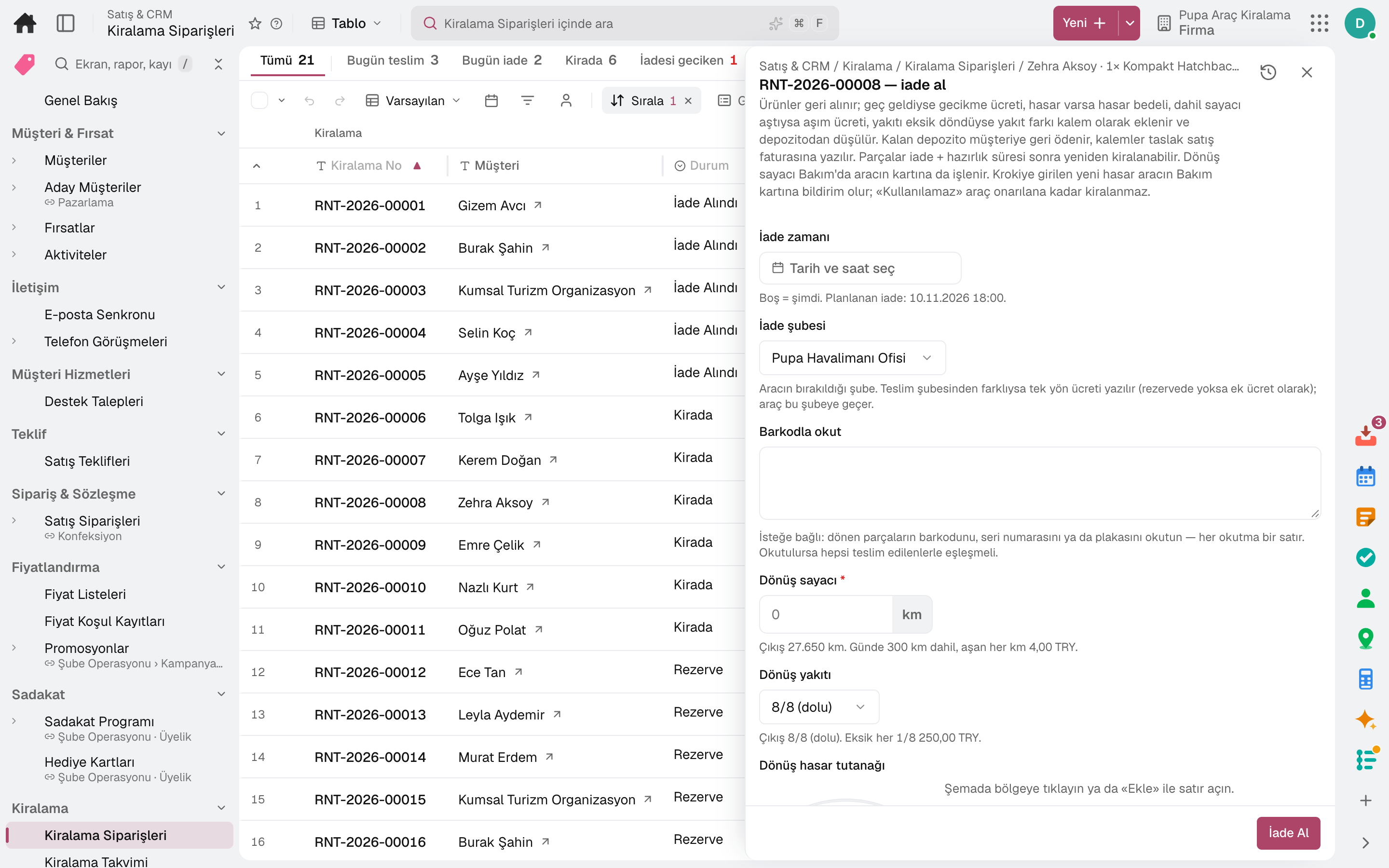
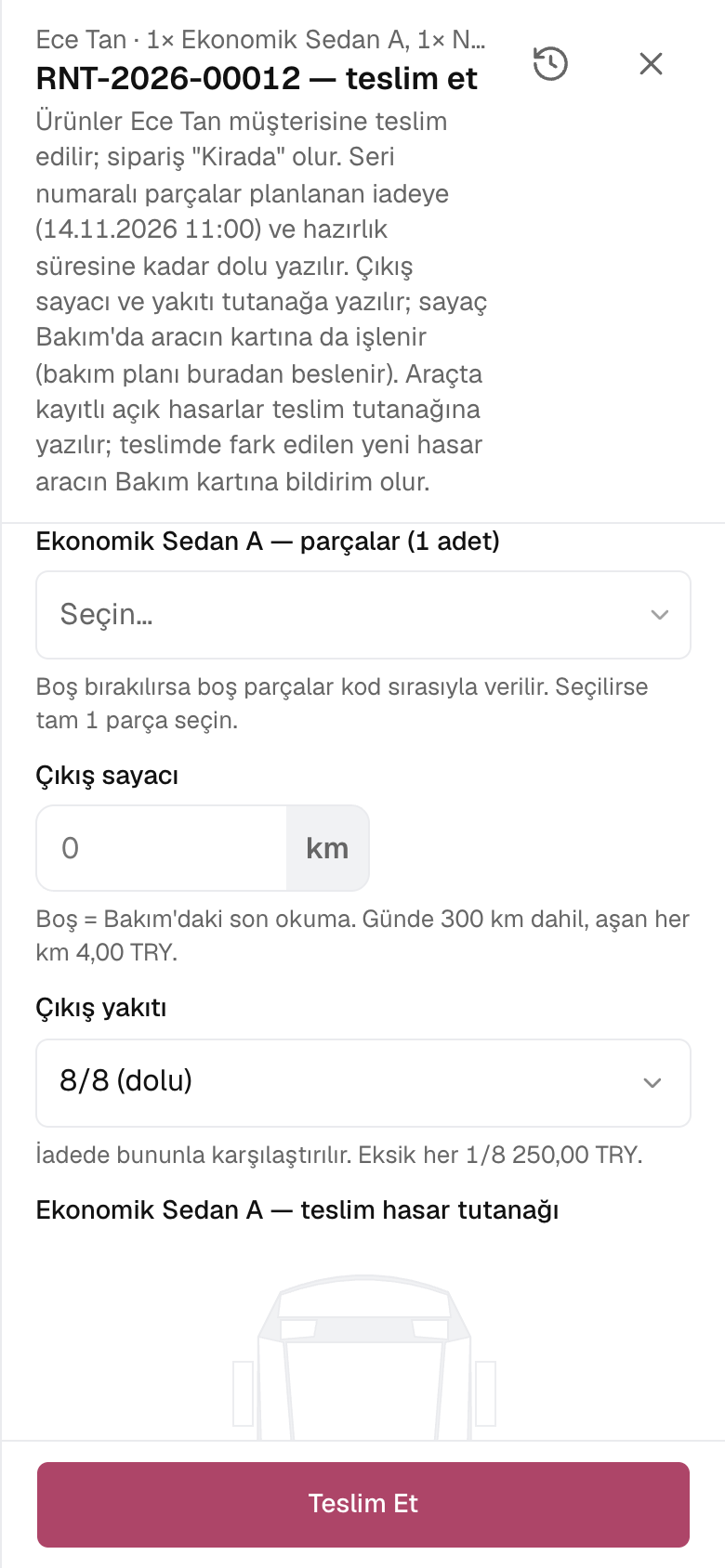
Mileage or operating hours and fuel in eighths are read; excess over the daily included mileage and missing fuel become invoice lines.
Time after the planned return is charged at the product's late fee; nothing is charged within the grace period.
The deposit is taken into cash or bank; at return, late fees and damage are deducted from it and the rest is refunded.
Photos and the renter's signature are added to the report at pick-up and return.
Units are scanned by barcode at pick-up and return; a picking list is printed.
The one-way fee is added to the order and the vehicle joins the return branch's fleet.
04 / 08
Damage is marked on the vehicle diagram and written to the vehicle's maintenance card; the protection package limits the renter's share, and a vehicle that cannot be used drops off the calendar.
Area and damage type are chosen from the catalogue, the spot is marked on the diagram and photos are attached.
Each damage becomes a fault report on the vehicle's maintenance card.
The damage cost is entered at return or later with an assessor's report and invoiced; if the deposit has not been refunded, it is added to the deduction.
The protection service limits the renter's share of damage to the excess.
A vehicle marked unusable drops off the calendar and is not given to new rentals.
05 / 08
Rules applied on top of the rental price are set per product, branch and channel; the most specific rule wins. Pick-up and return are closed for periods such as holidays and New Year.
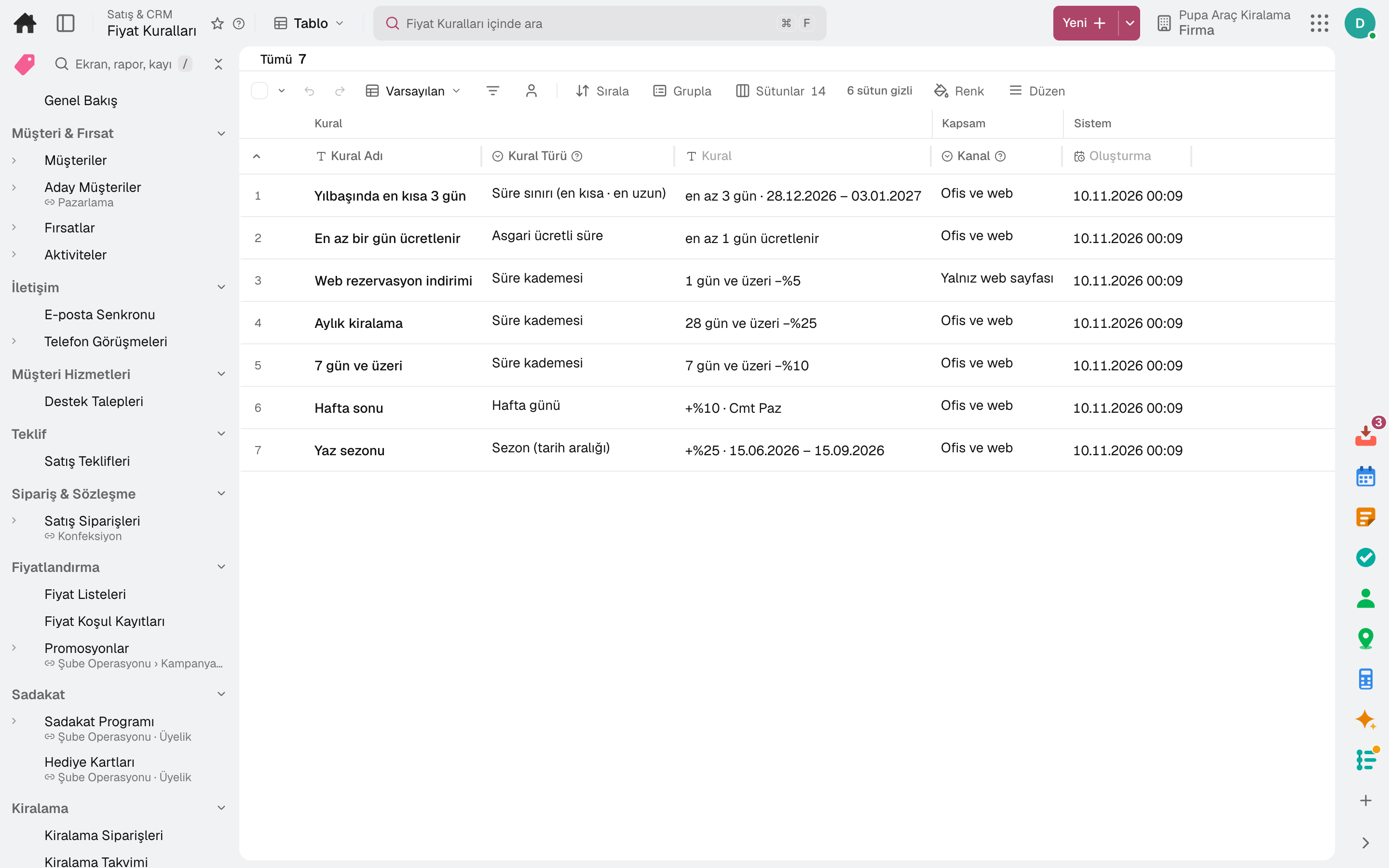
A percentage difference applies in the season and on selected weekdays.
A duration tier discounts the whole rental or only the days after the threshold.
Shortest and longest duration by season; the minimum charged duration is set separately.
The daily price can count calendar days: an evening pick-up and a morning return do not count as a day.
A new reservation with a pick-up or return inside the period is refused at the office and on the booking page; set per branch and channel.
A coupon code applies a discount at the office and on the booking page.
06 / 08
The company's public rental page: the customer chooses a branch, time and vehicle and books; the order lands in Rental Orders through the web channel.
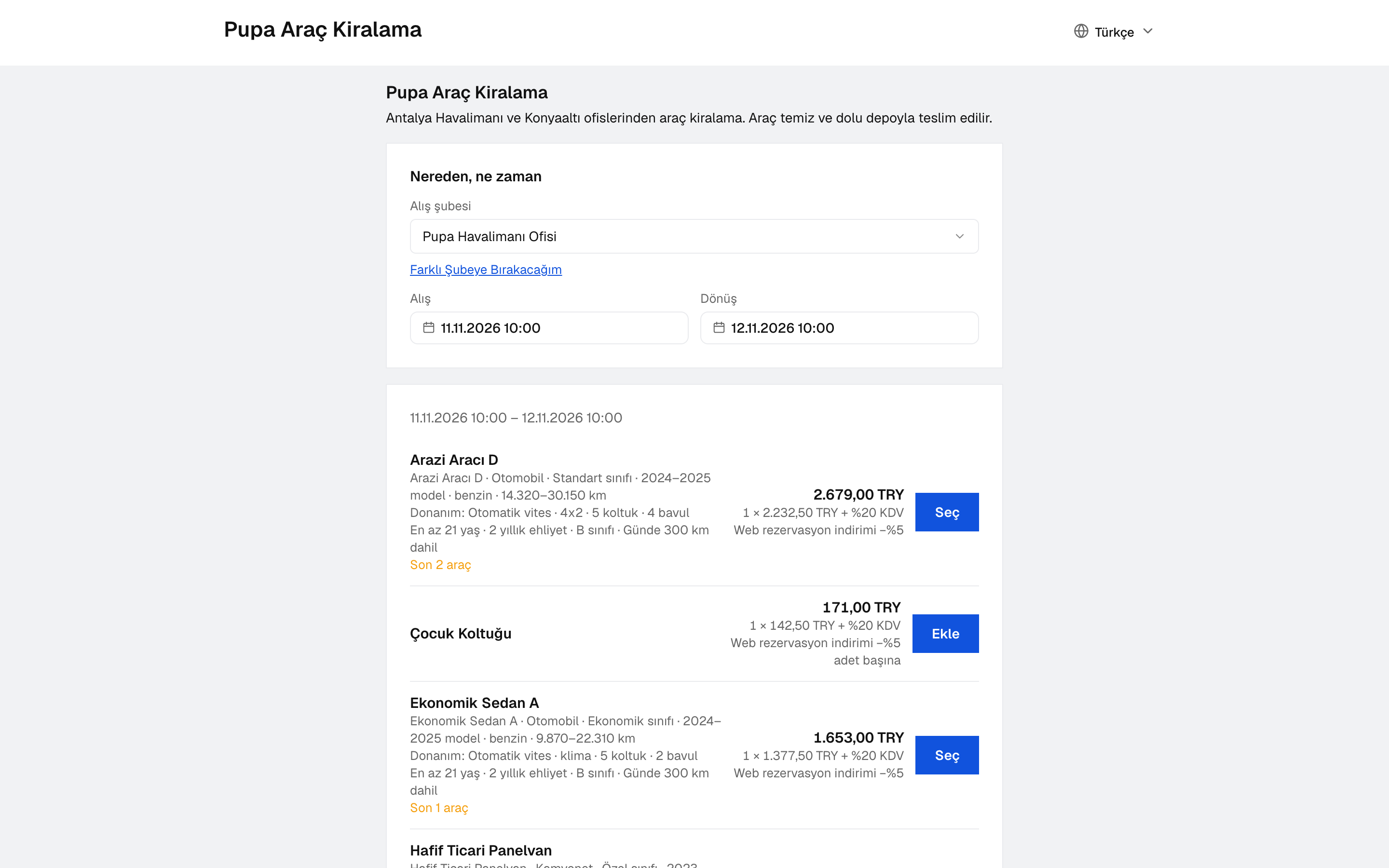
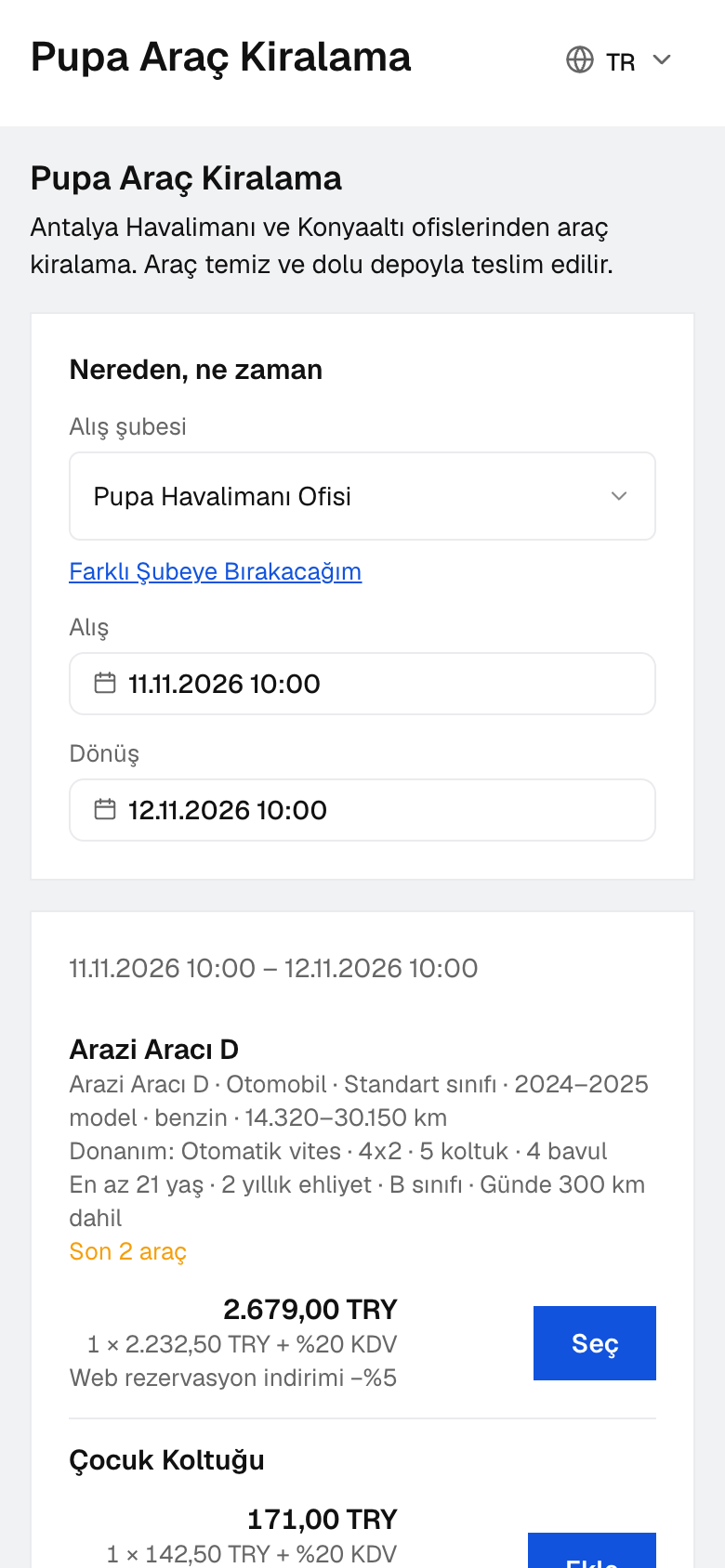
There is one page per company, created on first opening; you enter branches and terms and publish it.
The booking page is embedded in your own website.
The customer chooses an additional driver and protection while booking; bundles sold online are offered as cards.
For a product sold on quotation, the customer requests a quote; the office prepares and sends it.
From their own link, the customer sees the rental, enters driver details and signs the agreement.
Demand the booking page could not meet appears in the Web Demand Report.
07 / 08
A rental vehicle's tolls, bridge crossings, parking and traffic fines are matched to the rental active at that time by plate and time; rows waiting for official rental notification are tracked in a queue.
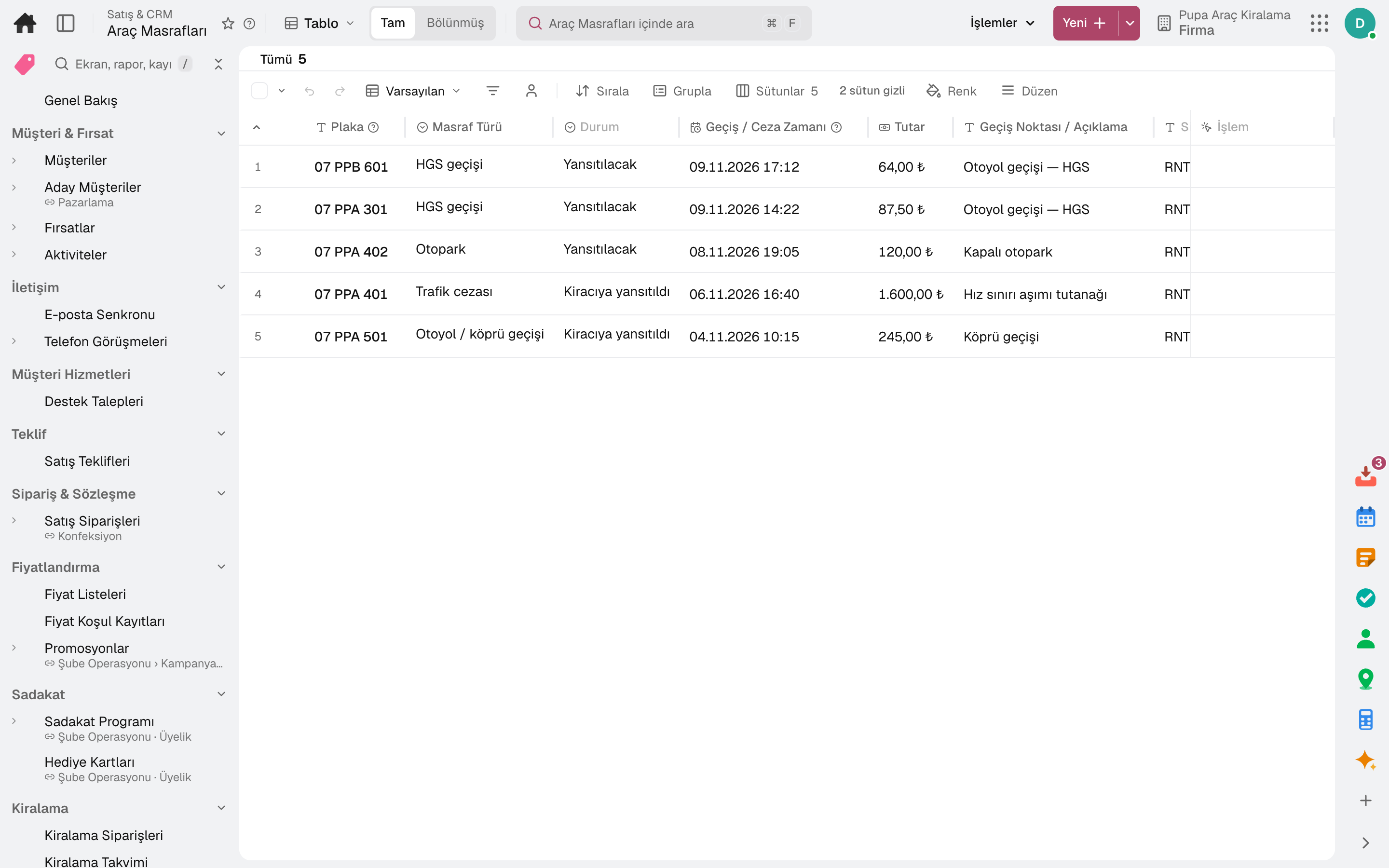
Electronic tolls, motorway and bridge crossings, parking and traffic fines are entered from an Excel statement or by hand and matched automatically to the order renting the vehicle at that time.
The charge is added to the order as a line, with a handling fee if configured; a returned rental is invoiced.
A charge outside any rental is absorbed by the company with a reason.
Rental started at pick-up, driver changed during the rental, vehicle returned at return: one row per vehicle; overdue rows come first.
In Türkiye, KABİS has no public web service: the details are entered on the KABİS screen and marked Notified here.
08 / 08
The commission of the agency who brought the rental, bundles of items rented together and the period's results in one place.
A tour operator, hotel or booking site becomes an agency; its commission rate is applied to the rental and totalled in the Commission Report.
Items rented together form a bundle; “Add Bundle” opens each item on its own line and applies the bundle discount to those lines.
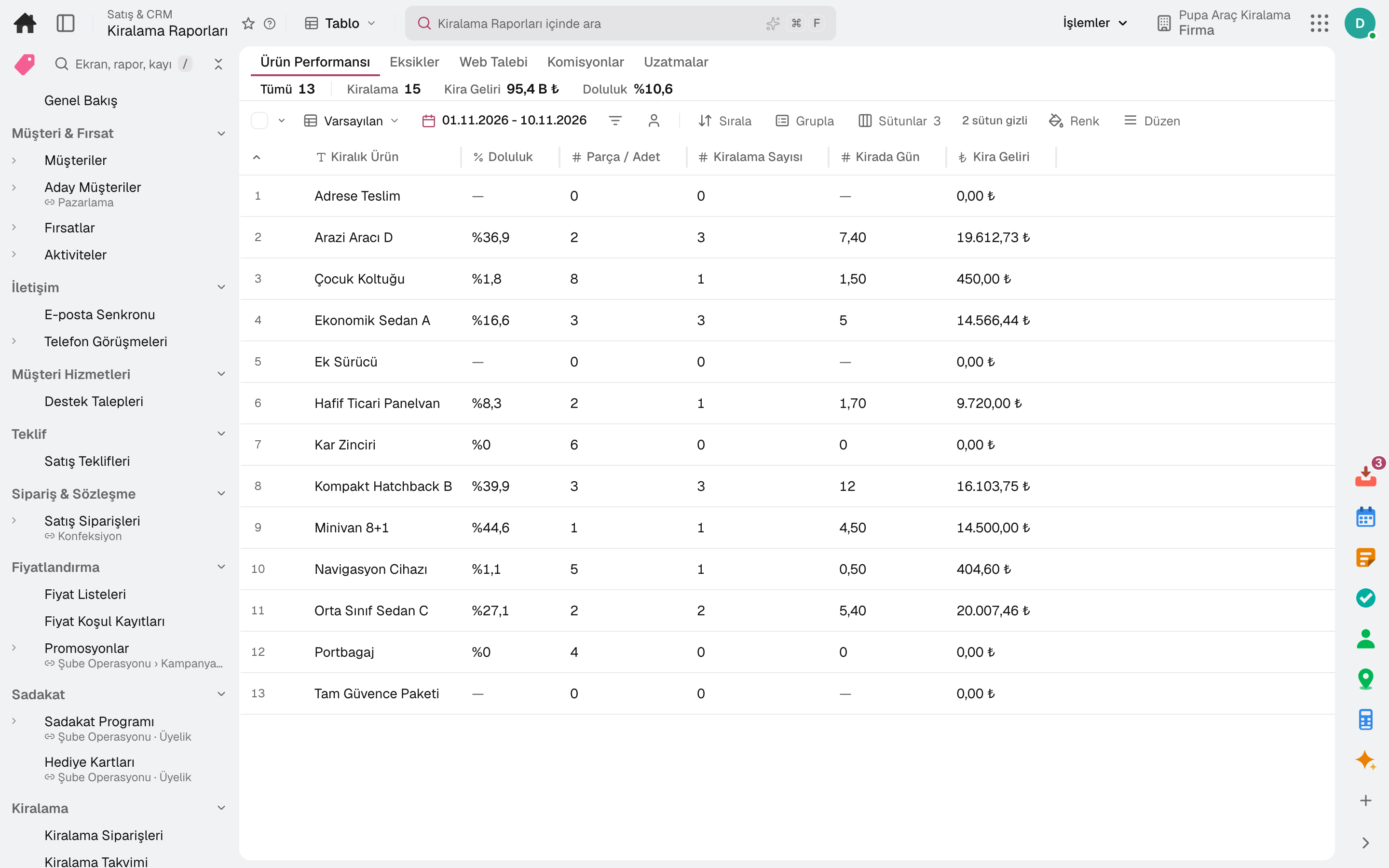
Utilisation and revenue per product; each report is measured over its own period and can be exported.
Periods where capacity was exceeded and extensions have their own reports.
Rental revenue, average rental duration, late return rate and utilisation in the Sales Overview.
Pick-up and return days on the shared calendar; today's pick-ups and returns and overdue returns in the task inbox.
In the package
All on the same data model: a record entered in one module is never re-entered in another. The other 20 modules are open in your account too.
Sales and customer management software
One customer record from opportunity to invoice.
16 sub-modulesMaintenance management software
Breakdowns reported by QR, maintenance plans from the calendar.
5 sub-modulesYour own fleet and your carriers in one control tower.
11 sub-modulesAccounting software
In the journal the moment the invoice is issued; no waiting for month end.
13 sub-modulesTry it free for 15 days; no credit card needed. We reply to your questions within one business day.