Till from the floor plan
The table is picked from the plan, items are added by tapping the menu, payment is taken and the check is closed.
For restaurants, cafés, patisseries and fast food outlets: a till that works from the table plan, waiter mode on the phone, kitchen display, menu and menu profitability, ordering by QR code, delivery and couriers, table reservations and end of day. Sales are deducted from stock by recipe; purchasing, shifts and accounting share the same data.
01 / 07
The cashier picks the table from the floor plan, adds items by tapping the menu, takes payment and closes the check. Occupied tables show on the plan with their time and amount.
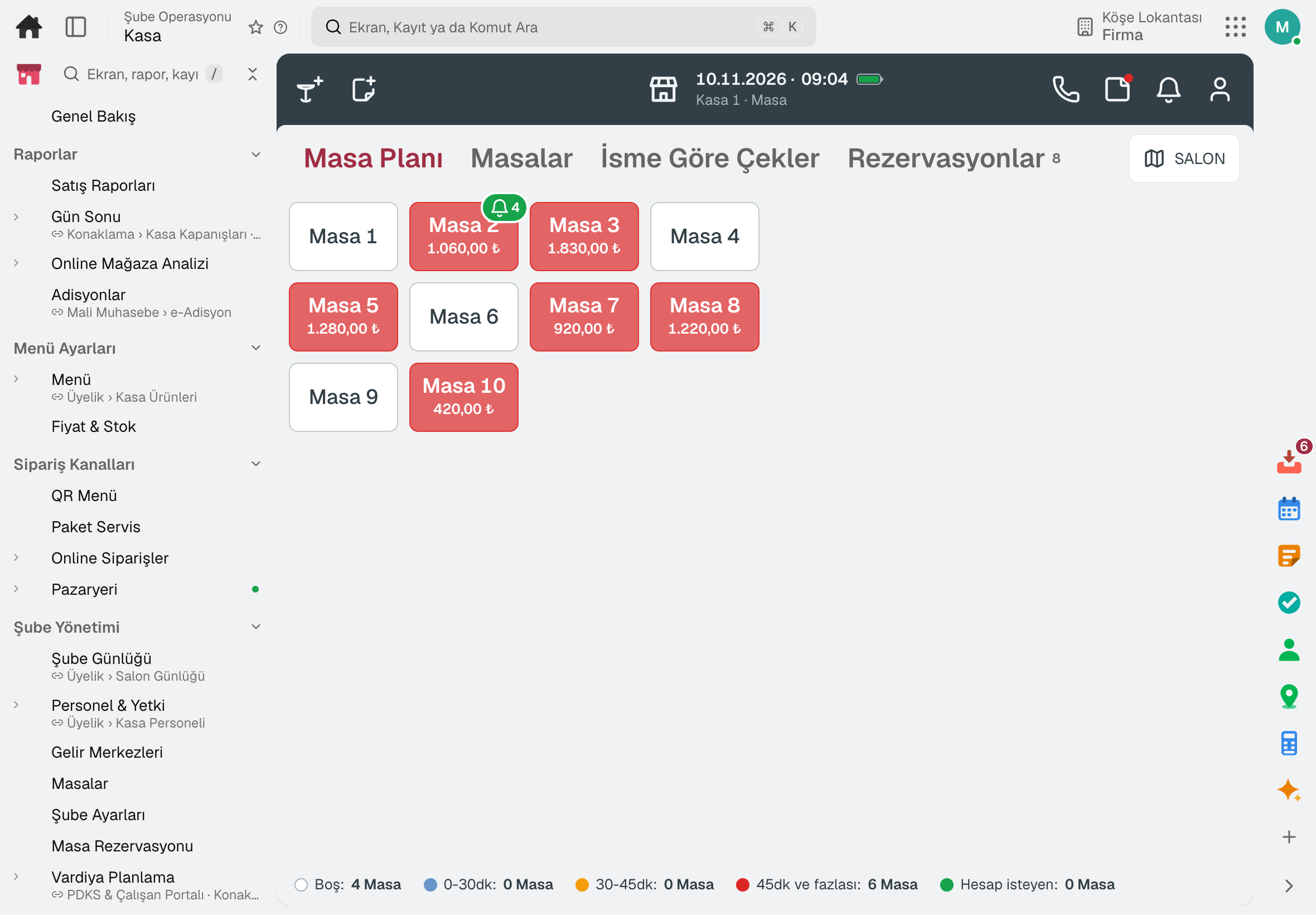
The table is picked from the plan, items are added by tapping the menu, payment is taken and the check is closed.
Dining room and terrace tables are laid out by dragging; the till and waiter plans use the same layout.
The bill is split per person or by selecting items; tables are moved and merged.
Occupied tables, how long they have been open and table turnover show on the plan and in reports.
Dine-in, delivery and takeaway are separate points of sale, each with its own till rules and report.
Sales go on: checks, items, payments and comps are queued on the device, and kitchen tickets print from the browser.
02 / 07
Waiters pick the table on their phone, add items to the check and send them to the kitchen. No handheld terminal to buy; every employee signs in with their own PIN.
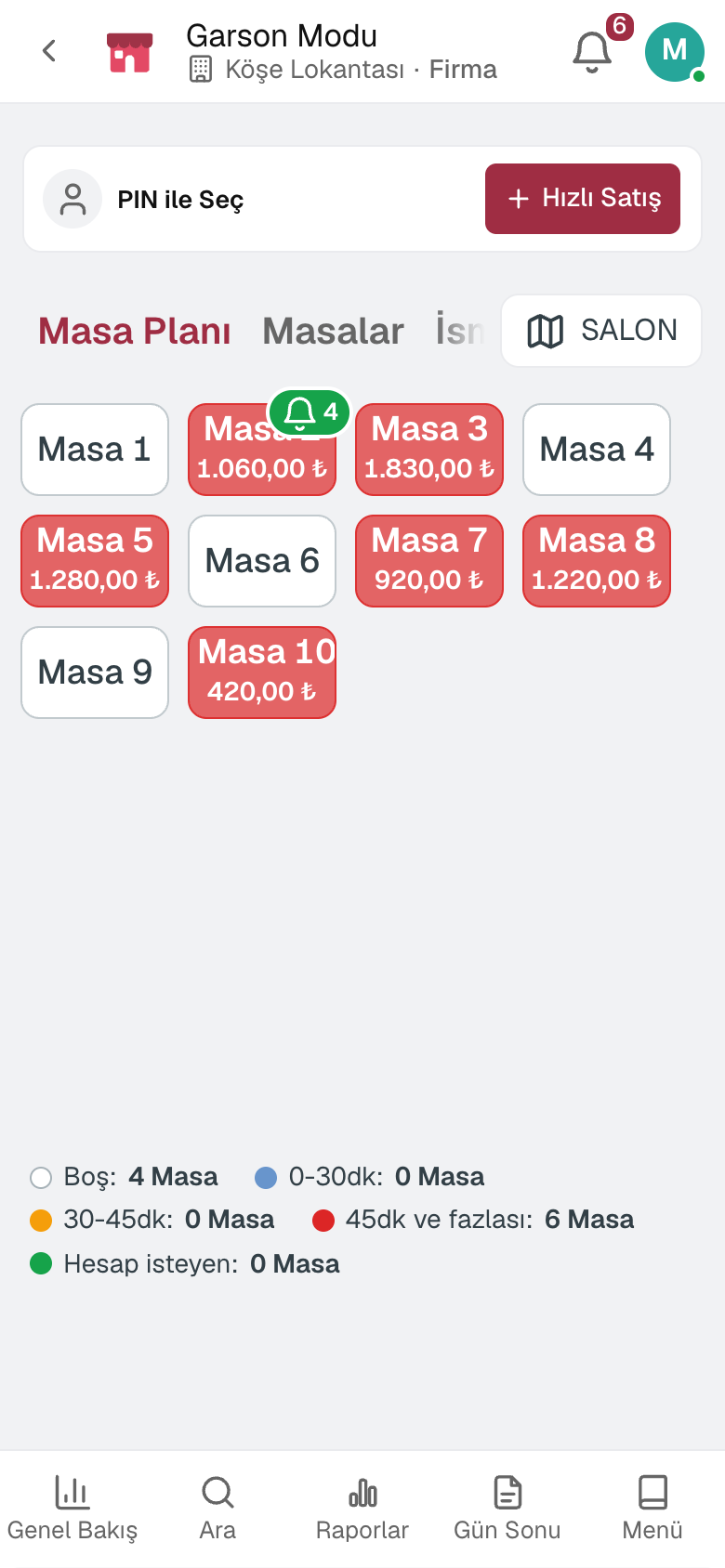
The waiter picks the table, adds items and sends them to the kitchen; the order also reaches the till.
Tables are divided into waiter sections; each waiter works their own section.
Orders from the table QR code wait for the waiter's and the till's approval.
What can be done at the till comes from the permission group; actions without permission require a manager PIN.
Item voids, comps and discounts are recorded with the reason and the approver.
03 / 07
Items sent from the till and by waiters reach the kitchen display as table cards. A tap moves the item forward; it also works without a paper printer.
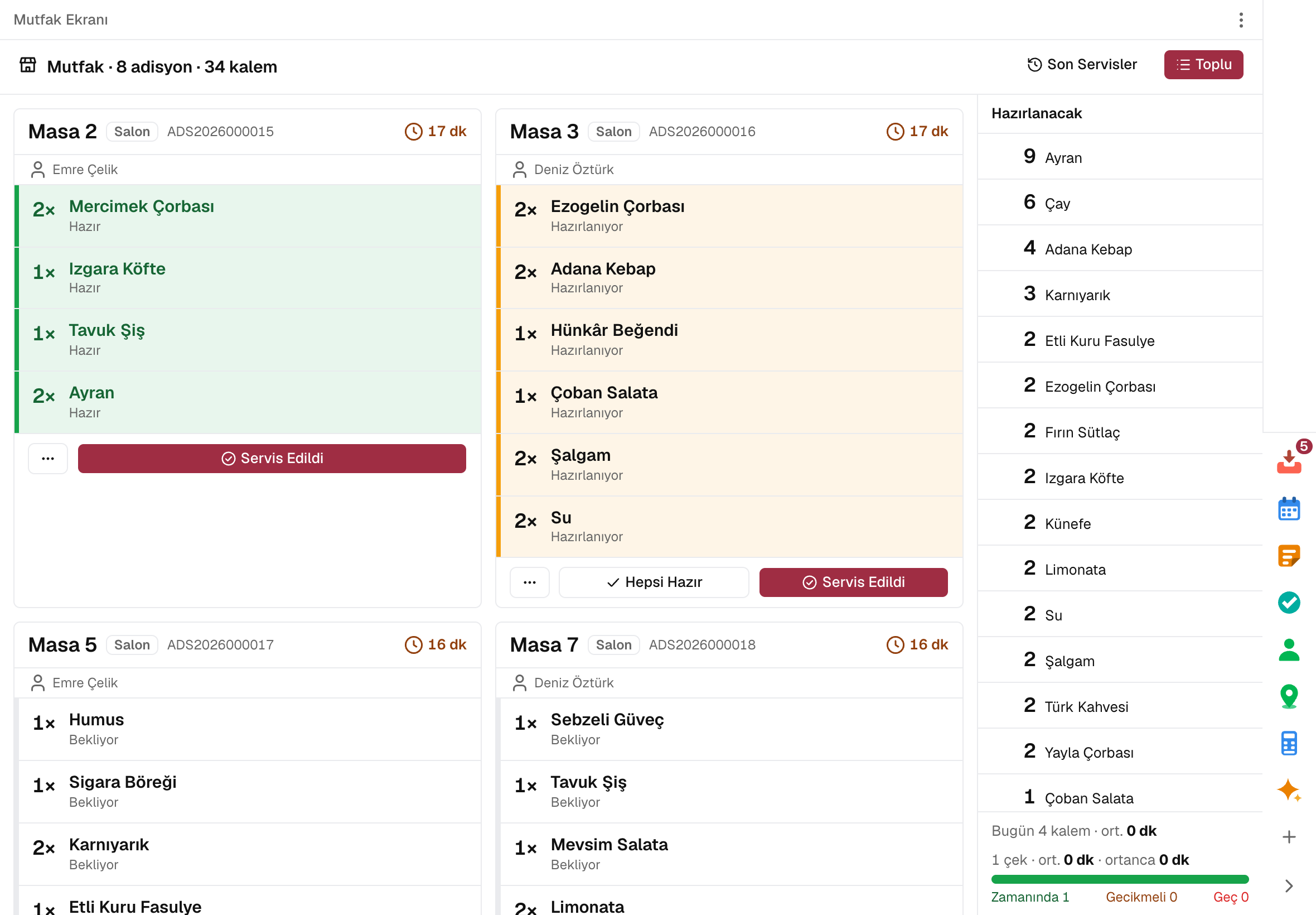
Each table's order is on its own card; a tap moves the item to preparing, ready and served.
Warning and late thresholds are set per display; a late card changes color.
How many of each item to prepare across open orders is totaled in the side panel.
Starters and mains go as separate courses; the next course is held until the previous one is done.
Dine-in, delivery and takeaway look different on the card; kitchen notes and modifiers are written under the item.
A product group is routed to the kitchen or bar printer; a backup printer can be defined.
04 / 07
Reservations are taken from the floor plan; the same table is never booked twice for the same time. All of the evening's tables are on the table × time timeline.
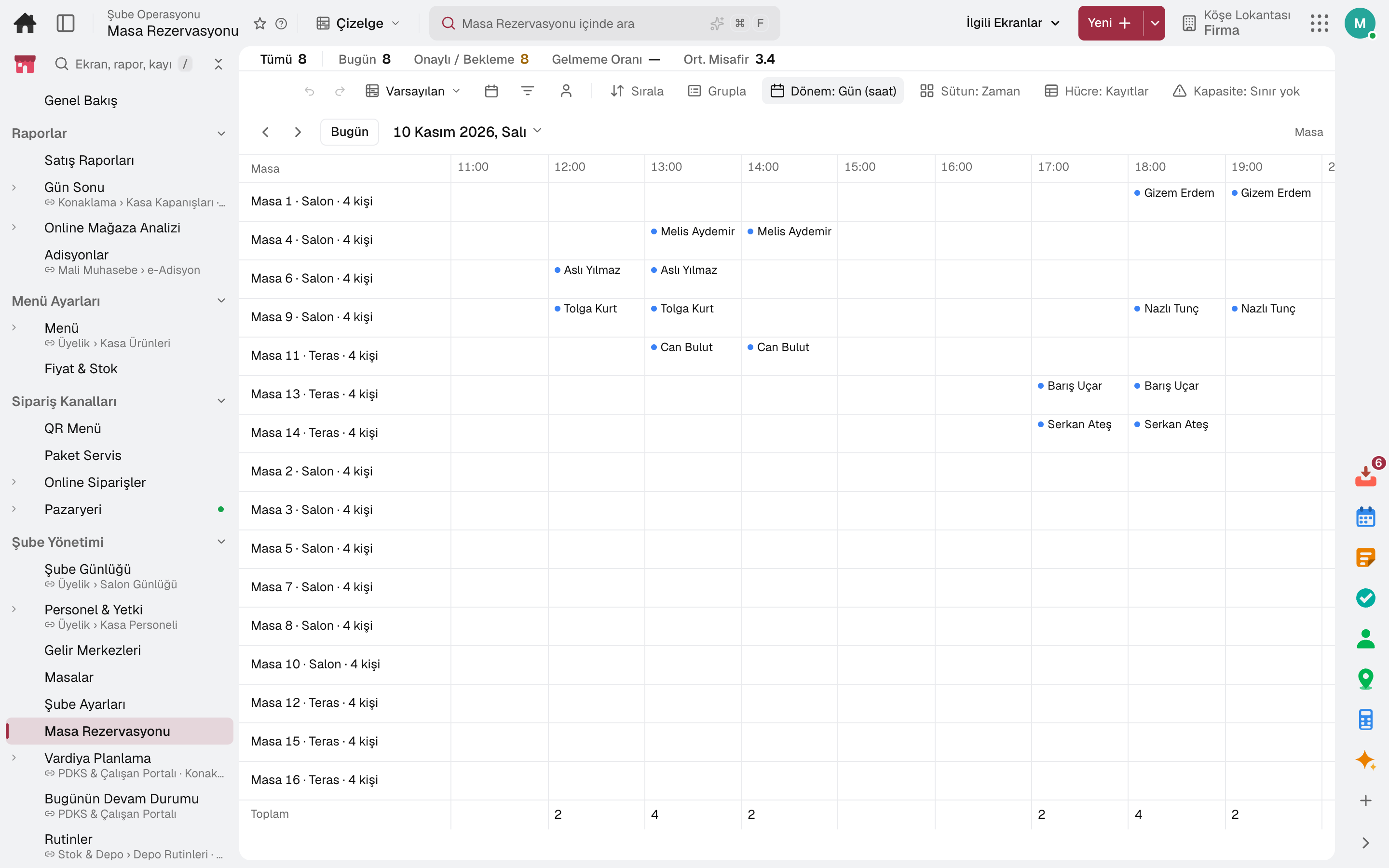
The day's reservations are on the table and time timeline; the monthly calendar is on the same screen.
The same table is never booked twice for the same time; tables are combined for large groups.
When there is no room, the guest goes on the waitlist and is notified when a table frees up.
Guests move through arrived, seated and completed; when seated, a check opens at the table.
Guests are linked to the branch customer by phone; visits, spend and no-show history are on their card.
A deposit is taken, the balance is tracked and it is offset against the check.
05 / 07
Phone orders are opened at the till and turn ready on their own when the kitchen finishes. Couriers see their own orders on their phone, head out and deliver.
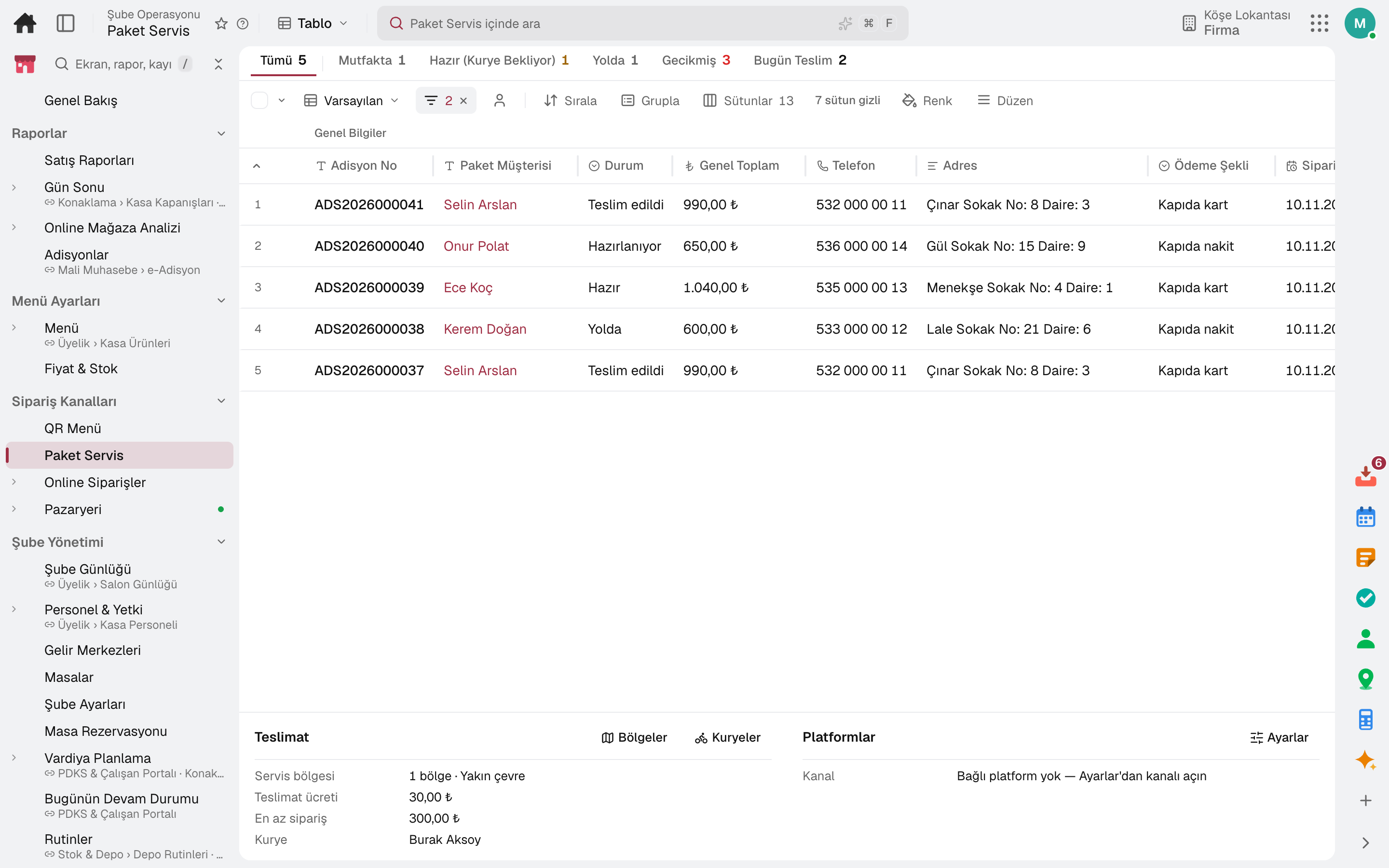
The customer is found by phone number; their address book and past orders are on their card.
Orders are tracked on one board through preparing, ready, out for delivery and delivered.
The order is assigned to a courier, who heads out and delivers in the courier app; their location shows on the map.
Map boundary, delivery fee, minimum order and estimated time are set per zone.
The returning courier's orders are closed in one go by payment method.
Takeaway and delivery orders come in from the branch QR code and wait for approval at the till.
06 / 07
Menu, item cards and allergen information in one place. Sales are deducted from stock by recipe; menu engineering shows each item's profitability and popularity.
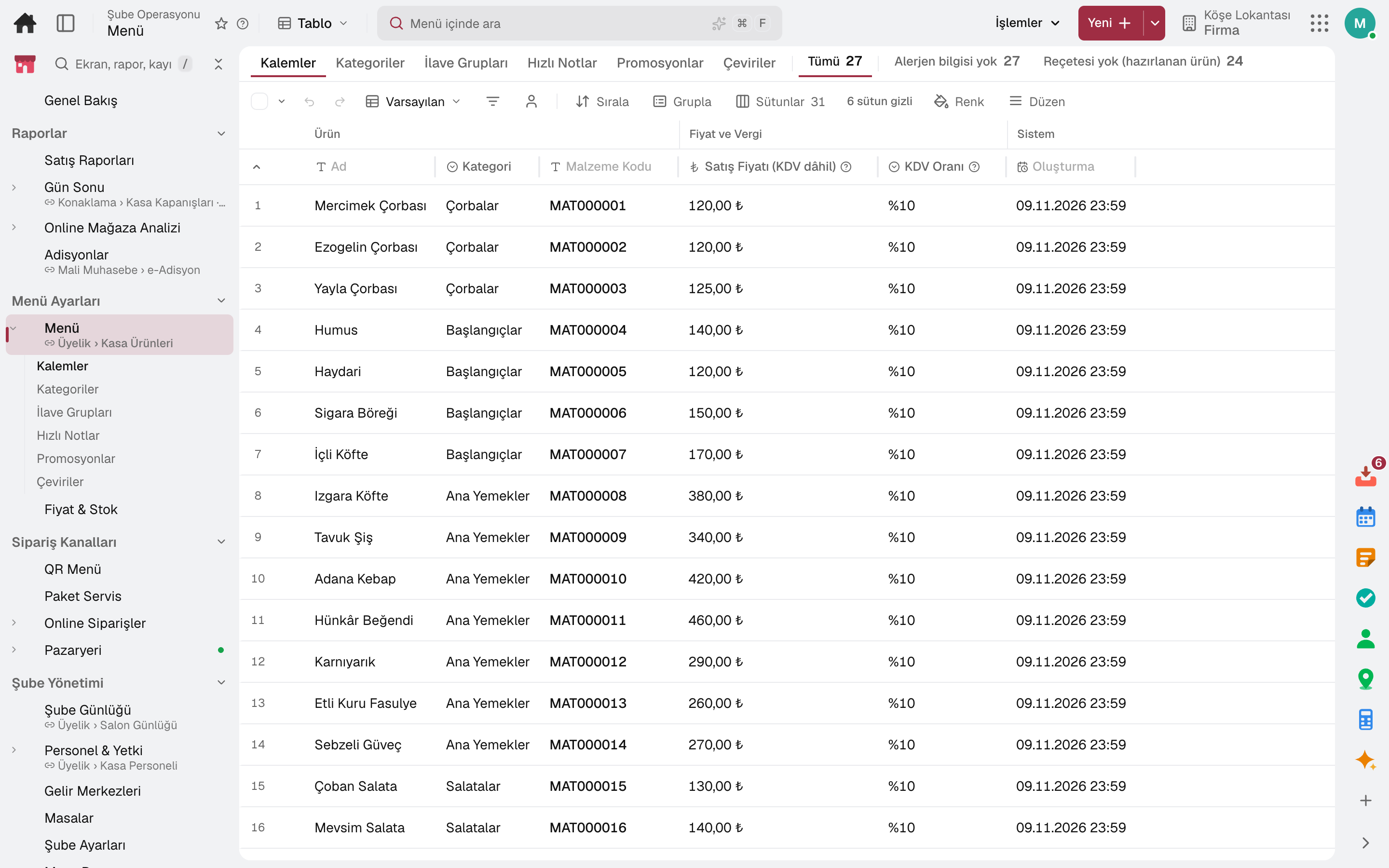
Every menu item is a stock card: name, image, unit, allergens and nutrition come from the card.
Modifier groups such as doneness, sauce and extras with minimum and maximum choices; set menu options with their surcharge.
Sales are deducted from stock by the item's recipe; counted portions close for sale at zero.
Items are classified by profitability and popularity from sales and cost; price and action decisions are suggested.
The branch's daily net revenue and food cost percentage are calculated from recipes and stock cost.
Every item's till price in one list; bulk and scheduled price changes.
07 / 07
The cash drawer is counted, the variance is recorded and the Z report is posted to accounting. The day's sales by item, hour, payment type and waiter on the same screen.
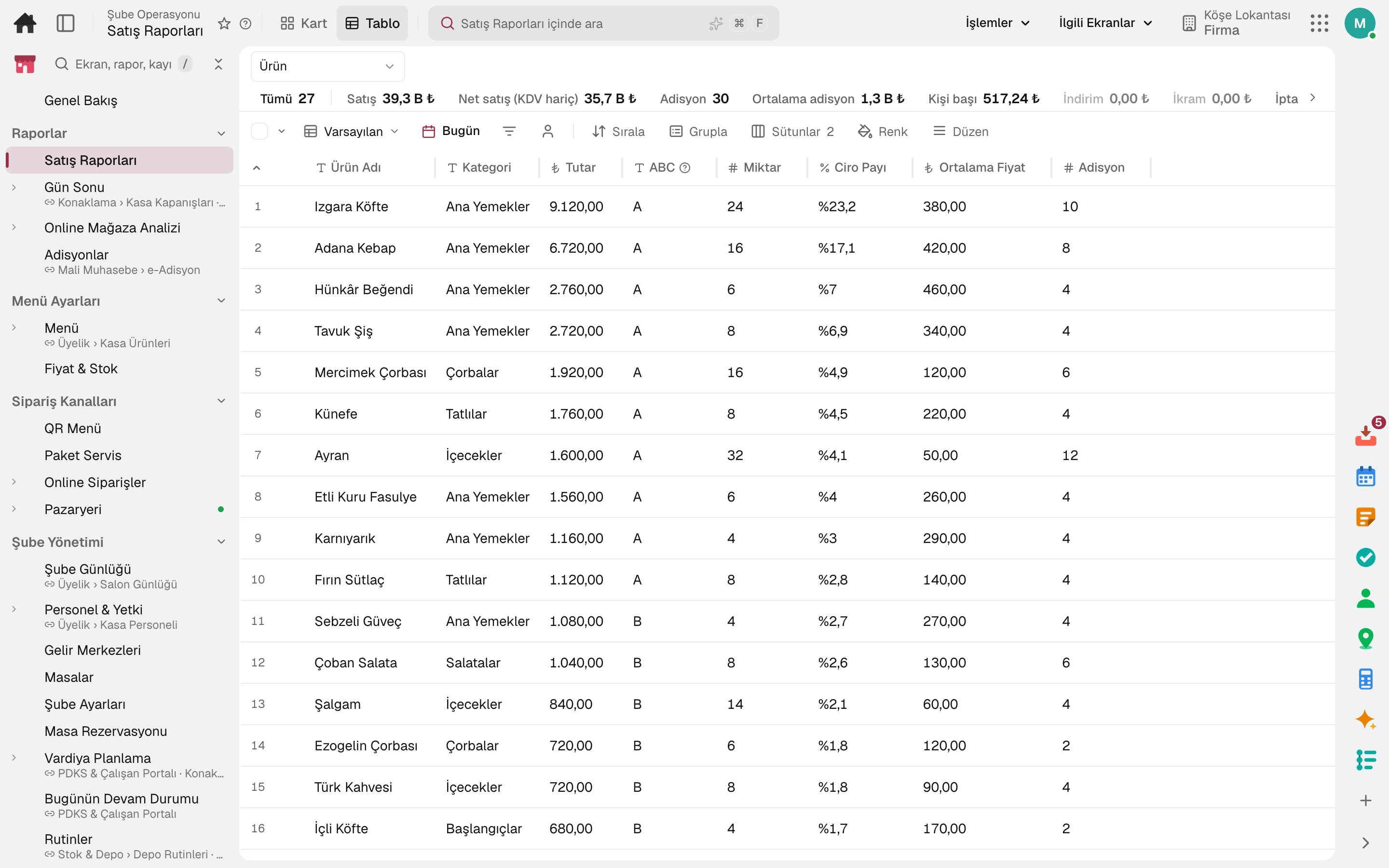
The till opens with an opening float and closes with sales, collections and count variance; the Z report is posted to the cash account and accounting.
Daily summary, product mix, category, hourly sales, payment type and VAT breakdown on the same screen.
Revenue, average check, discounts, comps, item voids and tips per waiter.
Kitchen preparation time and courier delivery time are reported.
Table turn time and revenue per table; the period is compared with the previous equal period.
Sales before the day cutoff hour count toward the previous business day; reports and the Z report read the same day.
In the package
All on the same data model: a record entered in one module is never re-entered in another. The other 19 modules are open in your account too.
Register, tables, branch orders and shelves on one branch screen.
10 sub-modulesInventory and warehouse management software
Every product's location, batch and movement at your fingertips.
9 sub-modulesPurchasing software
From requisition to invoice, every purchase approved and traceable.
10 sub-modulesAttendance, shift and leave software
From shift to timesheet, employees and managers each on their own screen.
9 sub-modulesAccounting software
In the journal the moment the invoice is issued; no waiting for month end.
13 sub-modulesTry it free for 15 days; no credit card needed. We reply to your questions within one business day.