Job site card
The site's code, address, warehouse, workplace and social security workplace registration; orders, goods receipts and staff are linked to the site through this record.
For contractors and home builders: estimates and unit prices, client and subcontractor progress billing, project budget and cost forecast, site procurement, equipment timesheets, the punch list and site safety; the client follows progress on their own page. Accounting, purchasing and stock share the same data; the site keeps no ledger of its own.
01 / 08
A project is the job, a job site is the place: one site can run several projects. The project card brings together updates, the punch list, the site diary, photos, the budget and the work schedule.
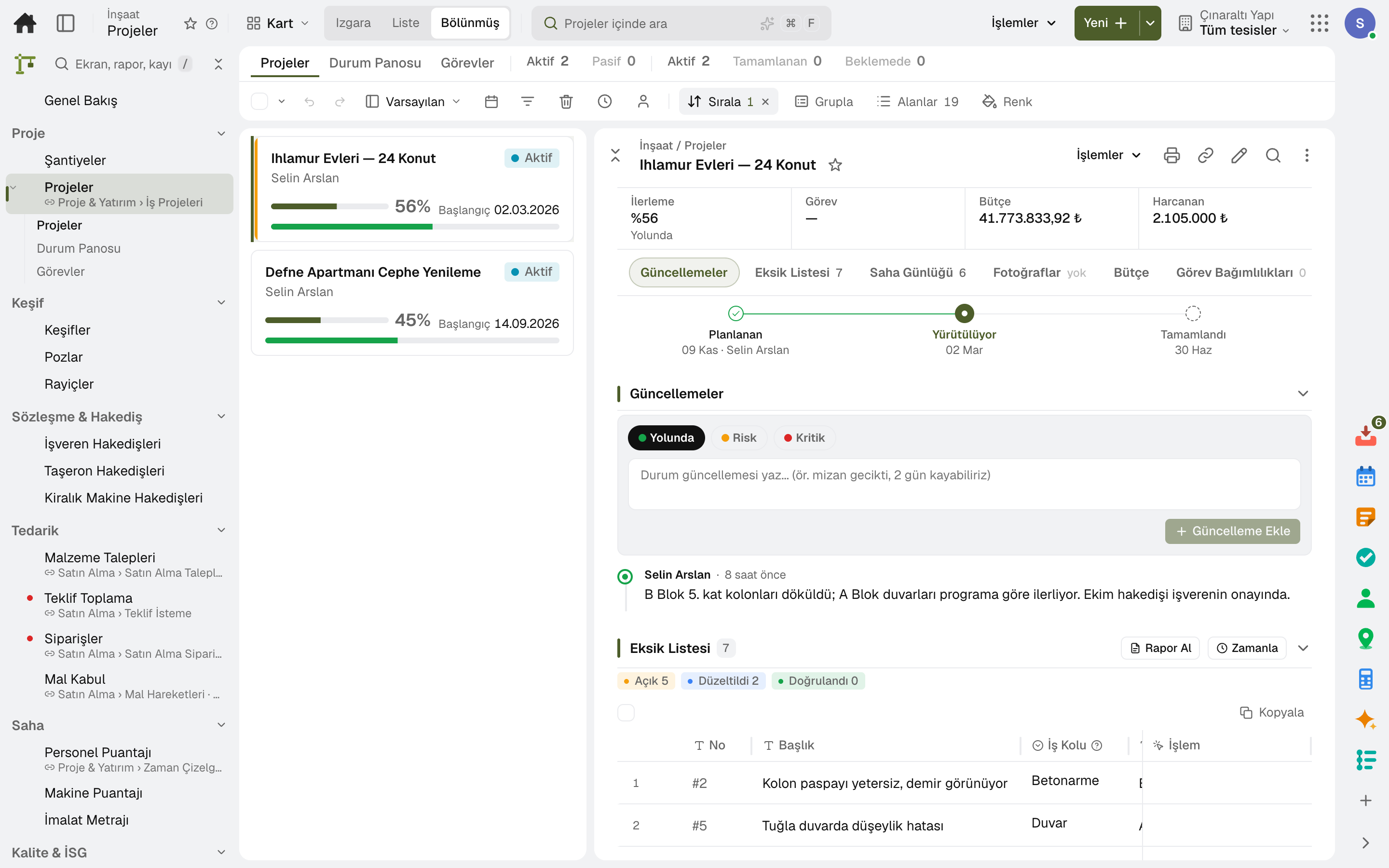
The site's code, address, warehouse, workplace and social security workplace registration; orders, goods receipts and staff are linked to the site through this record.
Residential project and renovation templates come with their tasks; a new project opens from a template.
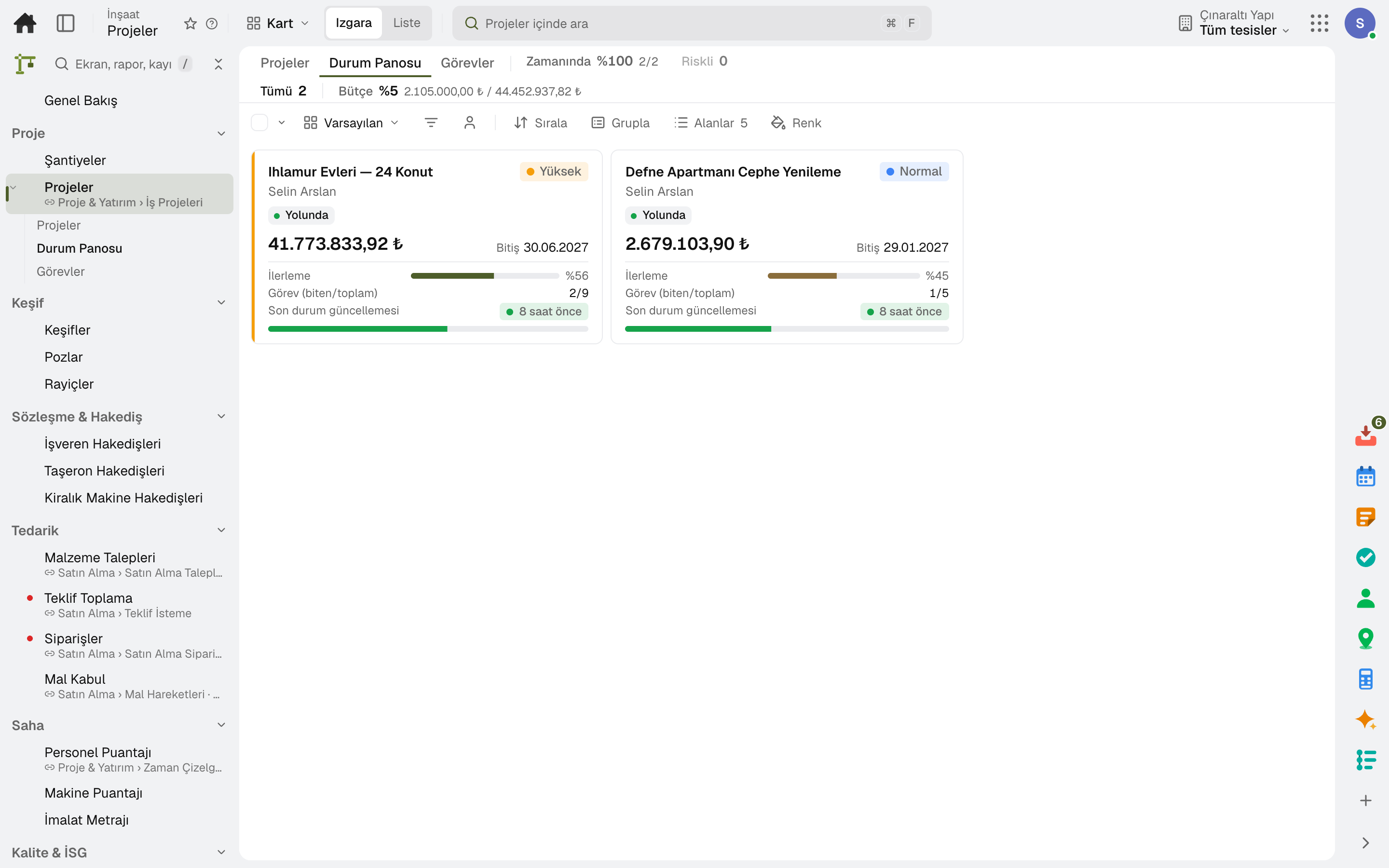
The project manager marks «on track · at risk · critical» and adds a note; the Status Board shows every project's progress, budget and latest update side by side.
The day's work, headcount, weather and delay reason go in the diary; one diary is kept per day, and a closed day cannot change.
Tasks, milestones and a Gantt chart; project progress is the duration-weighted average of its tasks.
Each project sits on the map at its own location; the job site layer and recent production are on the same map.
02 / 08
From resource rates to unit rate analysis, from unit rate items to a quantified estimate. The unit price is calculated with overhead and profit; a finalized estimate is carried into the contract and the budget.
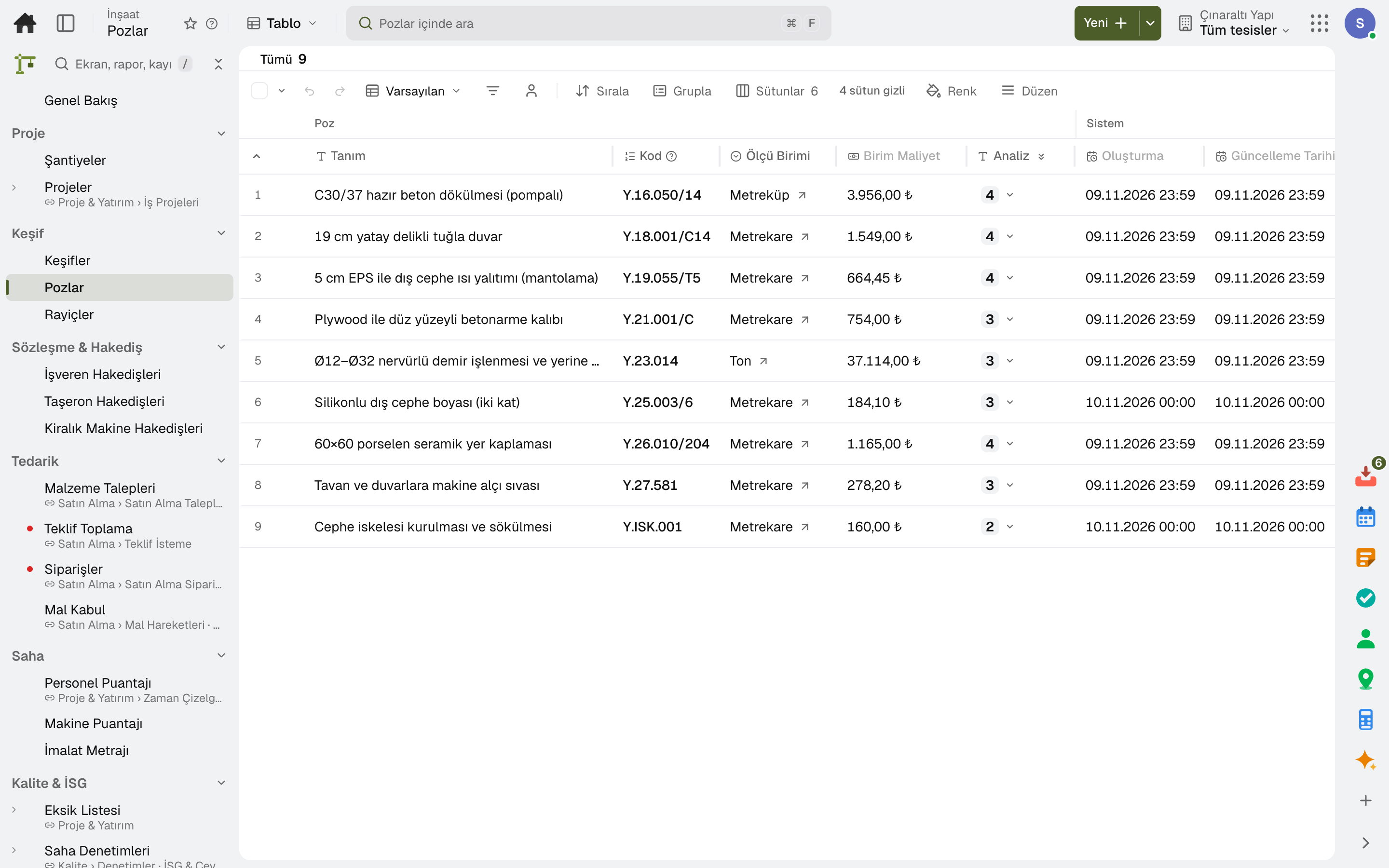
Unit prices for labour hours, materials, machine hours and subcontracted work are kept with their validity dates.
How much of each resource one unit of work needs; when a resource rate changes, the item's unit cost is recalculated.
Lines are entered from unit rate items or by hand and grouped under section headings; unit price = cost × overhead × profit.
The estimate goes to the client as a link; the client approves or rejects the proposal without seeing cost or profit.
When the client approves, the progress billing contract opens automatically with its bill of quantities.
The estimate's cost by section and type becomes the project budget lines; two currencies never mix.
03 / 08
Client and subcontractor contracts share one form: value, duration, retention, advance, withholding and late penalty. When a quantity-based progress bill is approved, the invoice and journal entry are posted.
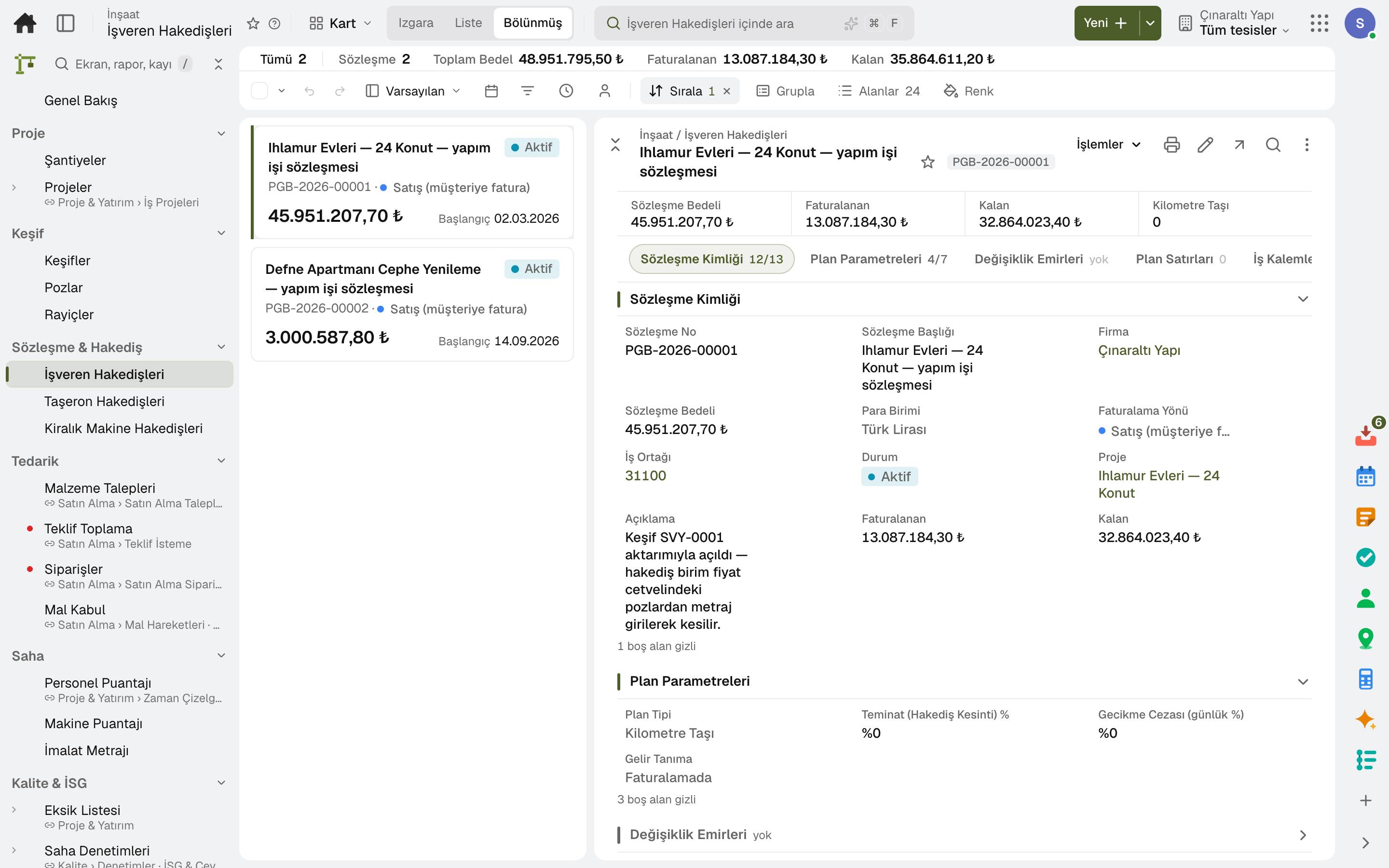
This period's quantities are entered from the bill of quantities; the remaining quantity cannot be exceeded, and the period's production is suggested for billing.
VAT and VAT withholding, retention, multi-year construction withholding tax, stamp duty and advance recovery are calculated on the progress bill.
Price escalation is calculated with the contract's index formula; index series are kept in Price Indices.
An order is applied to the contract's value and duration; a deductive order is applied to the project budget.
The site enters the period's quantities and accounting approves; the subcontractor invoice is posted with retention and advance deductions, and the cost goes to the project.
The progress billing report and cumulative summary are produced as PDF; payment documents and releases are attached to the progress bill.
04 / 08
The project budget is tracked by type as planned, committed, actual and remaining. At period end, the cost to complete the work is estimated.
Labour, materials, machinery and equipment, outside services and overhead are separate lines; carried over from the estimate or opened by hand.
Orders land in the budget as committed; approved progress bills, goods receipts and timesheets land as actual.
Actual, committed and remaining cost for each cost type; if the forecast exceeds the contract value, the expected loss shows.
Contract value, cost-to-cost completion, earned revenue and amount billed; over- or under-billing shows at period end.
05 / 08
The site enters the day's production and the crew's and machines' hours; the site manager approves and the cost is posted to the project. Productivity is measured against the item's norm.
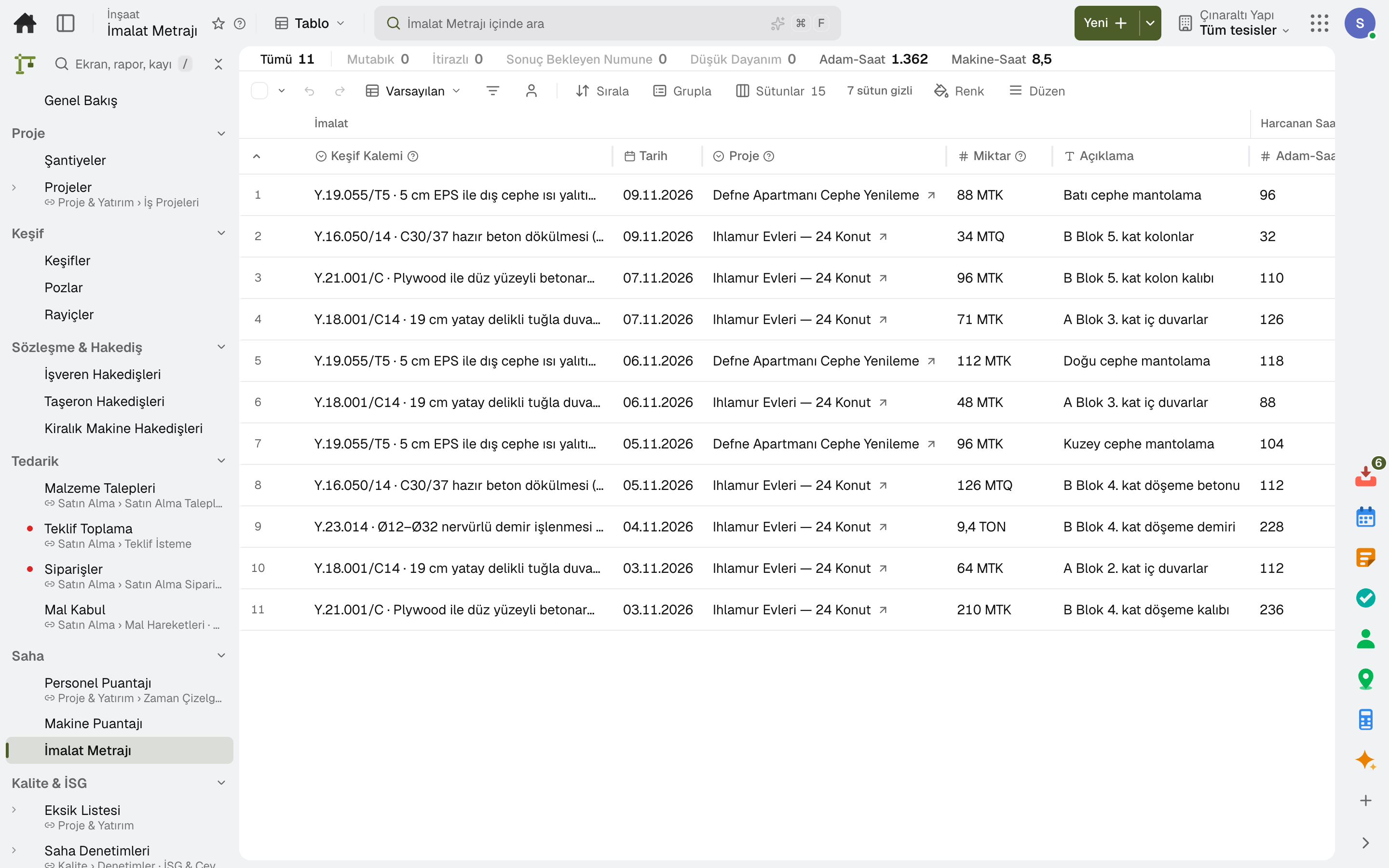
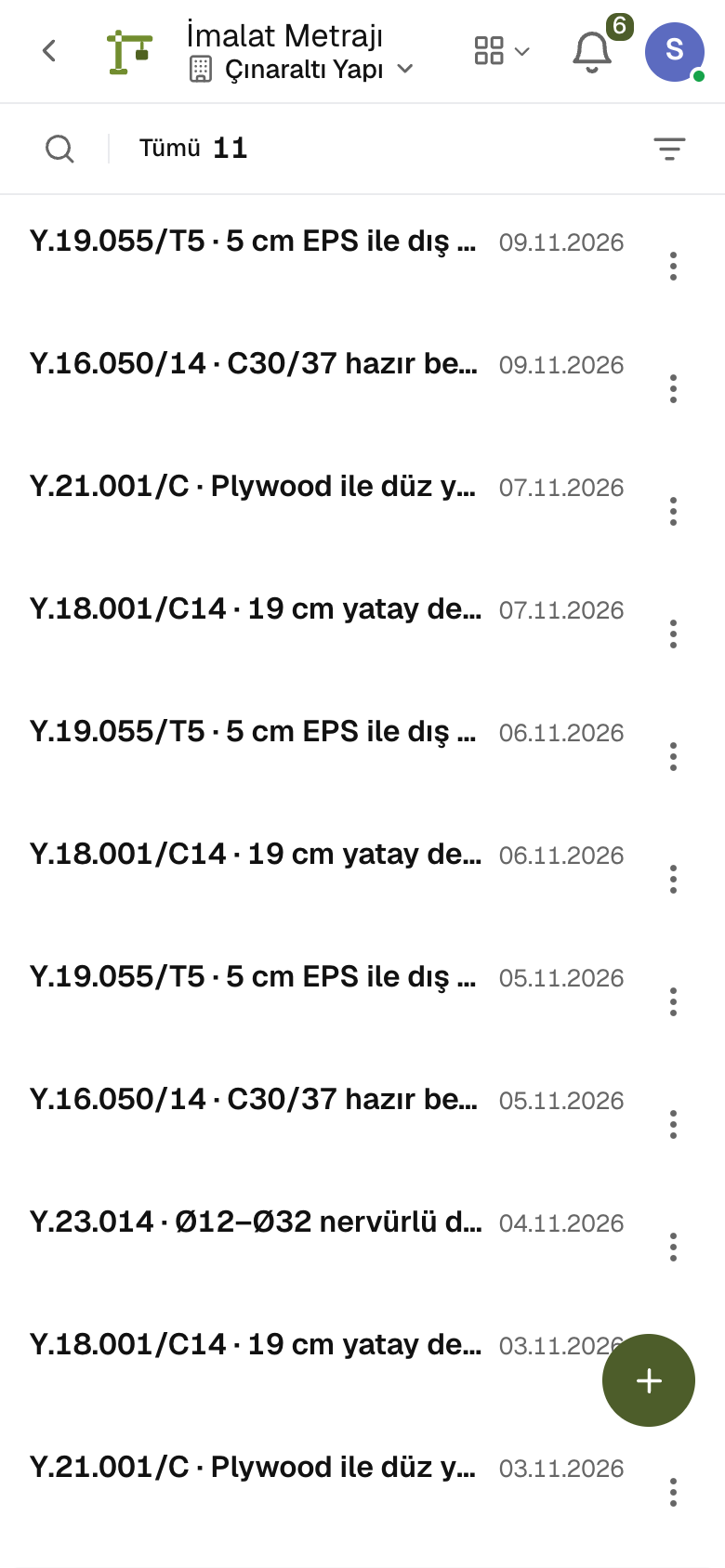
The day's quantity, labour hours and machine hours against a finalized estimate line; the inspecting engineer signs off or disputes.
Pre-pour inspection, samples, delivery notes and 7/28-day results on concrete lines; low strength opens a punch item automatically.
Machine × day × project hours, with idle reasons; the site manager approves and hours × rate are posted to the project's cost.
Approved hours × the contract rate become the monthly rental bill; on-rent, off-rent and minimum guaranteed hours apply.
The crew's project hours are entered against the work breakdown; approved hours are carried to cost.
Progress and earned ÷ spent hours per estimate line; above 1 means faster than the norm.
06 / 08
Pre-handover defects and snags in one list with due date, location and responsible company. The site marks them fixed; someone else with authority verifies.
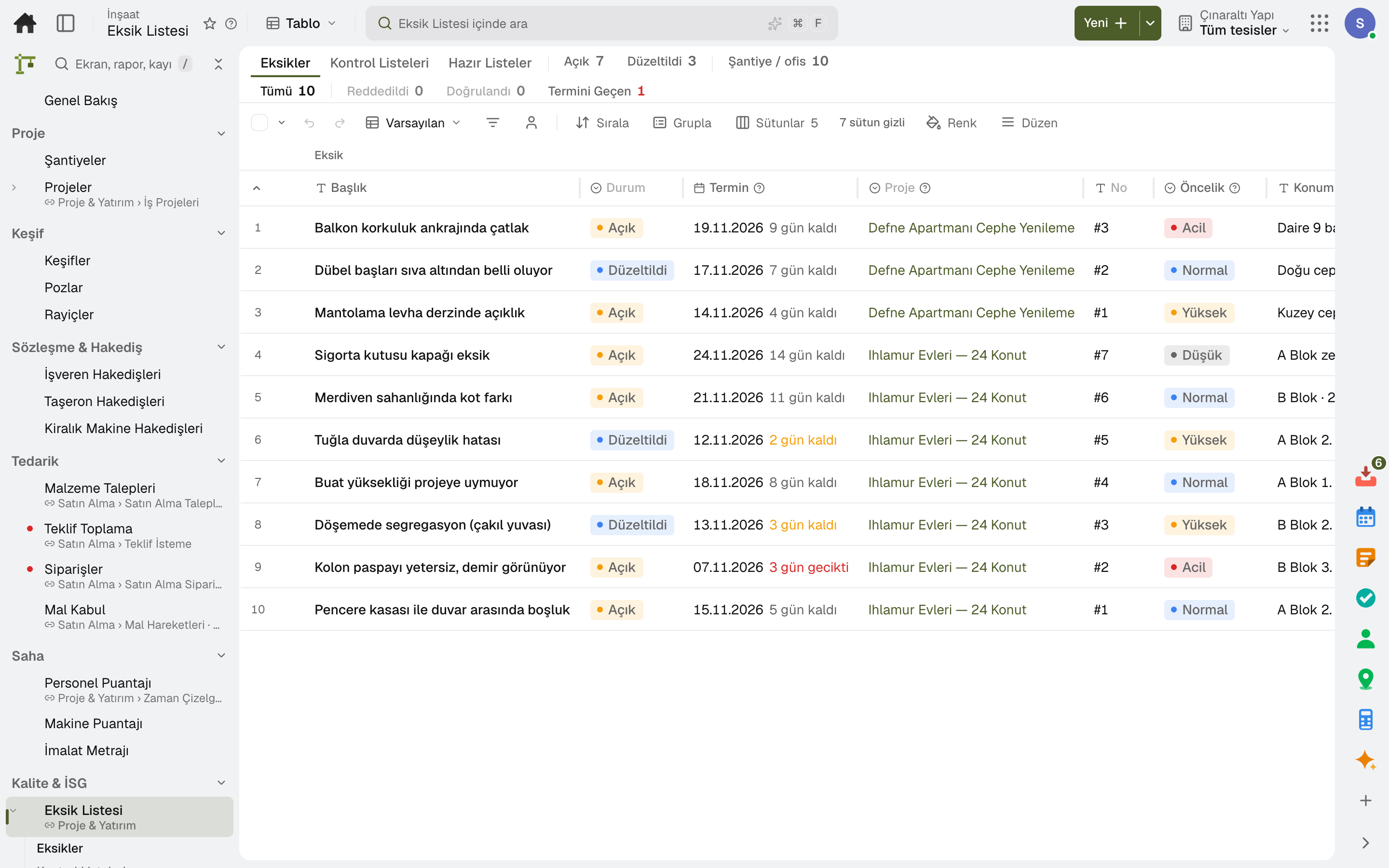
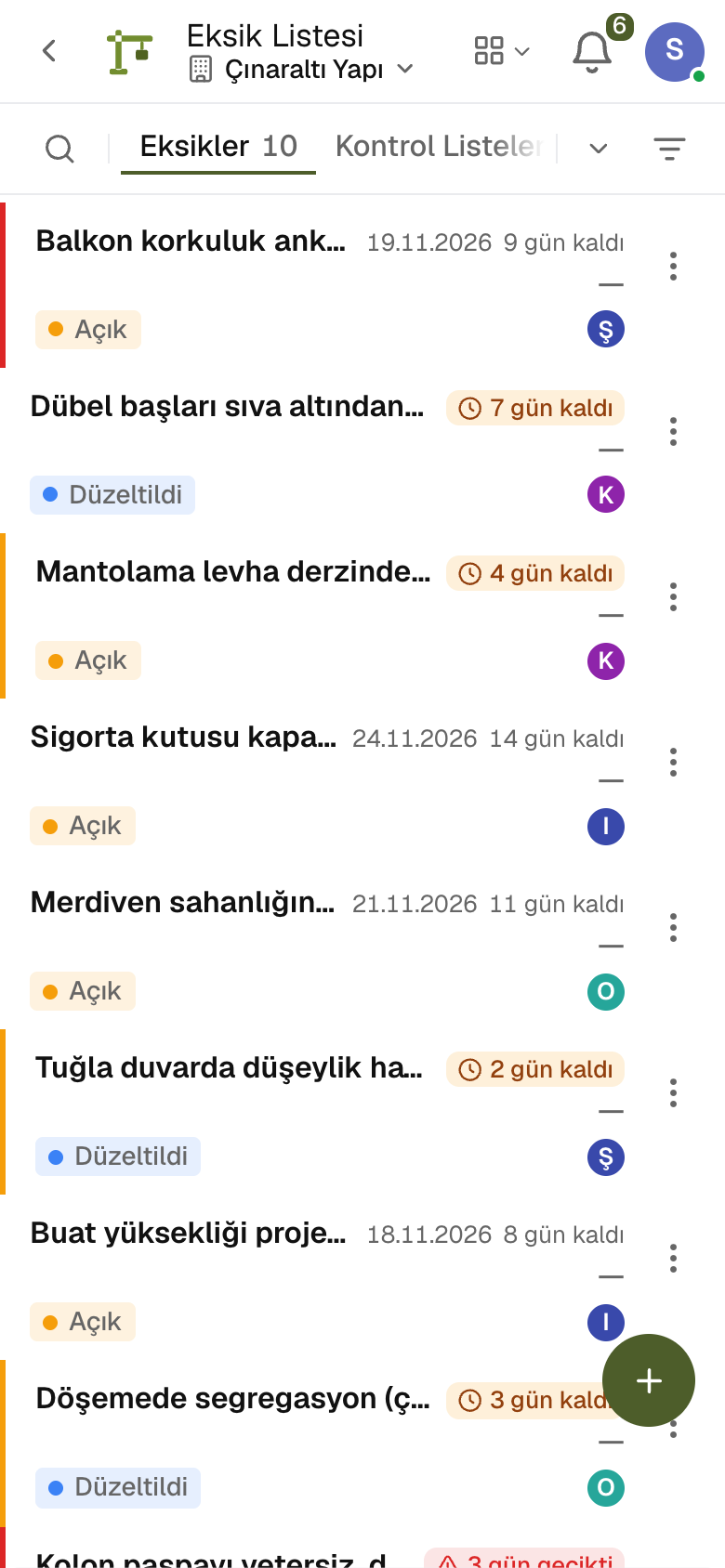
A punch item is opened with block, floor and unit, trade and responsible subcontractor; the estimated repair cost is held from the subcontractor's retention.
Days remaining are shown in the list; overdue items are marked in red.
The flow is open → fixed → verified; whoever fixed an item cannot verify it, and a rejection reopens it.
Handover checklists are added from ready-made templates and ticked off item by item.
Items within the warranty period are flagged; the service appointment shows on the item's card.
The project's punch list report is produced on demand or sent regularly as a scheduled report.
07 / 08
The client follows the work on the «My Project» page: the work schedule, the shared site diary, progress bills and punch items. Budget, cost and internal notes stay hidden.
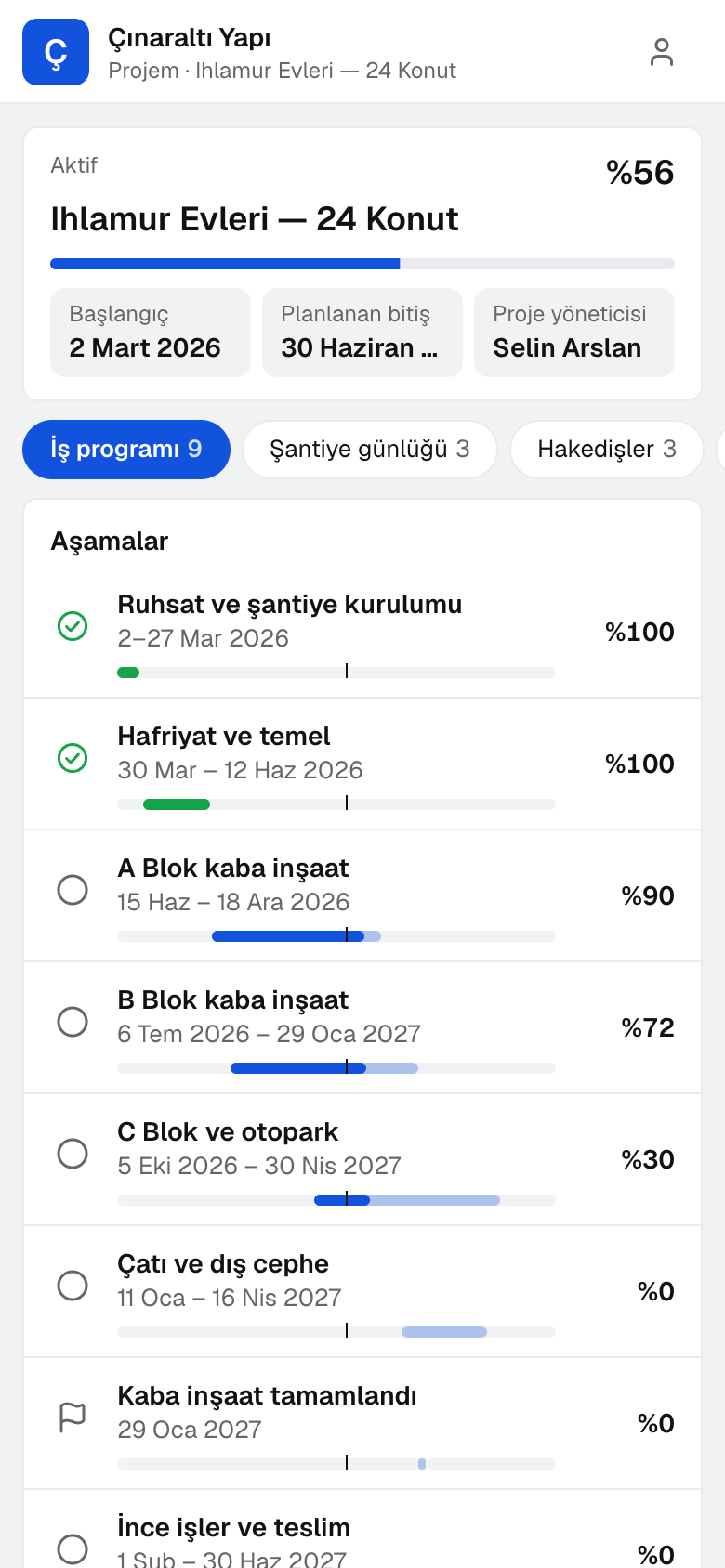
Phases or all tasks, with date ranges and progress; a today line runs across the project's timeline.
The client approves a shared diary or disputes it with a reason; an approved day is closed.
The client sees the lines of the progress bill sent to them, then approves by typing their full name or disputes line by line.
The client approves or rejects change orders and makes material selections; any amount over the allowance comes to them as a change order.
The client reports a defect with photos from their phone; once fixed, they answer «I approve» or «Still not fixed».
The client sends questions about the project to the team; the answer arrives on the same card, with an email notice.
08 / 08
Site procurement from material request to goods receipt, and site safety from subcontractor site entry to incident records, all in the same project.
The site raises a material request, quotes are compared, and the order is placed for the site's warehouse.
Incoming material is received into the site warehouse and posted to the project's cost and budget.
Prequalification and mandatory documents are tracked; a worker who does not meet the requirements is not admitted, and those on site form the evacuation list.
Permits to work for hazardous jobs, site inspections, accident and incident records, excavation and waste, all in the same project.
Sub-modules
This list is generated from the product itself; it grows as new functions are added to a sub-module. Master data and settings are the shared ground of every module and are not counted as sub-modules.
In the package
All on the same data model: a record entered in one module is never re-entered in another. The other 19 modules are open in your account too.
Project and capex management software
From investment budget to branch opening, every project in one place.
3 sub-modulesPurchasing software
From requisition to invoice, every purchase approved and traceable.
10 sub-modulesInventory and warehouse management software
Every product's location, batch and movement at your fingertips.
9 sub-modulesAccounting software
In the journal the moment the invoice is issued; no waiting for month end.
13 sub-modulesOccupational safety, environment and carbon in one record.
7 sub-modulesTry it free for 15 days; no credit card needed. We reply to your questions within one business day.