Field and season plan
Fields are recorded with their area, soil, irrigation and owned or leased status; the crop plan holds the crop, target yield and expected price per field, and the season budget compares planned with actual.
For field, orchard and vineyard growers and dairy farms: fields and the season's crop plan, field jobs and input stock, observations and advisor recommendations, harvest and shipments, herd, milking and milk deliveries. Accounting, stock and sales live in the same account.
No credit card, nothing to install.
Who it's for
The same app, set up for what you grow: each line of business has a page describing its own flow.
From ploughing to harvest, every field's work, inputs and profit in one record.
Field crop and grain farm softwareFrom spraying to shipment, the produce is traceable field by field.
Vegetable, orchard and vineyard softwareFrom milking to the buyer's statement, every litre in the tank is on record.
Dairy farm and herd management softwareHighlights
Fields are recorded with their area, soil, irrigation and owned or leased status; the crop plan holds the crop, target yield and expected price per field, and the season budget compares planned with actual.
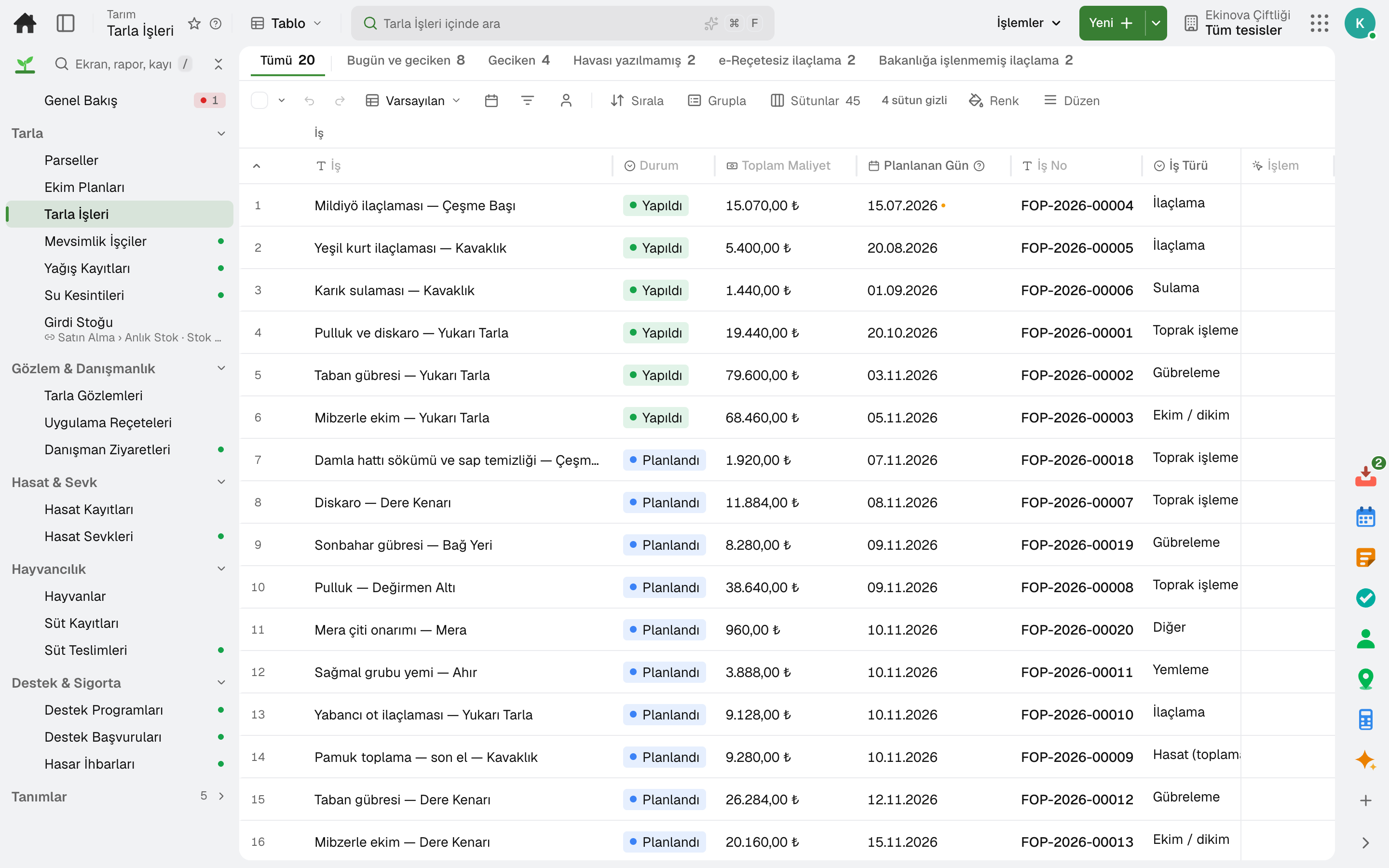
Tillage, sowing, fertilising, spraying and irrigation are planned; the worker marks the job "Done" from the phone, the input used is deducted from stock and its cost is posted to the field.
Pest and disease observations are entered with photo and location; the manager is notified when the economic threshold is exceeded, and the agronomist's recommendation turns into planned jobs field by field in one step.
Harvest is recorded with its quantity, yield and grade; a harvest cannot be recorded before the pesticide's pre-harvest interval has passed. The shipment of a harvest taken into stock is deducted from stock and its invoice is opened as a draft; in Türkiye the wholesale market tag is compared with the record.
The animal card holds ear tag, pedigree, pregnancy, vaccination and treatment; milk from an animal in its withdrawal period is not added to the tank. Milk delivery is recorded with the buyer's analysis, and the monthly reconciliation compares it with the buyer's statement.
Rainfall records and the priority order of unwatered fields during a water outage; the seasonal worker's entry record and training; the subsidy claim is tracked through its document, announcement and objection steps.
A day
Every step works on the same data: a record entered in one step is never keyed in again in the next.
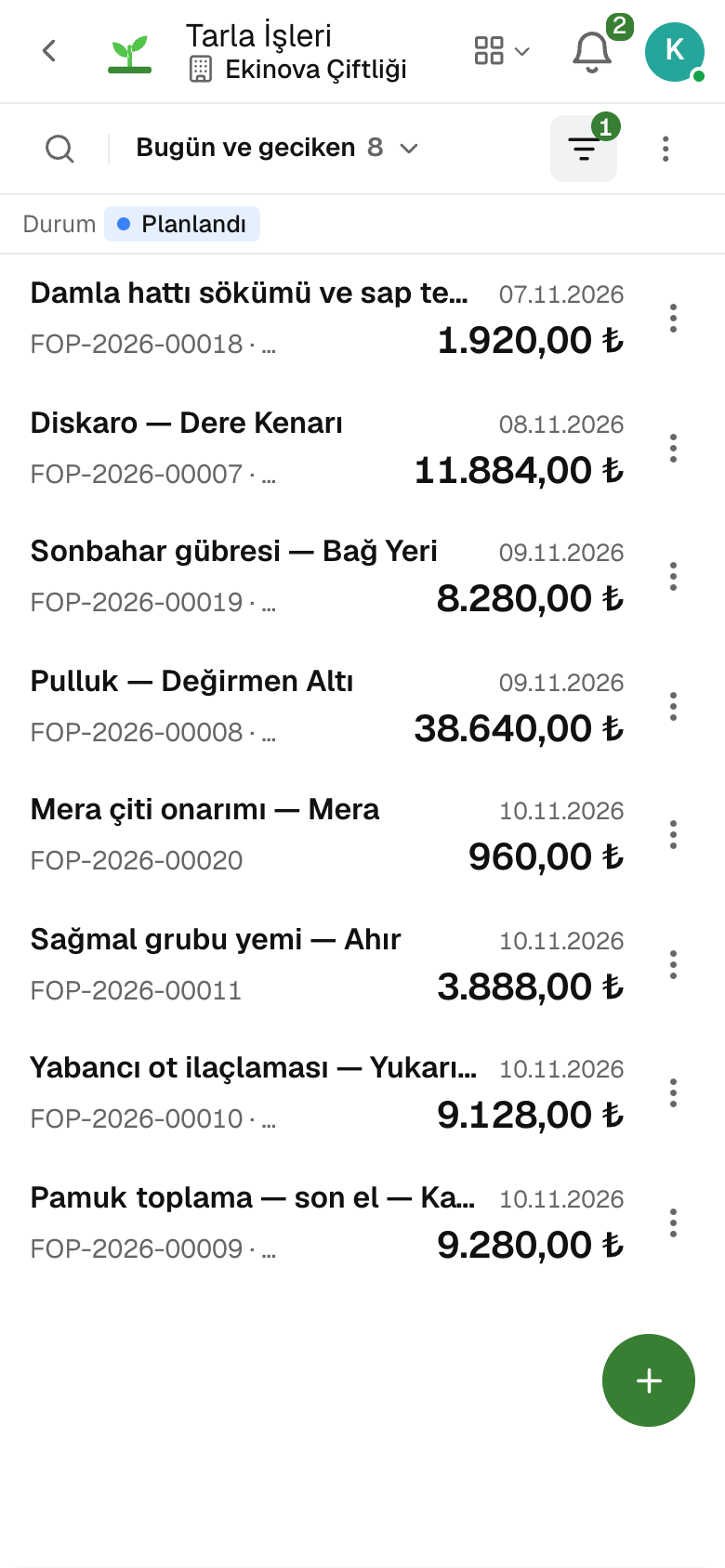
The team gets each person's job list for the day; workers see their jobs on the phone.
Date, area, quantity used, photo and location are recorded; inputs leave stock to the field's cost center.
Pests or diseases seen are recorded; once the threshold is exceeded, the advisor's recommendation becomes a planned job.
The harvest is recorded with its grade, the shipment leaves stock and its invoice opens as a draft.
Milking is entered in a single window; the tank's delivery is recorded with the buyer's analysis.
As you grow
Accounting, stock, sales and purchasing are in the same account: the harvest invoice, the input request and the worker's payroll are not entered twice. When you start exporting, foreign trade runs on the same data.
Customs and foreign trade software — for manufacturers and trading companies that import and export.
5 modules in the packageInventory and warehouse management software
Every product's location, batch and movement at your fingertips.
9 sub-modulesSales and customer management software
One customer record from opportunity to invoice.
16 sub-modulesAccounting software
In the journal the moment the invoice is issued; no waiting for month end.
13 sub-modulesPurchasing software
From requisition to invoice, every purchase approved and traceable.
10 sub-modulesHuman resources software
From hiring to exit, the employee's whole story on one card.
10 sub-modulesFrequently asked
Yes. The crop plan shows harvest, input, labour and machinery costs, the rent share and profit per field; the season budget compares planned with actual line by line.
Yes. Fields, crop plans and field jobs sit in the same app as the herd, milk records and milk deliveries.
The pre-harvest interval for each crop is defined from the label; that field's harvest cannot be recorded before it is over.
Yes. Field Jobs opens in the phone's browser; workers pick their job from the “Today and overdue” list and tap “Done”.
No. Seed, fertilizer, crop protection and feed are stock items; when a field job is done, the quantity used leaves stock to the field's cost center.
Yes. You can take your data out at any time via Excel, CSV or the API.
Free for 15 days
Every app is open for 15 days. No credit card, no installation; your team signs in from the browser.
Try it free for 15 days; no credit card needed. We reply to your questions within one business day.