Variants in one step
Cards for every combination of the colour and size axes are created in one step; each variant has its own barcode, stock and price.
For brands that make apparel and sell it in their own stores: tech pack, colour-size matrix and assortment packs, fabric roll tracking, cutting, sewing line, quality control and subcontracting. Stores, seasons and merchandise allocation share the same data. Yarn, weaving and dyehouse production are not part of the package.
01 / 07
A style is created once; its colour and size cards are generated from it. The size profile gives the order, the size pack gives the ratio; quantities on documents are entered in a matrix.
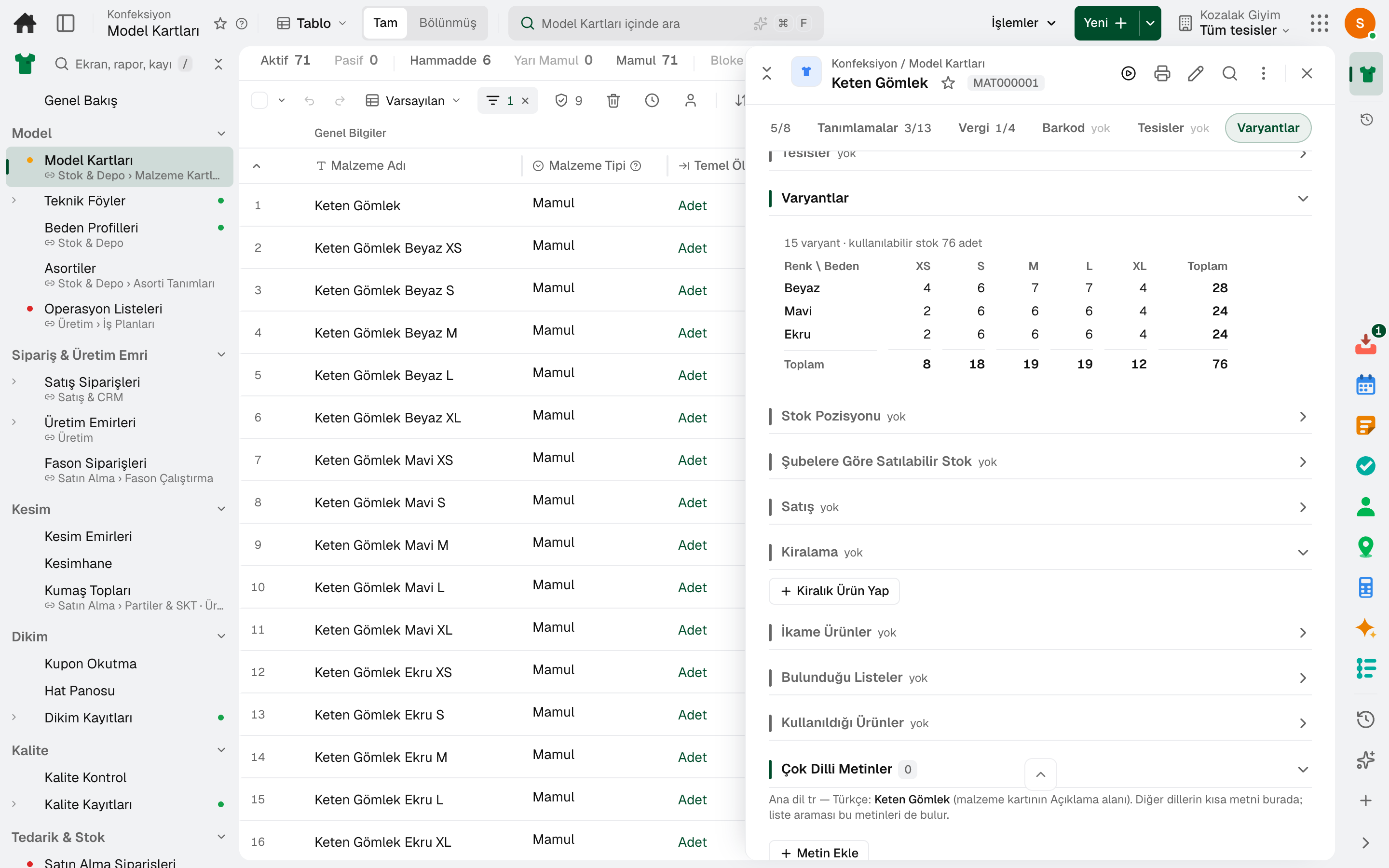
Cards for every combination of the colour and size axes are created in one step; each variant has its own barcode, stock and price.
The ordered size set and core sizes of a product group are defined; in a store, a run missing a core size counts as broken in Broken Size Runs.
A fixed quantity ratio between sizes is defined; in the matrix entry of document lines it is multiplied by the number of packs to fill in the quantities.
A colour and size without its own price takes the style's price; a size with a different price sells at its own price.
Style, size, colour, barcode and price are imported from a single file.
At goods receipt, hang tags are printed for each line's quantity, at the receiving store's price.
02 / 07
The style's tech pack in one place: points of measure × sizes, colour card, sample rounds and a bill of materials broken down by colour and size.
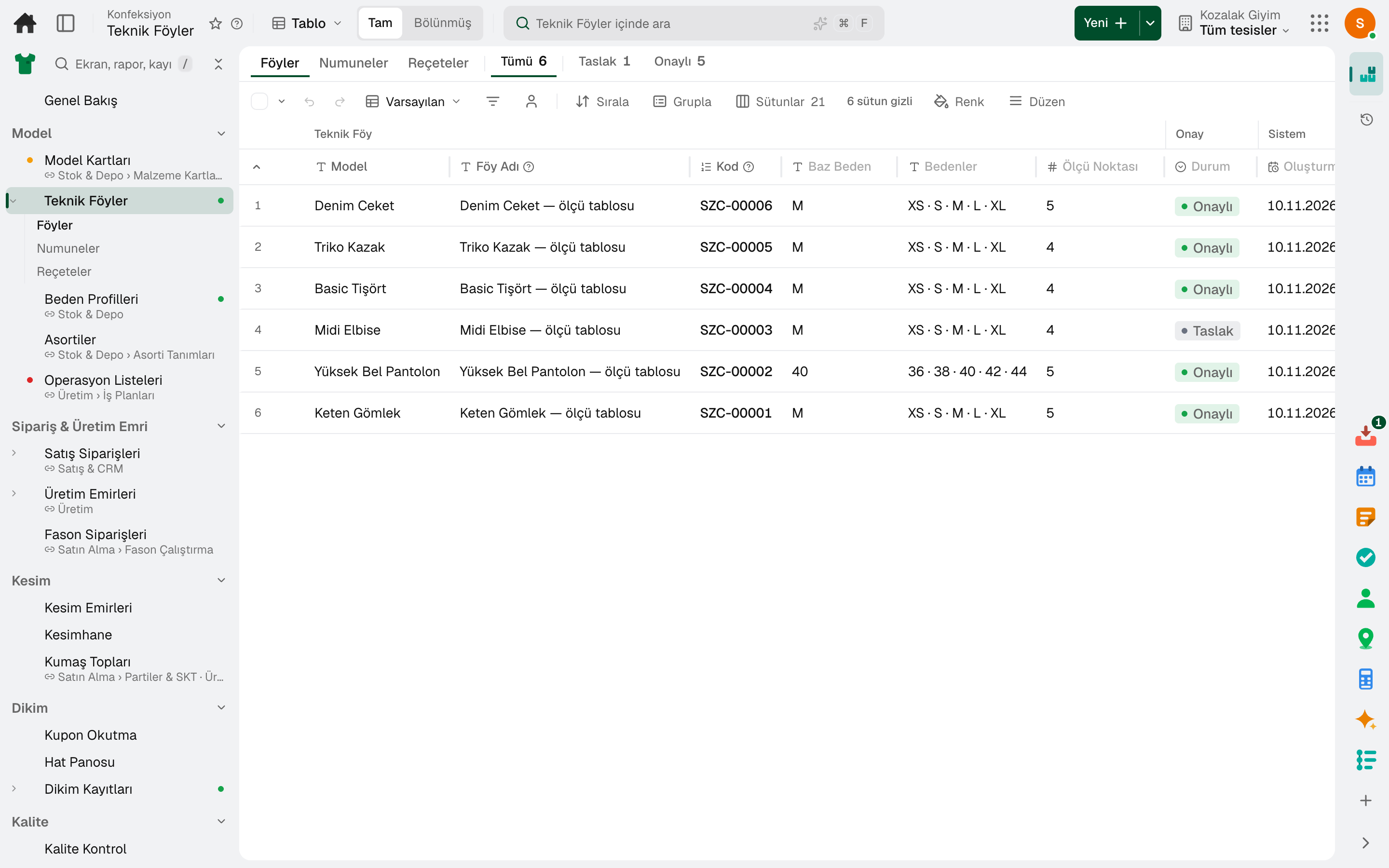
Points of measure are entered for each size with their tolerances; they are graded from the base size to the other sizes, and the table locks once approved.
Each colour's Pantone code and approval status are tracked in the tech pack.
A sample is requested, marked as sent, measured and decided on; the fit correction is written back to the measurement table.
The bill of materials is entered by colour and size; «Copy to Variants» sets up each variant's bill of materials.
A new style passes through idea, scope, development, testing and launch stages with gate decisions.
03 / 07
The size breakdown of one colour of a style is turned into a cut: marker plan, fabric rolls, cutting room tablet and bundle cards.
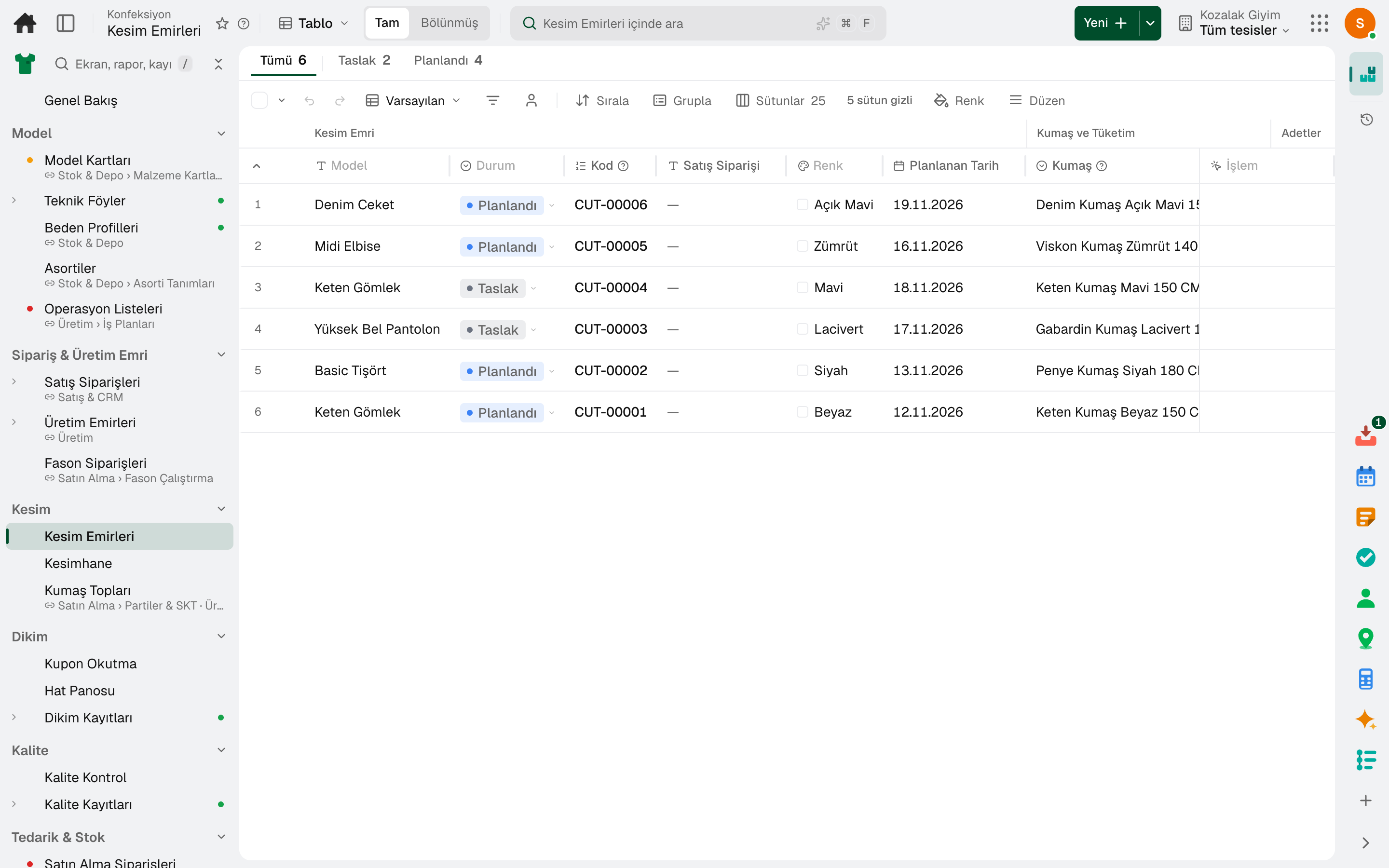
Size ratio and ply count per marker are suggested from the size quantities; fabric requirement comes out in metres.
The marker report from the CAD program is imported into the cut order; marker length and efficiency come from the report.
Each roll is tracked with its width, weight per square meter, dye lot and shade; rolls are assigned to plies, and shade mixing is limited by a rule.
The spreader marks spread and the cutter marks cut, marker by marker; the end of a finished roll is recorded.
Once all markers are cut, the spread fabric is deducted from stock and the cut quantities are recorded by size.
Pieces are split into bundles; bundle cards are printed with operation tickets.
04 / 07
The operator scans the bundle ticket, the line board shows the hourly target; the inspector scans the bundle and links the defect to the operation.
The operation's standard minutes × quantity is recorded as earned minutes; a wrong scan can be undone.
Hourly target and line output, line and operator efficiency, and bundles waiting on the line stay on screen on a TV or tablet.
Operations are distributed to stations; balance efficiency, takt and the required number of operators are calculated, and the skill matrix suggests operators.
Piece-rate pay calculated from the scans is transferred to payroll.
A defect is linked to the operation and the operator, defective pieces go to repair; before shipment, the lot is inspected with AQL.
The cut order is given to a subcontractor; materials are sent to the subcontractor and the order for the processed product is tracked.
05 / 07
The till runs in store mode: a barcode is scanned or a style is tapped, colour and size are selected, and the sale is deducted from store stock.
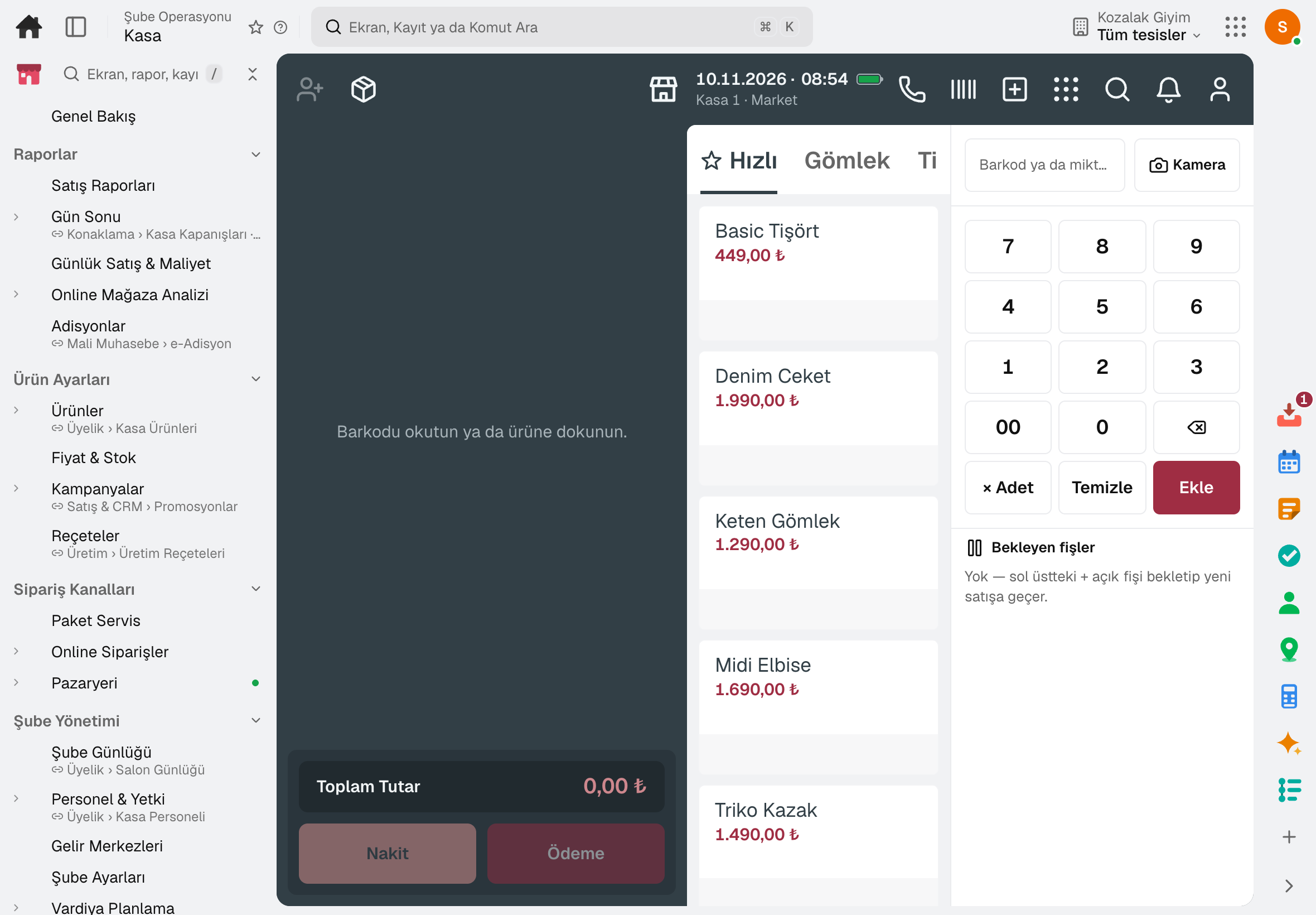
Tapping a style opens a colour × size table; each cell shows what is left in that store and any different price.
The product's stock in other stores is visible from the till; a transfer request is opened from the till.
A single line of a sale is returned or exchanged for another size; returns are also taken with another store's receipt, and the returned product goes back to stock.
The receipt without prices carries the product and quantity; the recipient can exchange or return with it.
The customer's size is held with a deposit; when the customer comes in, the deposit is deducted from the payment.
The sales associate who made the sale is recorded on the check separately from the cashier; commission is calculated for the associate.
06 / 07
Broken colour-size runs across stores in a single list; missing sizes are filled from the store with surplus or from the central warehouse.
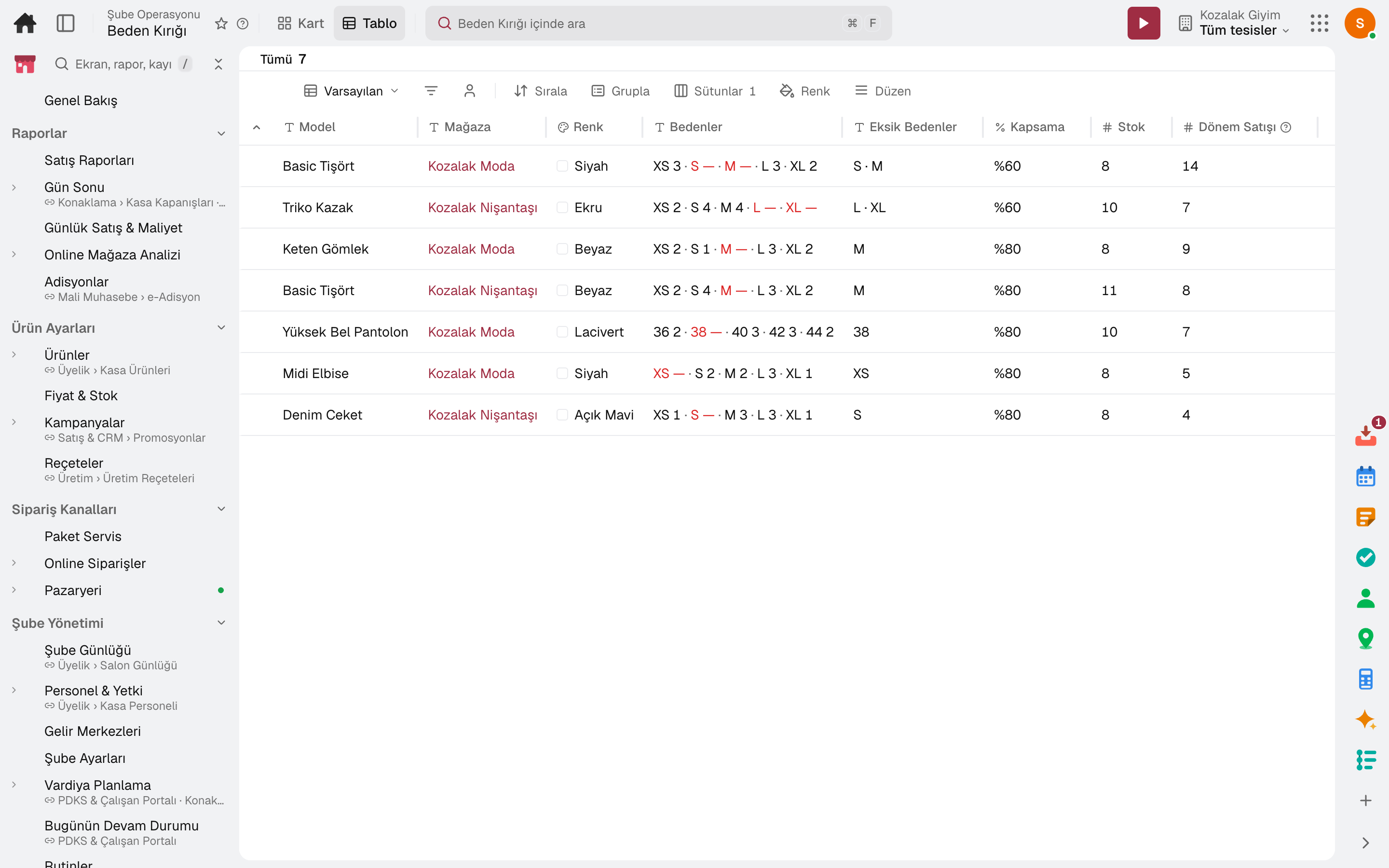
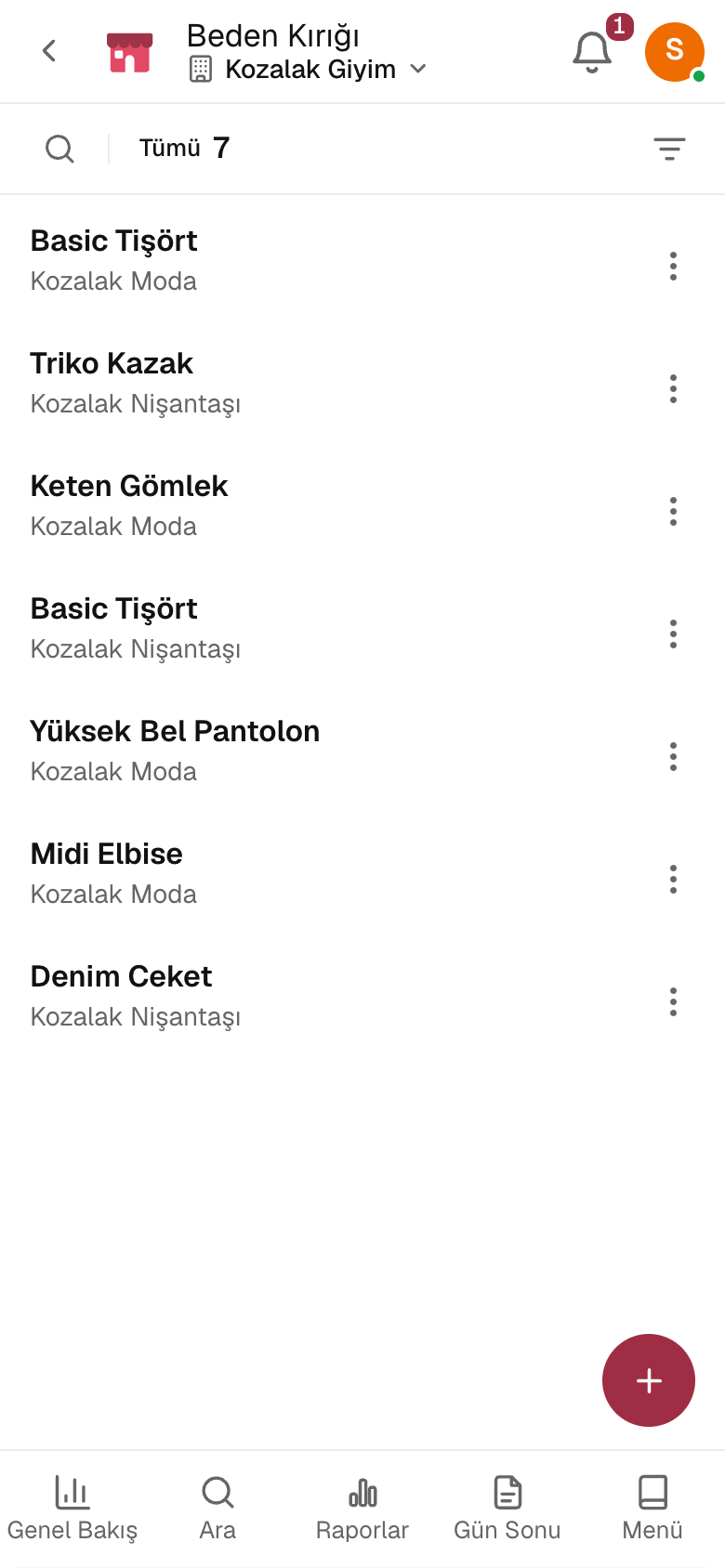
Which store is missing which size of which style, how much of the run is in stock and the period's sales, on the same row.
When one of the core sizes runs out, the run counts as broken regardless of its coverage.
«Suggest Rotation» proposes the missing size from the store with surplus and opens a transfer order per store pair.
Free stock in the central warehouse is also a source; the order (centre first or stores first) is chosen in settings.
07 / 07
The season calendar, store clusters and distribution from the centre to stores share the same data; the end-of-season discount reaches the till and the shelf label.
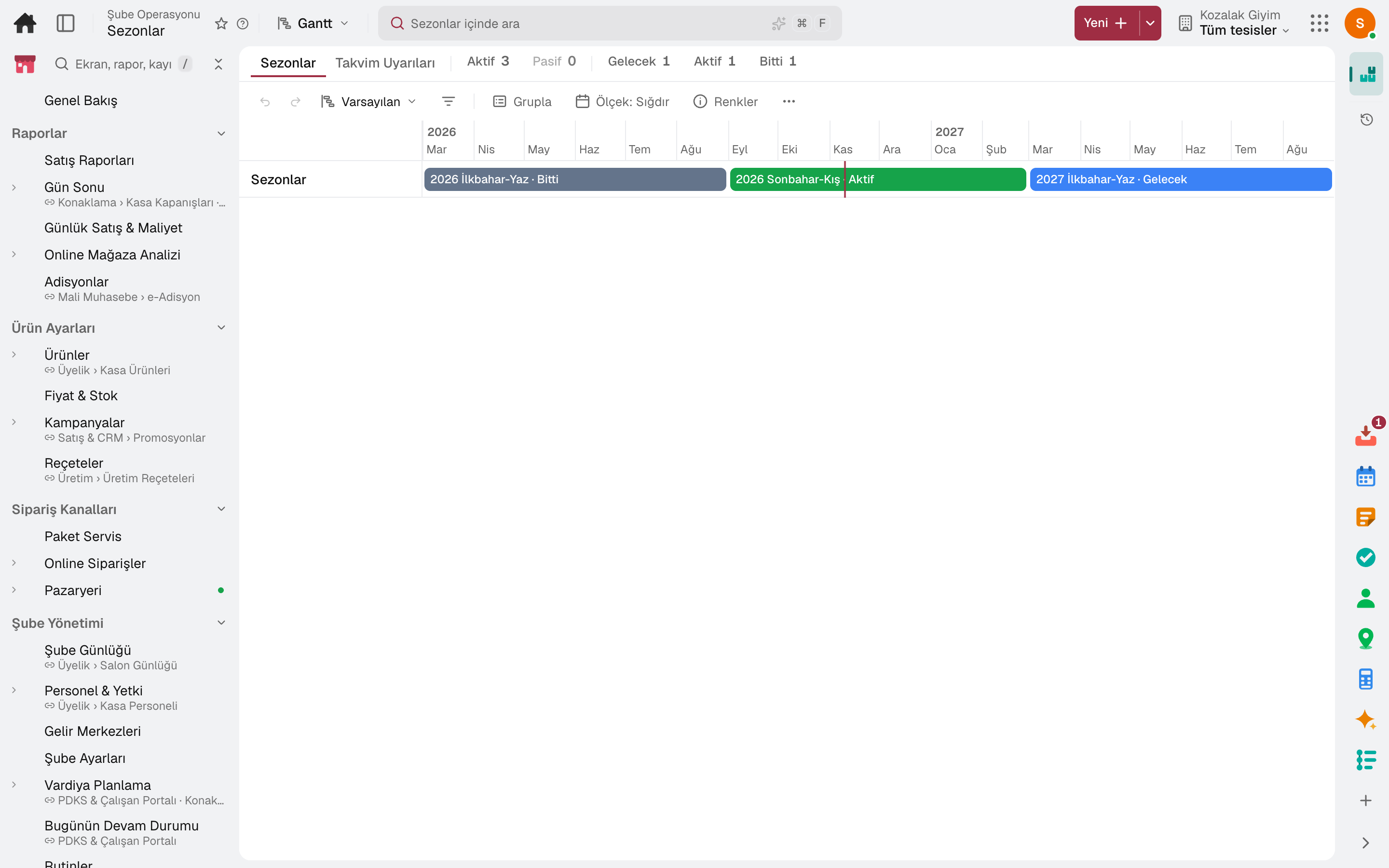
The start and end of the season set the opening and closing of store listings; calendar warnings are on the same screen.
The discount deepens in steps; the till promotion opens only in stores where the product is seasonal, and the shelf label goes to print.
Stores are grouped into clusters; a product set is listed in every store of the cluster in one go.
The total quantity is split across stores by rule (equal · sales history · demand forecast · stock gap); on release, a transfer order is opened per store.
A style and colour are distributed in size packs; each store's packs are opened into sizes on transfer.
For open seasons, sold ÷ (sold + store stock) by season and by store, on the Overview.
Sub-modules
This list is generated from the product itself; it grows as new functions are added to a sub-module. Master data and settings are the shared ground of every module and are not counted as sub-modules.
In the package
All on the same data model: a record entered in one module is never re-entered in another. The other 19 modules are open in your account too.
Production planning and tracking software
From order to batch, planned and produced side by side.
7 sub-modulesInventory and warehouse management software
Every product's location, batch and movement at your fingertips.
9 sub-modulesPurchasing software
From requisition to invoice, every purchase approved and traceable.
10 sub-modulesRegister, tables, branch orders and shelves on one branch screen.
10 sub-modulesSales and customer management software
One customer record from opportunity to invoice.
16 sub-modulesTry it free for 15 days; no credit card needed. We reply to your questions within one business day.