Scan, list, pay
The item is scanned or picked from an aisle button and lands on the receipt; payment is taken in cash or by card.
For store chains and grocery stores: assortment by branch cluster, shelf labels and planograms, seasons, store allocation and branch replenishment, till and Price Checker, loyalty and promotions, omnichannel orders. Stock, purchasing and accounting share the same data.
01 / 07
The till runs in market layout on a single screen: scan the item, it lands on the receipt, take the payment. No tables or kitchen; the till opens on a tablet or in the browser.
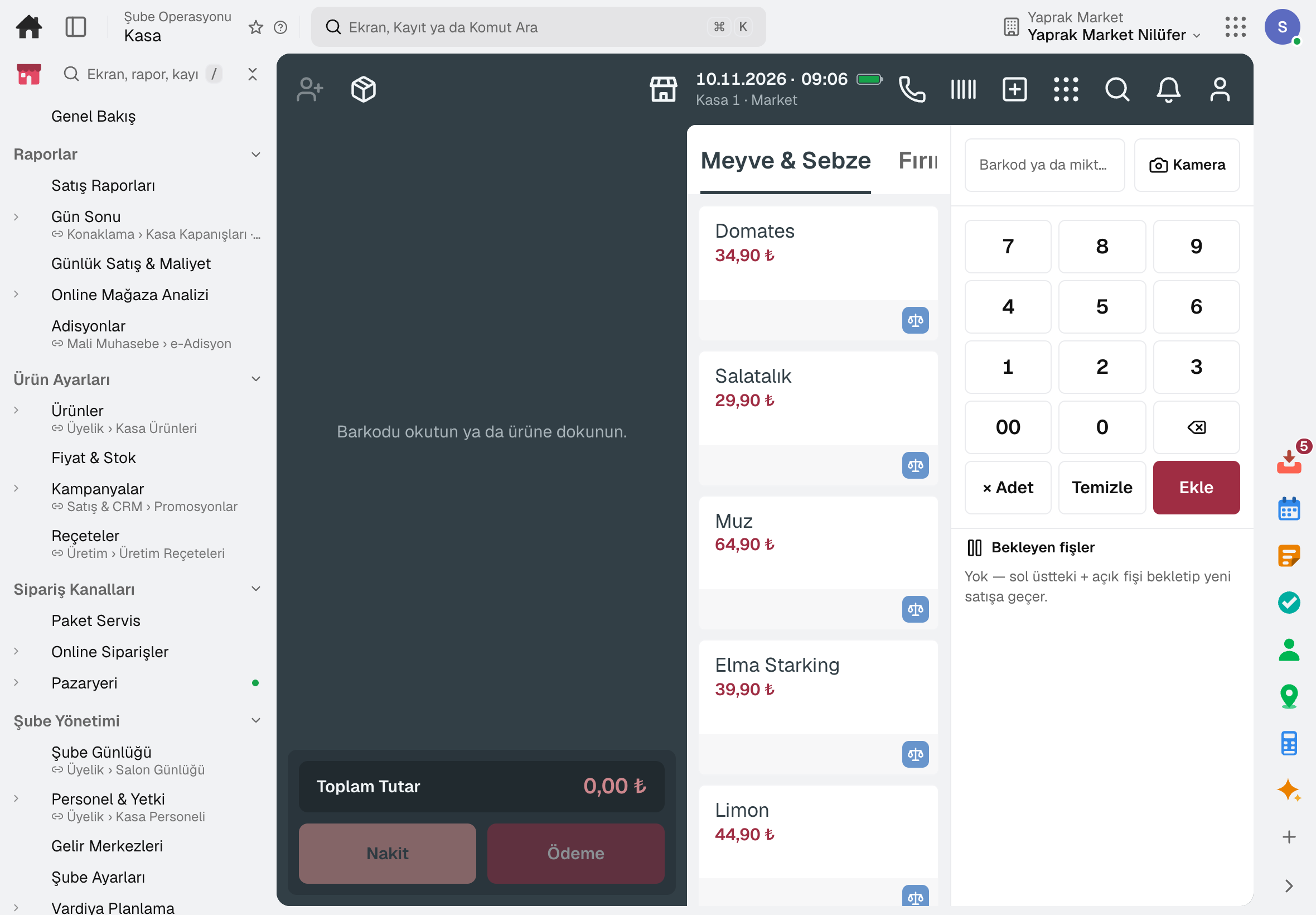
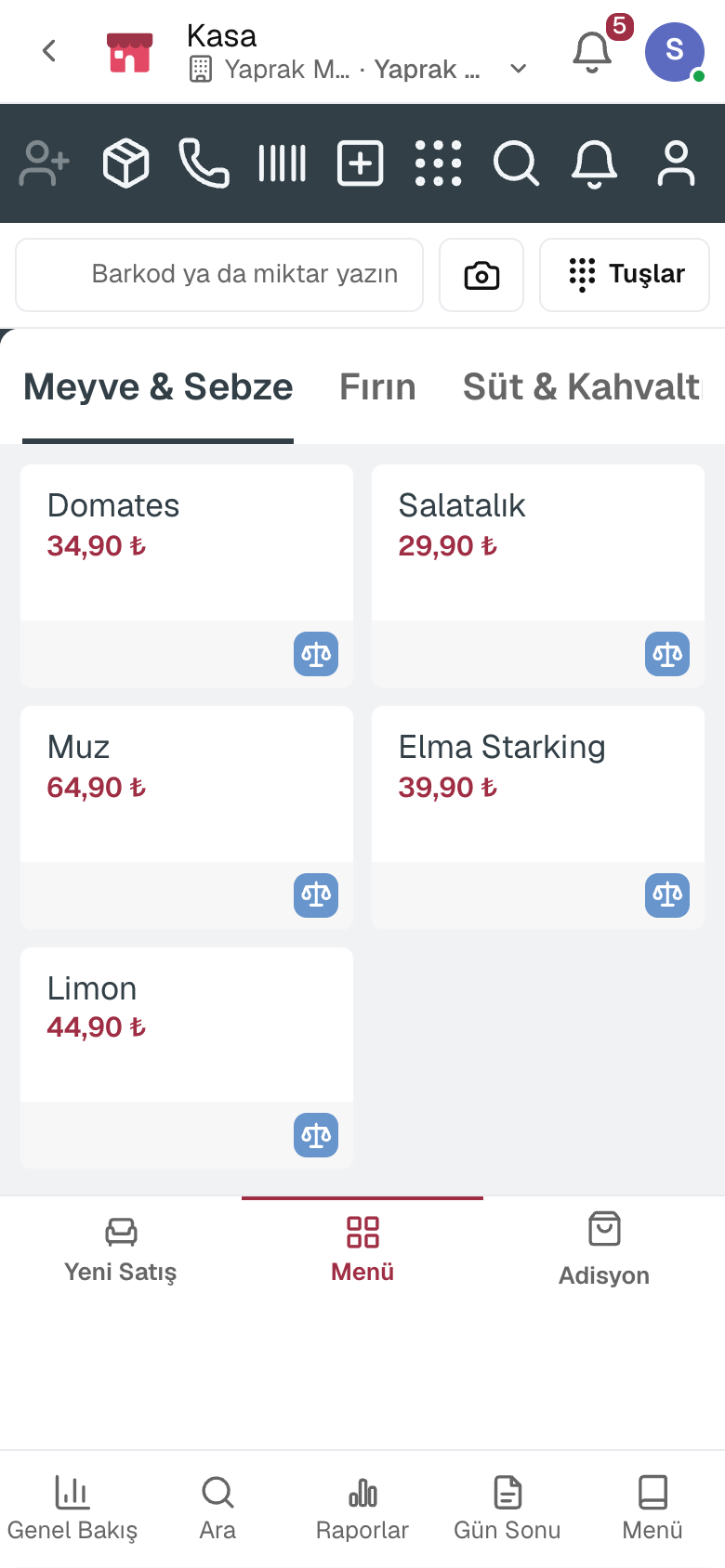
The item is scanned or picked from an aisle button and lands on the receipt; payment is taken in cash or by card.
Scanning a case sells the units inside; the barcode printed by a label scale is scanned at the till.
Without a barcode scanner, the phone or tablet camera scans.
An unregistered product is defined at the till: the cashier enters the price, group and VAT, and the product lands on the check.
A single line of a sale can be refunded, returns and exchanges work with older receipts; customers can bring another store's receipt, and resaleable goods go back to stock.
The market till does not sell alcohol between 22:00 and 06:00 and shows an age 18 warning.
02 / 07
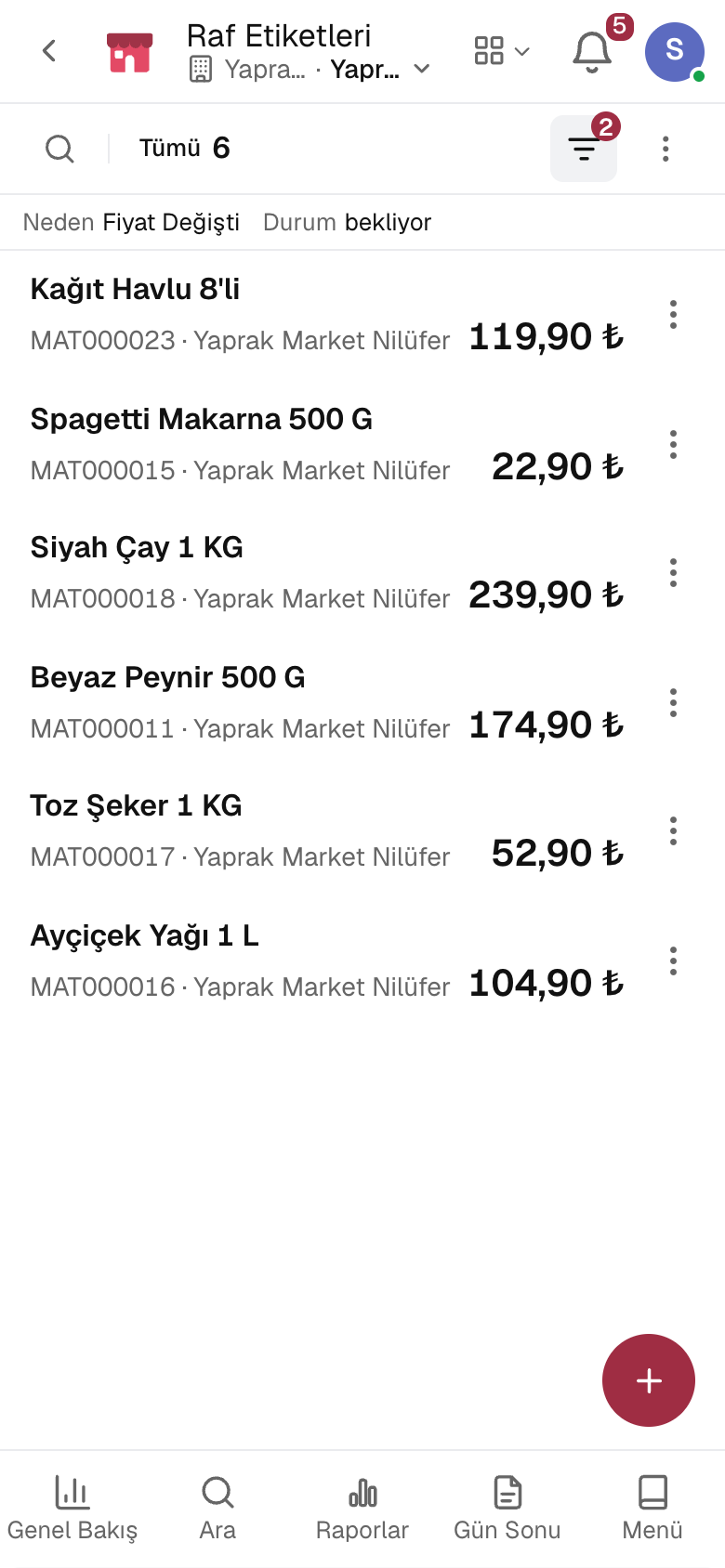
Prices change from a single list; the label for a changed price drops into the queue of every store that lists the product. Customers check prices on the aisle tablet.
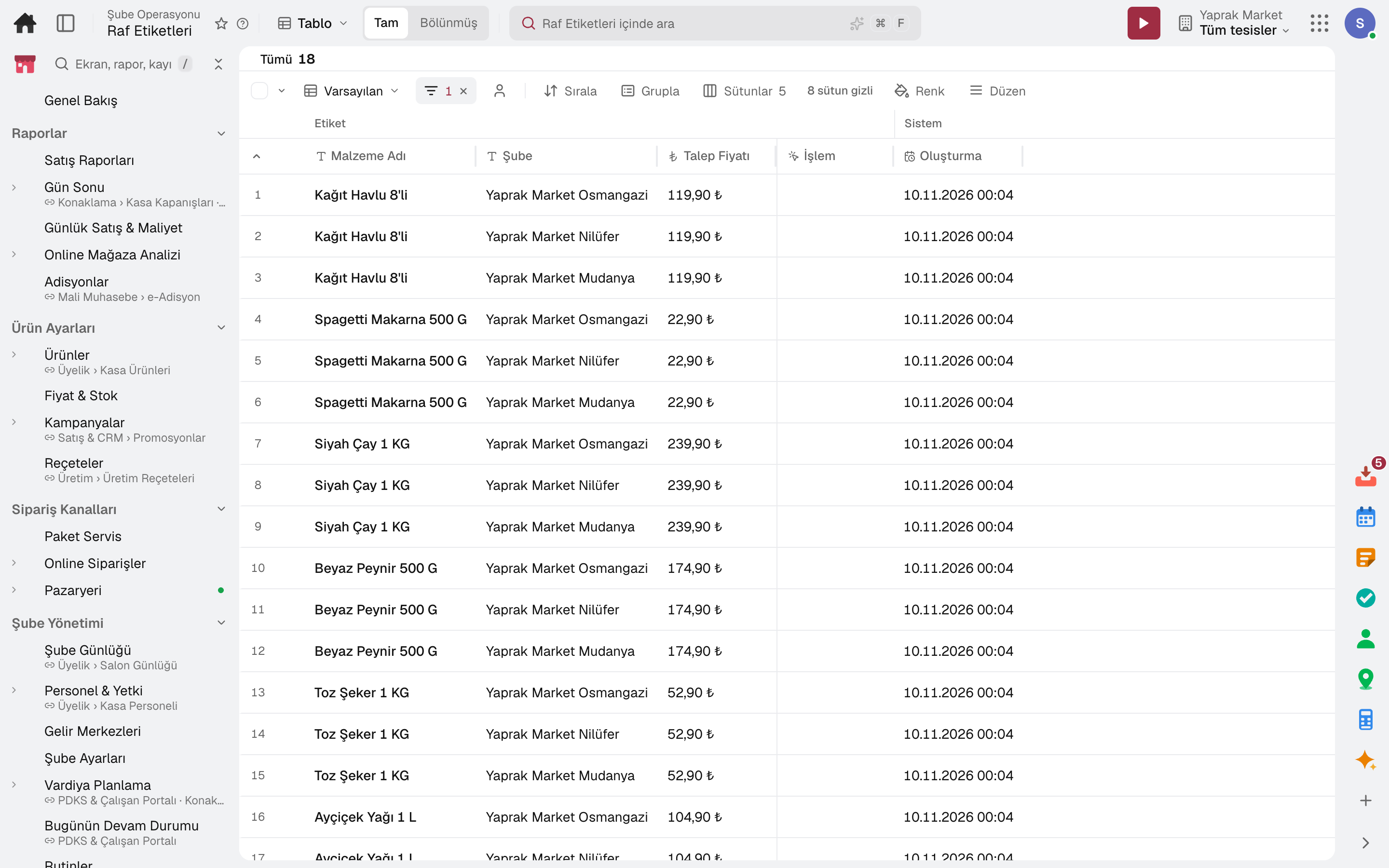
Every product's till price in one list; type the price into the cell, make bulk and future-dated changes.
A product's price in one store is kept apart from the general price; a price class sets a rule for a group of stores (such as Standard +20%).
When a price changes, a label request with the old and new price drops to each store whose shelf changes; printed labels are marked in bulk.
Labels print the price date, place of production, unit price and the domestic production logo.
Labels waiting to be printed show up in Tasks as a “Print shelf labels” job per store; the job clears once printed.
The customer scans the product on a tablet in the aisle; its name and the price the till will charge are shown in large type.
03 / 07
Stores are grouped into clusters; a product set is listed in every store of a cluster in one go. Seasons set the listing calendar, planograms set the shelf layout.
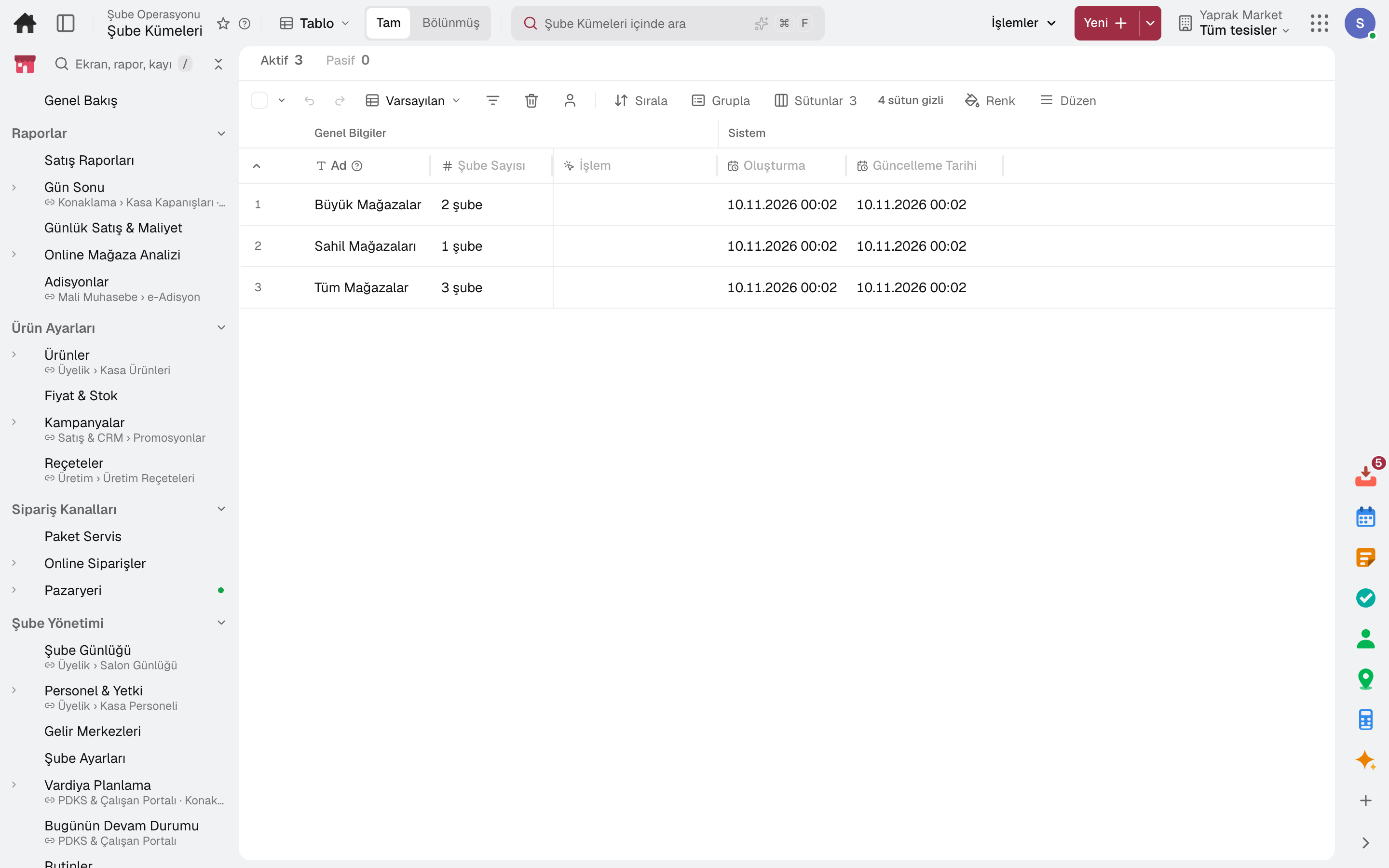
Build clusters such as large stores, seaside or high street; a product set is previewed and then listed to the cluster.
Products with a low sales contribution are flagged for delisting, with the group's best seller suggested in their place.
Listings open and close from the season dates; a listing whose season has ended raises a warning.
The end-of-season markdown applies only at the tills of stores where the product is seasonal; it also reaches the shelf label.
Which product appears in which store, on which shelf and with how many facings is defined in the shelf view and on the floor plan.
Shelves are audited against the plan; a non-compliant line drops to the store as a “Set the shelf to plan” task.
04 / 07
Goods in the central warehouse are distributed to stores by rule; on release a transfer opens for each store. Stores place their orders to head office from their own screen.
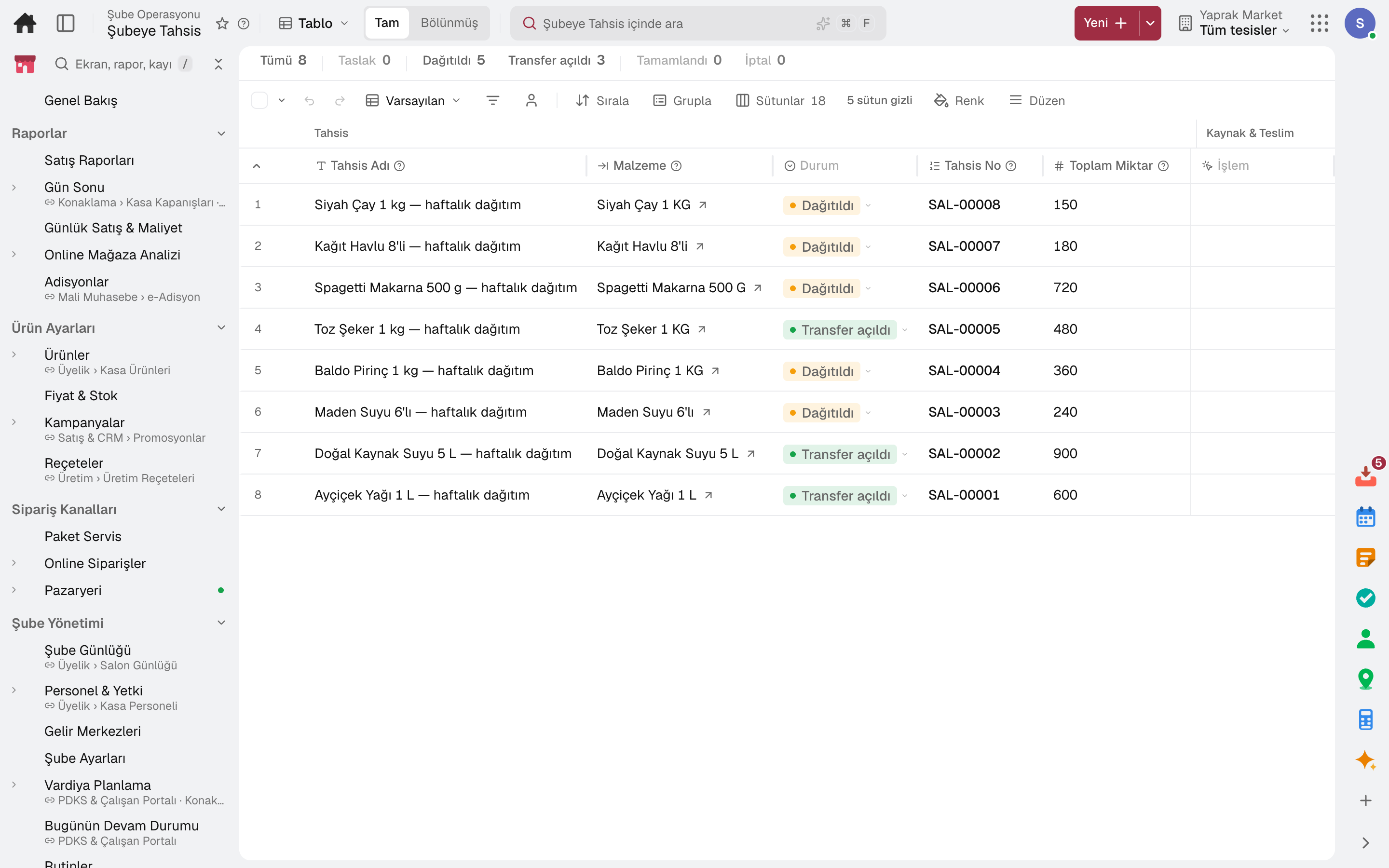
The total quantity is split across stores equally, by sales history, demand forecast, stock gap, weighting or by hand; it is previewed first.
Set a minimum and maximum per store; quantities are rounded to case multiples.
Releasing an allocation opens a stock transfer order for each store.
Open an allocation from a goods receipt at head office or from an open purchase order.
The stock-gap rule deducts transfers already on the way and pending branch orders.
Forecast-based replenishment proposals plan supply from the central warehouse to many stores in one run; an approved proposal becomes a transfer or a purchase requisition.
05 / 07
Till promotions are limited by store, day and time and apply automatically at the till. Loyalty cards, gift cards and coupons sit on the same customer record.
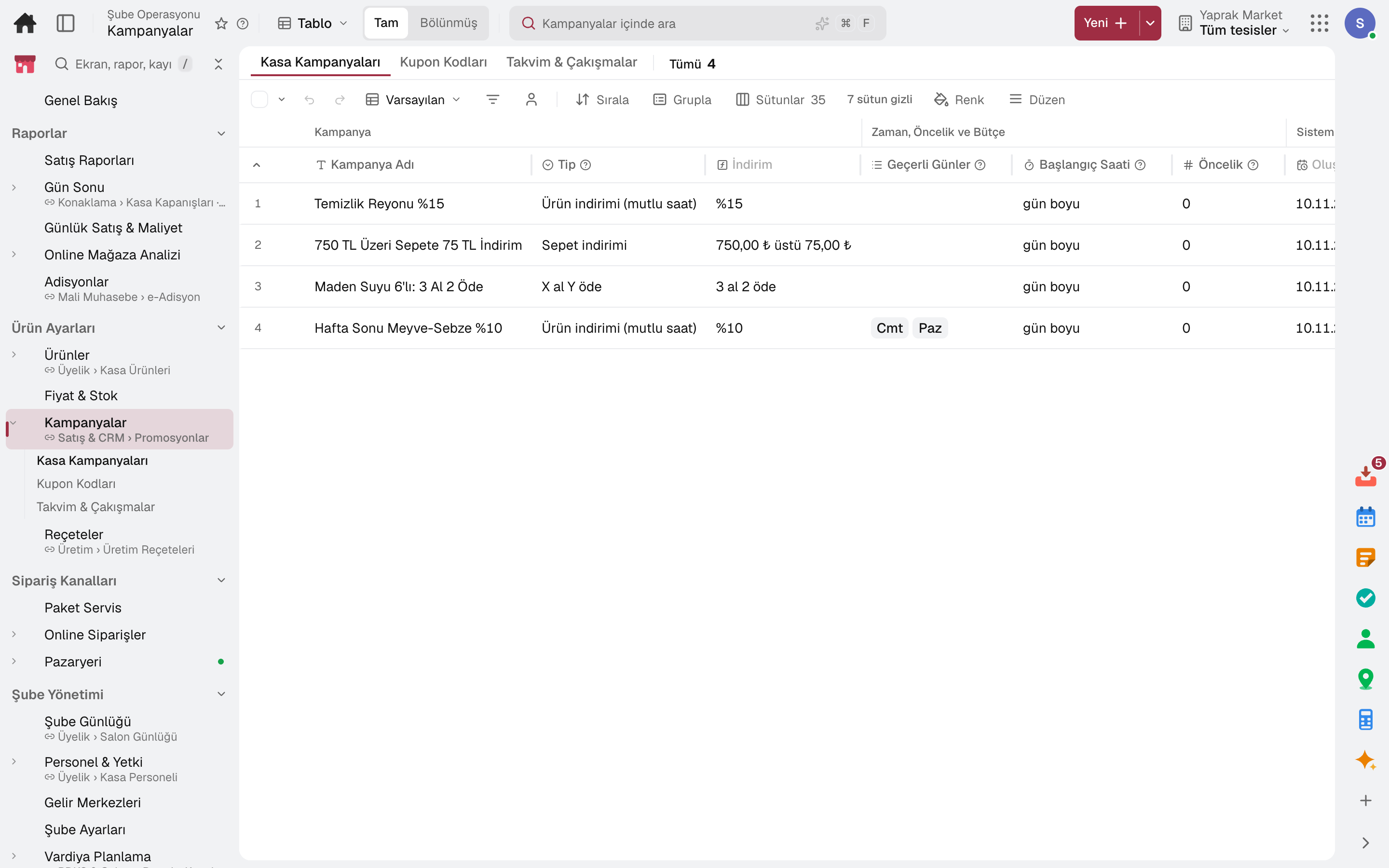
Percentage off, buy X pay Y, free gift with purchase, basket discount and personal discount; with store, day and time rules.
Single-use coupon codes are generated; coupons work at the till and in the online store.
Loyalty cards, points, rewards and referrals; promotions can be limited to a loyalty tier.
Prepaid gift cards are sold and topped up at the till; balance movements are tracked in a ledger.
The markdown for a product nearing its expiry date is set by the days remaining; an approved suggestion is applied at the till only to the quantity at risk of spoiling.
06 / 07
The till is counted, the difference is recorded and the Z report is posted to accounting. The day's sales by product, aisle, hour and payment type on one screen.
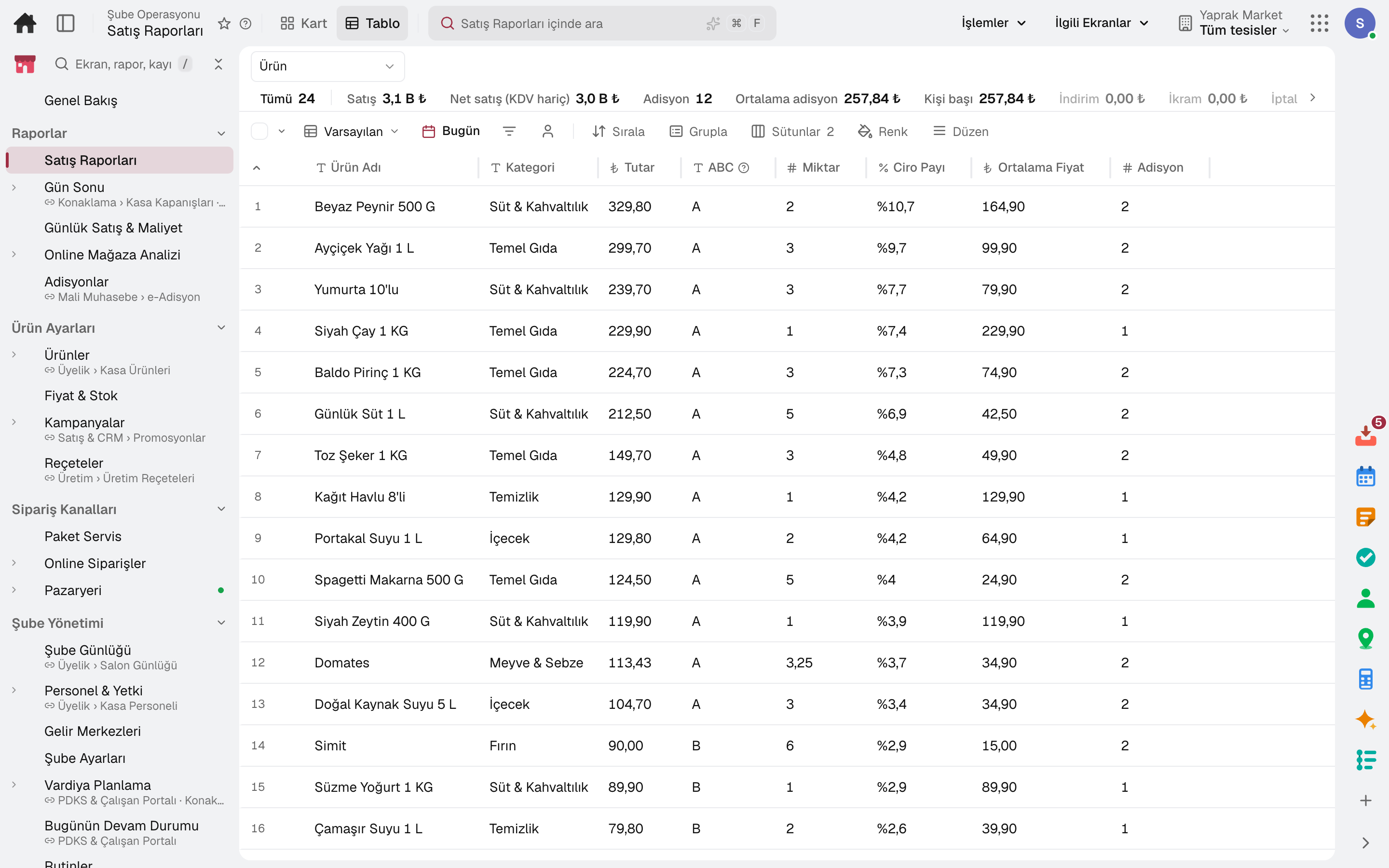
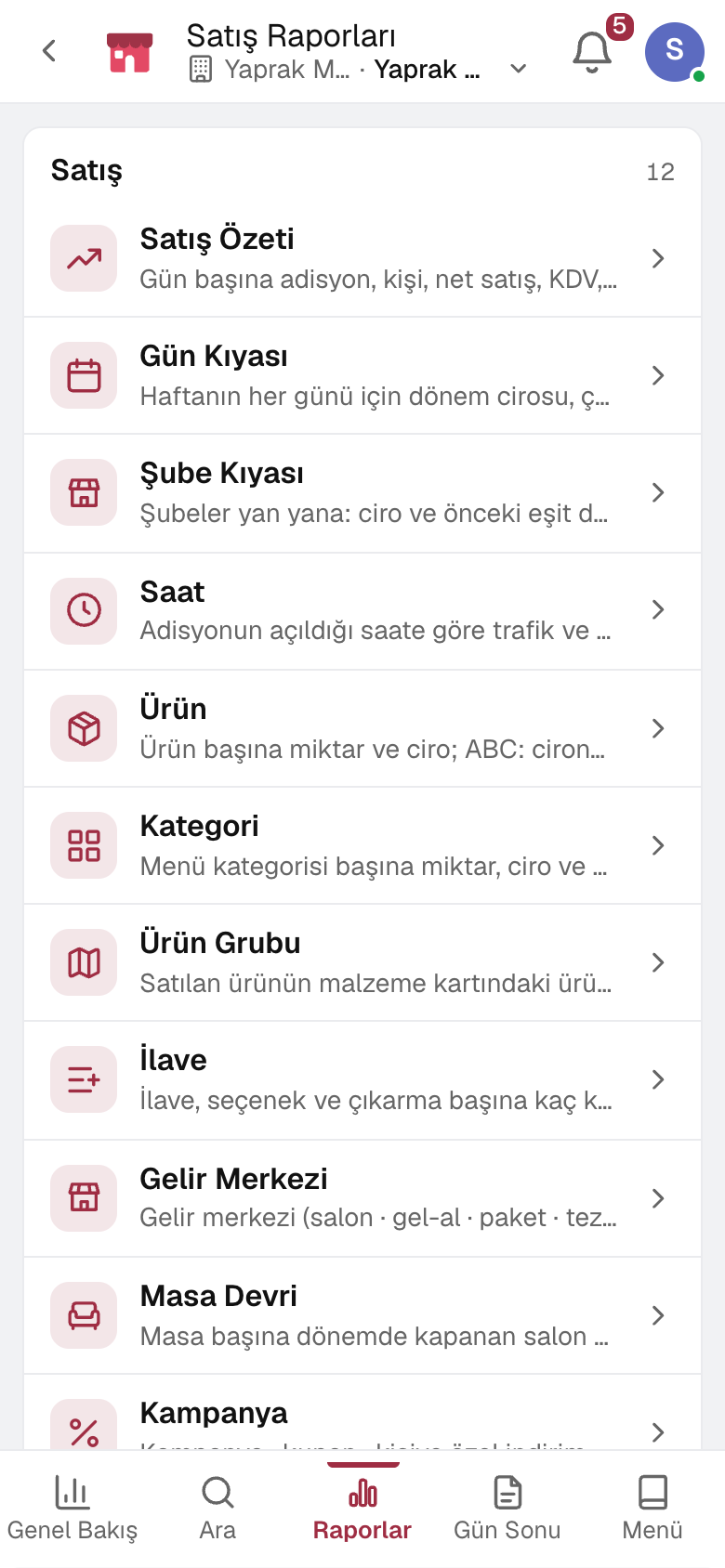
The till opens with a cash float and closes with sales, collections and the count difference; the Z report is posted to the cash account and to accounting.
Daily summary, product ABC, aisle, hourly sales, payment type and VAT breakdown on one screen.
Stores side by side: revenue and change on the previous equal period, average ticket, voids and refunds, discounts and till count differences.
Voids, discounts and refunds appear in one report with their reason and approver; suspicious-transaction rules raise alerts.
The online store's conversion funnel, sales, average basket and best-selling products are tracked period by period.
07 / 07
Sales are deducted from store stock; every store's stock is visible live. Counts, waste and reorder points share the same data; replenishment proposals go to purchasing.
Stock is visible live by store, storage location and batch.
Counts are planned by ABC class; system and counted quantities are compared and the difference is recorded with a reason.
Spoiled goods are written off from stock as waste.
Reorder point, safety stock and maximum stock are calculated from consumption.
In the package
All on the same data model: a record entered in one module is never re-entered in another. The other 19 modules are open in your account too.
Register, tables, branch orders and shelves on one branch screen.
10 sub-modulesInventory and warehouse management software
Every product's location, batch and movement at your fingertips.
9 sub-modulesSales and customer management software
One customer record from opportunity to invoice.
16 sub-modulesPurchasing software
From requisition to invoice, every purchase approved and traceable.
10 sub-modulesAccounting software
In the journal the moment the invoice is issued; no waiting for month end.
13 sub-modulesTry it free for 15 days; no credit card needed. We reply to your questions within one business day.