Users and permissions
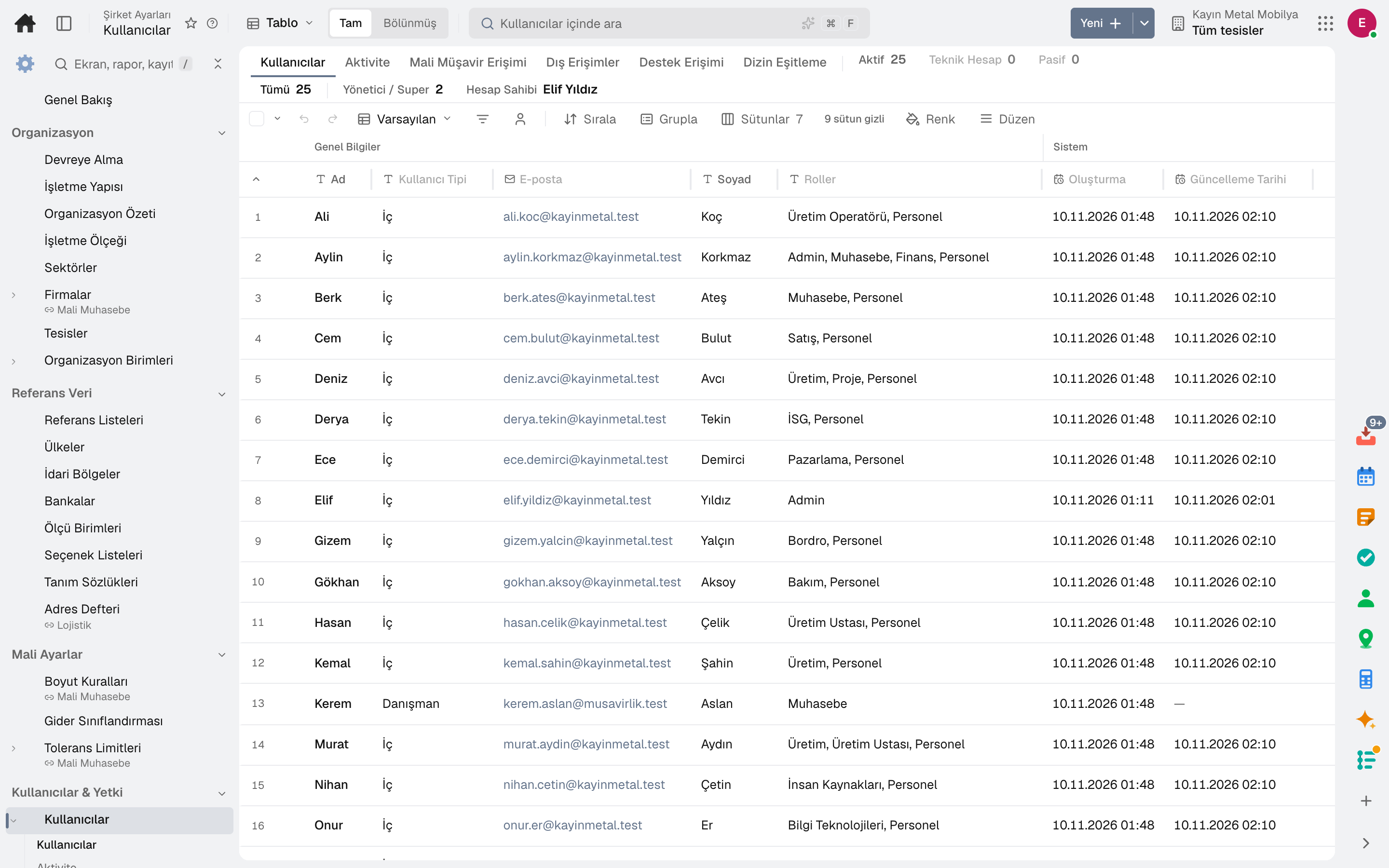
Users, roles and permissions, till and account permissions, team role assignment and access reviews.
Companies and plants, users, roles and permissions, approval rules, number ranges, integrations, API keys, security settings and data quality in one app. Your company's administrator configures it without writing code.
Roles: System administrator · External accountant · IT specialist
What is it, and why do you need it?
With enterprise software it's common to wait for a consultant even for the smallest setting, and to leave permissions wide open so that "everyone can see everything"; in an audit, nobody can explain who accessed what.
Admin puts the role and level matrix, till and account permissions, approval routes and business rules in the administrator's hands. Access review periods and the record change trail keep you audit-ready.
Scope: Runs system administration such as users, permissions, definitions, security, integrations and master data governance.
Highlights
Users, roles and permissions, till and account permissions, team role assignment and access reviews.
Companies, plants, organisational units, reference data and business scale.
Approval configuration, company settings, number ranges, document templates and option lists.
Authorisation policies, emergency access, the password hub and the record change trail.
Integrations, API keys, webhooks and event channels.
Data import, data quality findings, consolidated records, possible duplicates and master data change requests.
A ready-made role is copied and narrowed for the company; a change applies to everyone holding the role, and each version is kept with who changed it and when.
User access rights are reviewed and approved periodically.
Upcoming changes are shown in advance with their effective date; the administrator chooses the day a new feature is switched on for the company.
Sub-modules
This list is generated from the product itself; it grows as new functions are added to a sub-module. Master data and settings are the shared ground of every module and are not counted as sub-modules.
On the same data
Modules are separate screens, but the data is one: a record entered in one module is never re-entered in another.
Risks, controls and audit findings tracked until they are closed.
In the journal the moment the invoice is issued; no waiting for month end.
From hiring to exit, the employee's whole story on one card.
Data from every app in one report catalogue.
Frequently asked
Yes. Enterprise sign-in with Microsoft Entra is supported; signing in with a Google account or email is also available.
Yes. Authorization policies enforce prohibition and amount-threshold rules at run time; who holds conflicting rights is visible in the segregation of duties matrix, together with exceptions and mitigating controls.
Always. Data is exported with Excel, CSV and the API; API keys are managed on this screen.
Try it free for 15 days; no credit card needed. We reply to your questions within one business day.