AgronomistFrom observation to prescription, every recommendation tied to the plot.
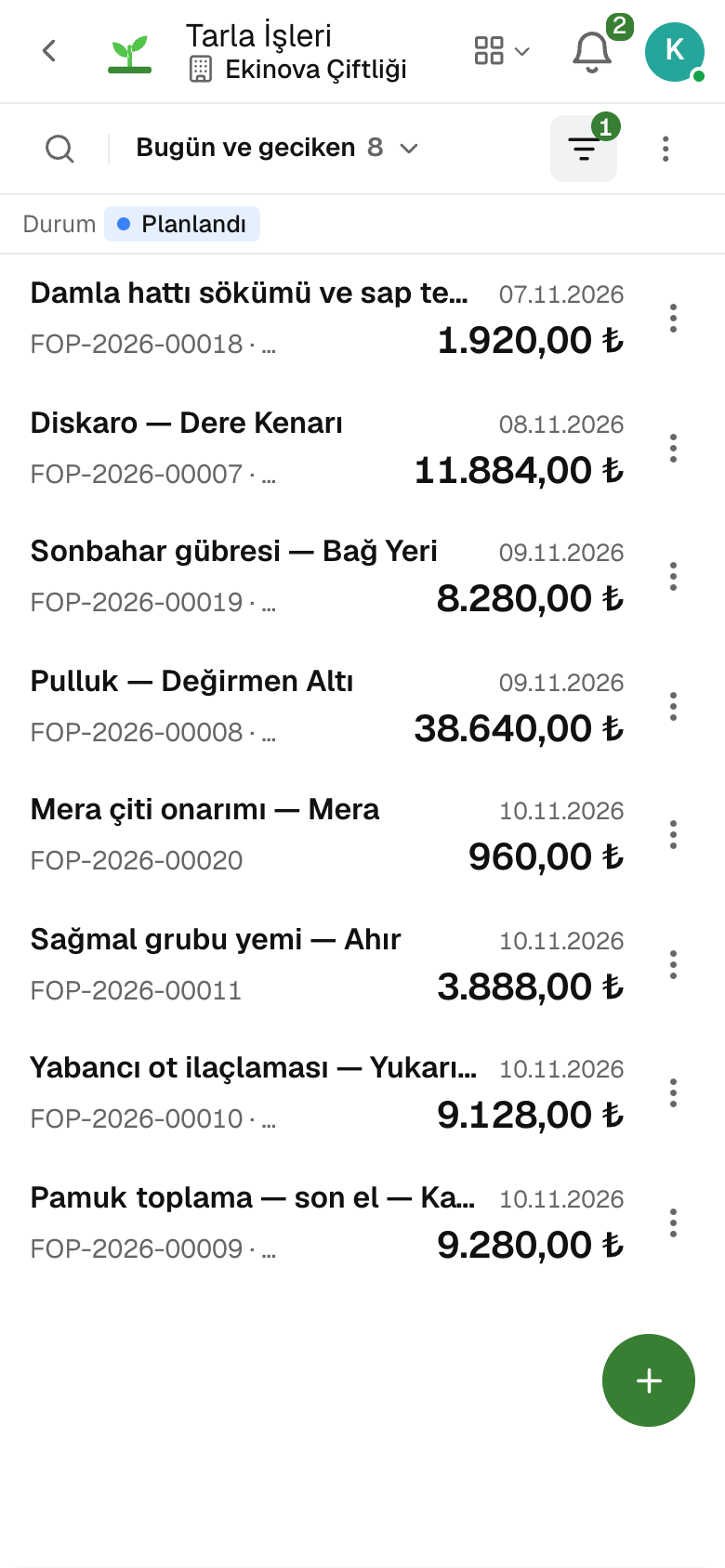
A field observation is recorded with its agent, severity and damage threshold; the application prescription is written for plots and inputs with their doses and becomes field work with «Convert to Job». The visit report and its recommendations are on the same record.
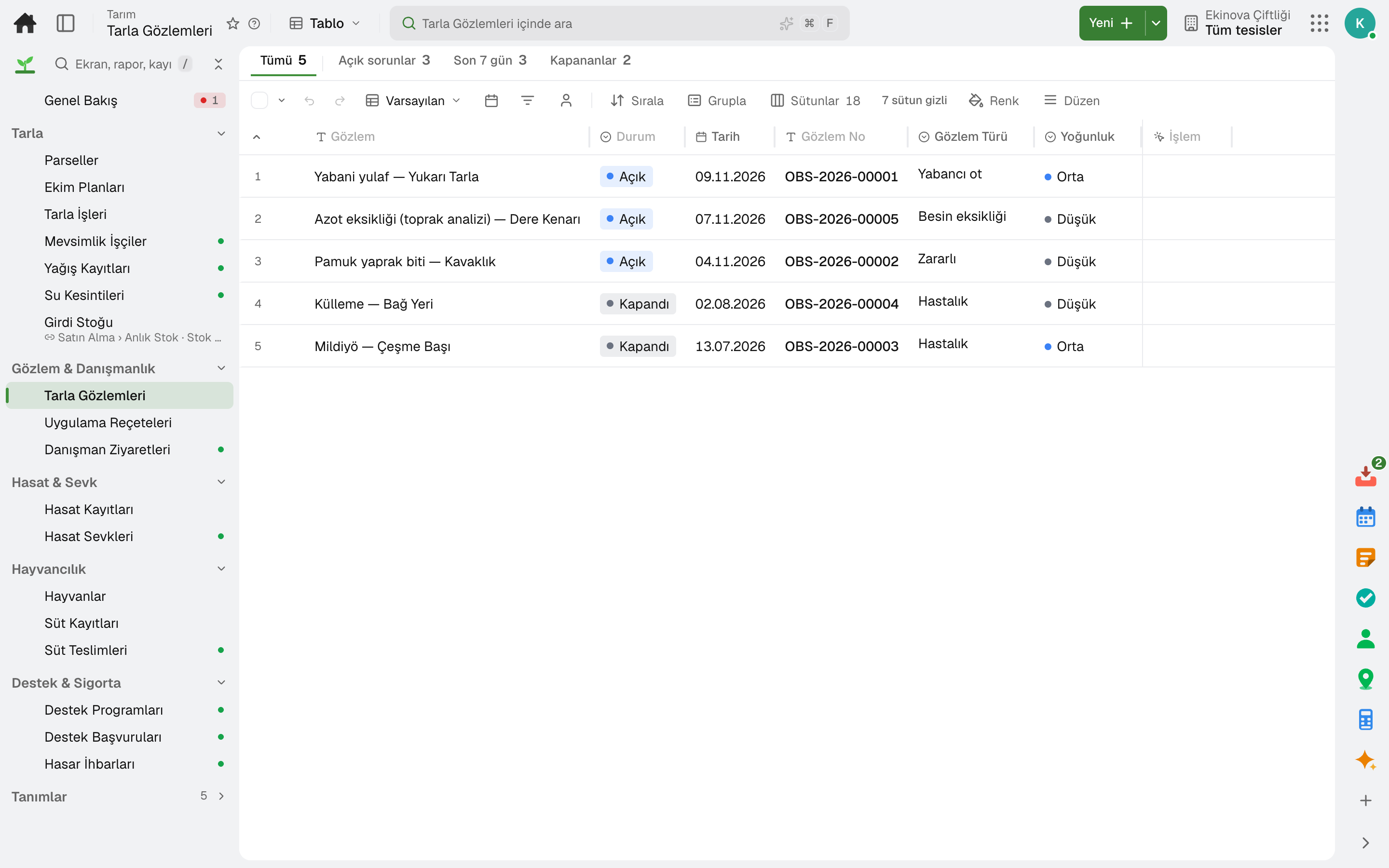
- Field Observations
- Field Jobs
Through the day
What does an agronomist do on the platform?
Every step is a working feature of the product; click its name to go to the module it describes.
- 01Scouts the field
A pest, disease or nutrient deficiency is recorded with its agent, severity and affected area; an observation over the threshold calls for action.
- 02Writes the prescription
Target, application window, plots and dose per decare are written; the prescription is sent as a PDF, and «Convert to Job» opens the planned field work.
- 03Protects the waiting period
On a sprayed plot a harvest cannot be recorded until the pre-harvest interval has passed.
- 04Reports the visit
The plots visited, the report, recommendations and the next visit are recorded; observations and prescriptions written that day appear linked to the record.
Apps
What agronomists use most
All on the same data model; whatever their role, everyone looks at the same record. The other 21 modules are open in your account too.
Lidyos Inventory
Inventory and warehouse management software
Every product's location, batch and movement at your fingertips.
9 sub-modulesLidyos Purchasing
Purchasing software
From requisition to invoice, every purchase approved and traceable.
10 sub-modulesLidyos Sales
Sales and customer management software
One customer record from opportunity to invoice.
16 sub-modulesFrequently asked
For agronomists
How does the prescription reach the applicator?
It is sent as a PDF; «Convert to Job» opens planned field work for each plot with its inputs and doses.
Is the visit record used in a subsidy application?
Yes. The visit is linked to the subsidy application as evidence of advisory support.
Industry-specific
On the same team
Site manager
From timesheets to goods receipt, the site's day on one screen.
4 tasks · 3 modulesReal estate agent
Your listings, requests and viewings in one place.
4 tasks · 3 modulesProperty and site manager
From rent to service charge, every unit's account up to date.
4 tasks · 3 modulesReceptionist and room attendant
From check-in to check-out, the room's status on everyone's screen.
4 tasks · 3 modulesClub manager and trainer
From the daily log to attendance, the club's day on phone and screen.
4 tasks · 3 modulesField service technician
The day's jobs, address and device on the phone.
4 tasks · 3 modulesClose next month end without a reconciliation marathon.
Try it free for 15 days; no credit card needed. We reply to your questions within one business day.