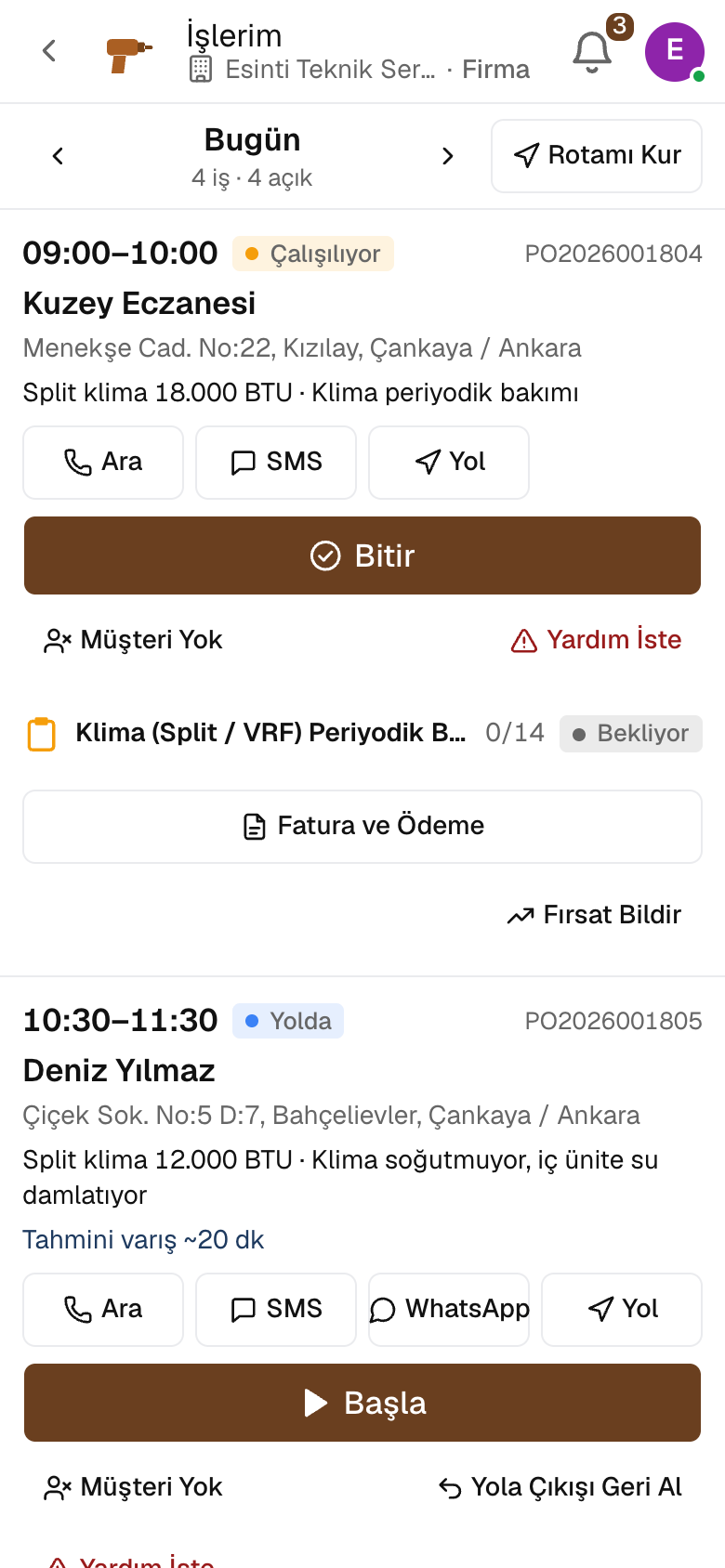
Field service technicianThe day's jobs, address and device on the phone.
The technician sees the service jobs assigned to them on the phone in appointment order; they call the customer, get directions to the address and close the job with a checklist. The record of the device at the customer's site is where a fault starts.
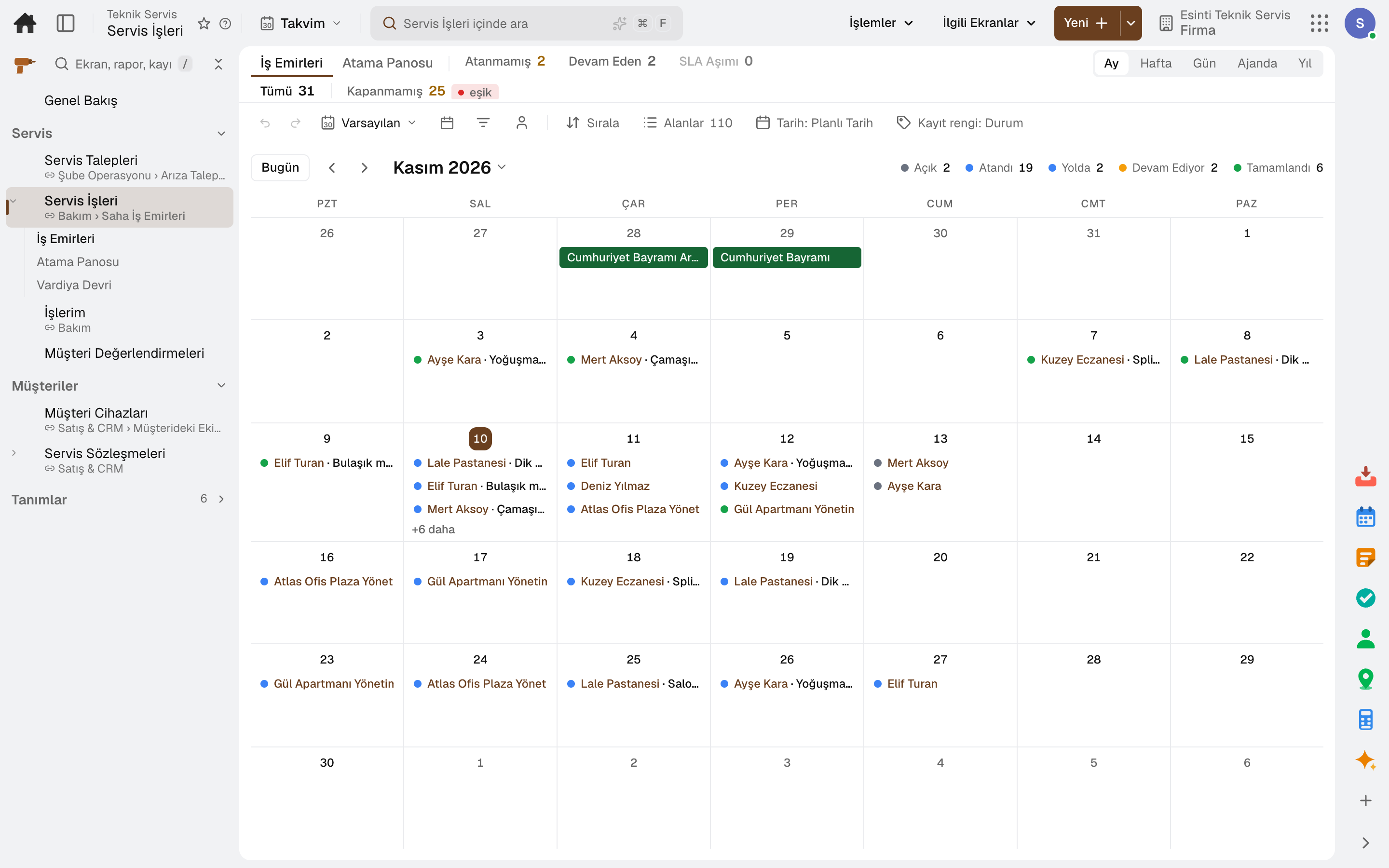
- Work Orders
- My Jobs
Through the day
What does a field service technician do on the platform?
Every step is a working feature of the product; click its name to go to the module it describes.
- 01Sees their day
Assigned service and maintenance jobs appear in appointment order; each job has the customer, service address, device and appointment window.
- 02Knows the device
A device placed with a customer is recorded with customer, location and address; a fault notification is opened from this record.
- 03Closes the job with a checklist
Steps are filled in as OK, not OK or a measurement; a photo and signature are taken, and an unfinished checklist does not close the work order.
- 04Jobs are assigned and tracked
A service request becomes a work order; service jobs are assigned to the team, planned in the calendar, and the SLA target is tracked on the same screen.
Apps
What field service technicians use most
All on the same data model; whatever their role, everyone looks at the same record. The other 21 modules are open in your account too.
Lidyos Maintenance
Maintenance management software
Breakdowns reported by QR, maintenance plans from the calendar.
5 sub-modulesLidyos Sales
Sales and customer management software
One customer record from opportunity to invoice.
16 sub-modulesLidyos Inventory
Inventory and warehouse management software
Every product's location, batch and movement at your fingertips.
9 sub-modulesFrequently asked
For field service technicians
Do I need to install a separate app?
No. The «My Jobs» screen opens on the phone; you call the customer with one tap and get directions to the address.
Can the customer rate the job?
Yes. Customer ratings are collected on a separate screen.
Industry-specific
On the same team
Site manager
From timesheets to goods receipt, the site's day on one screen.
4 tasks · 3 modulesReal estate agent
Your listings, requests and viewings in one place.
4 tasks · 3 modulesProperty and site manager
From rent to service charge, every unit's account up to date.
4 tasks · 3 modulesReceptionist and room attendant
From check-in to check-out, the room's status on everyone's screen.
4 tasks · 3 modulesClub manager and trainer
From the daily log to attendance, the club's day on phone and screen.
4 tasks · 3 modulesAgronomist
From observation to prescription, every recommendation tied to the plot.
4 tasks · 3 modulesClose next month end without a reconciliation marathon.
Try it free for 15 days; no credit card needed. We reply to your questions within one business day.