Incidents and requests
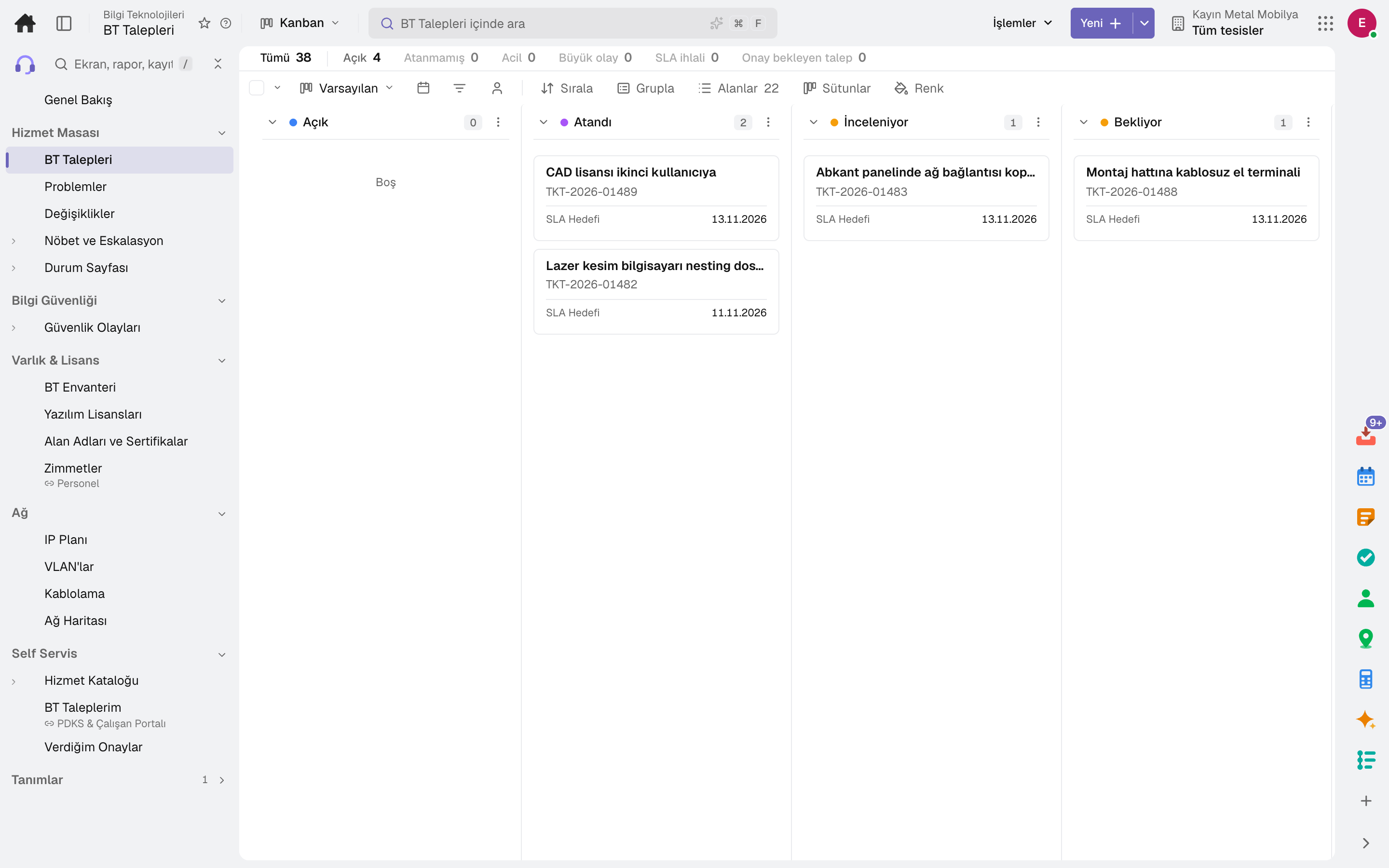
Priority from impact and urgency, automatic assignment to IT groups, SLA, major incident declaration and escalation.
IT incidents and service requests, problem and change management, on-call and escalation, the IT inventory and software licences in one app. Employees open requests from the service catalogue; a status page open to your customers announces outages automatically.
Roles: IT specialist
What is it, and why do you need it?
When IT requests stay in email and chat groups, nobody knows which fault sits with whom, how many times the same problem has happened or what a change will affect; licences are renewed even when they aren't used.
IT assigns an incident to the right group by priority, tracks the SLA and links recurring incidents to a problem. Changes run with their risk and approval; if a server goes down, what will be affected is visible from the IT inventory.
Scope: Manages IT incidents, problems, changes (CAB approval), configuration items, licences and on-call; employees open requests from the service catalogue.
Highlights
Priority from impact and urgency, automatic assignment to IT groups, SLA, major incident declaration and escalation.
Recurring incidents are linked to a problem; the root cause and workaround become a known error, and linked incidents close together with the permanent fix.
Standard, normal and emergency changes; risk, plan, rollback plan, the change board's vote and conflicts touching the same item.
On-call schedules and escalation policies: in a major incident, people are notified step by step until someone takes it.
Servers, applications, databases and SaaS items with their relationships; unused seats and upcoming expiries are visible for licences.
Employees open requests from the service catalogue and approvers approve from their own screen; the status page announces outages to customers.
Security incidents run from detection to closure through their stages and response playbook tasks; vulnerabilities are tracked with a remediation deadline set by severity.
Domains, SSL certificates and DNS records are checked every morning; an IT incident is opened when expiry is near or a check fails.
The IP plan shows subnets and how full they are and gives the next free address; VLANs, cabling and the network map are in the same group.
Sub-modules
This list is generated from the product itself; it grows as new functions are added to a sub-module. Master data and settings are the shared ground of every module and are not counted as sub-modules.
On the same data
Modules are separate screens, but the data is one: a record entered in one module is never re-entered in another.
Frequently asked
IT incidents use the same engine as customer support tickets: comments, time tracking, SLAs and macros are shared; IT groups and assignment rules are defined separately.
Yes. If a service is linked to an inventory item, a major or emergency incident on that item marks the service as an outage on the page, and it closes when the incident is resolved.
The software licences screen shows purchased and assigned seats and those unused for 30 days, upcoming expiries and recoverable annual cost.
Try it free for 15 days; no credit card needed. We reply to your questions within one business day.