Shift planning
Shift planning and shift patterns; employees see their availability and shifts on their own screen.
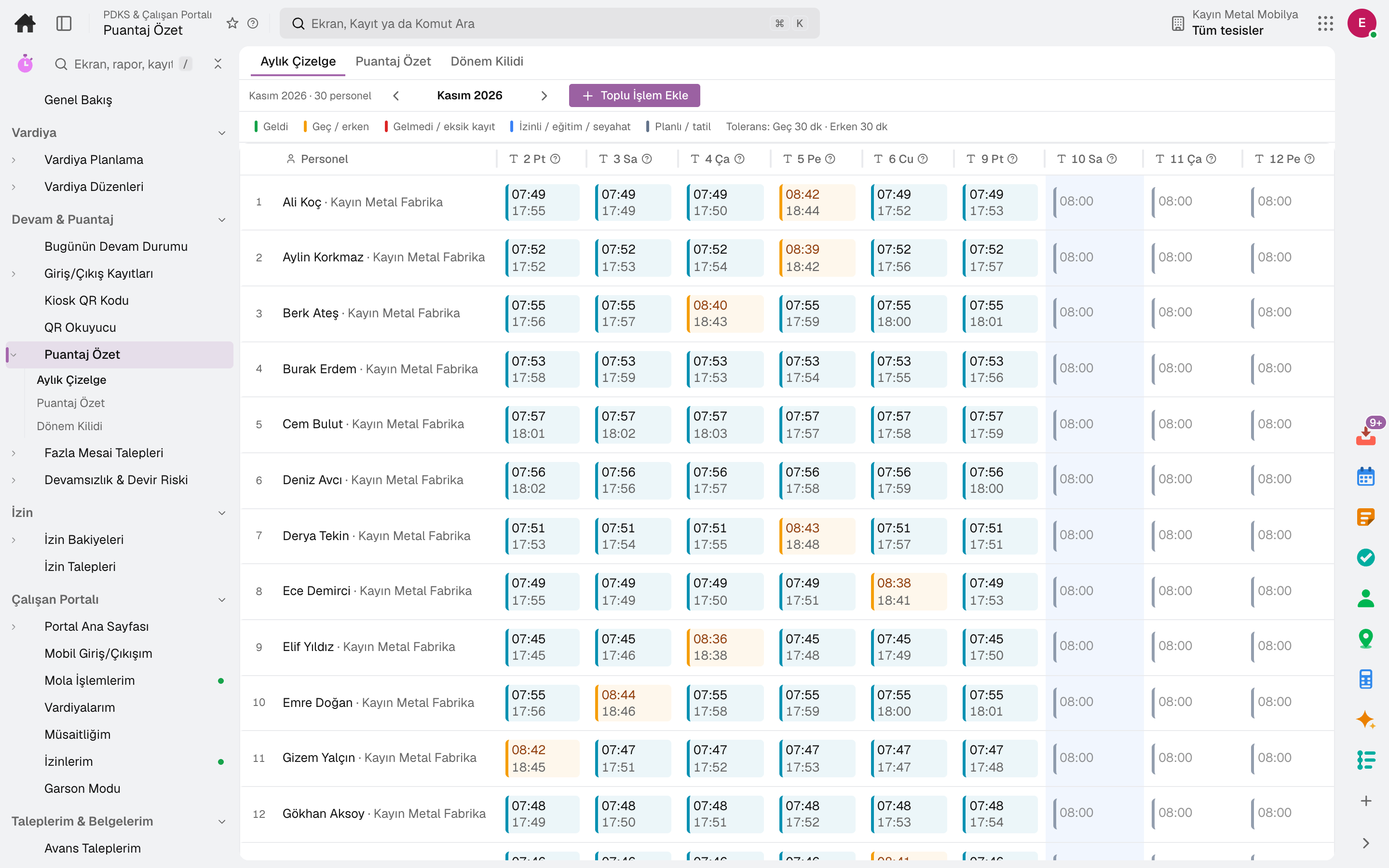
From shift to timesheet, employees and managers each on their own screen.
Shift plans, clock-in/out records, timesheets and overtime, leave balances and requests in one app. Employees see their own shifts, leave and requests on their phone; managers run their team from one screen.
Industry packages: Lidyos Restaurant
Industries: Grocery stores, corner shops and greengrocers · Restaurants and cafés · Patisseries and bakeries · Hotels and lodging · Services and project businesses · Gyms and studios
Roles: HR specialist · Payroll specialist · Every employee · Branch manager · Cashier and waiter · Department manager · Courier
What is it, and why do you need it?
When shifts are in Excel, leave requests on paper and timesheets calculated by hand at month end, the data that reaches payroll is both late and wrong; and employees have to call HR to find out how much leave they have left.
Lidyos Workforce keeps clock-ins and shifts in the same place; the timesheet builds itself and goes to payroll. The employee portal puts leave requests, shifts and clock-in on the employee's phone.
Scope: Runs shift planning, clock-in/out (time and attendance), timesheets and leave, plus the employee portal where employees see their own requests and documents.
Highlights
Shift planning and shift patterns; employees see their availability and shifts on their own screen.
Time and attendance clock-in/out records, timesheet summary, break definitions and overtime requests.
Leave balances, leave requests, leave and staffing rules, public holidays.
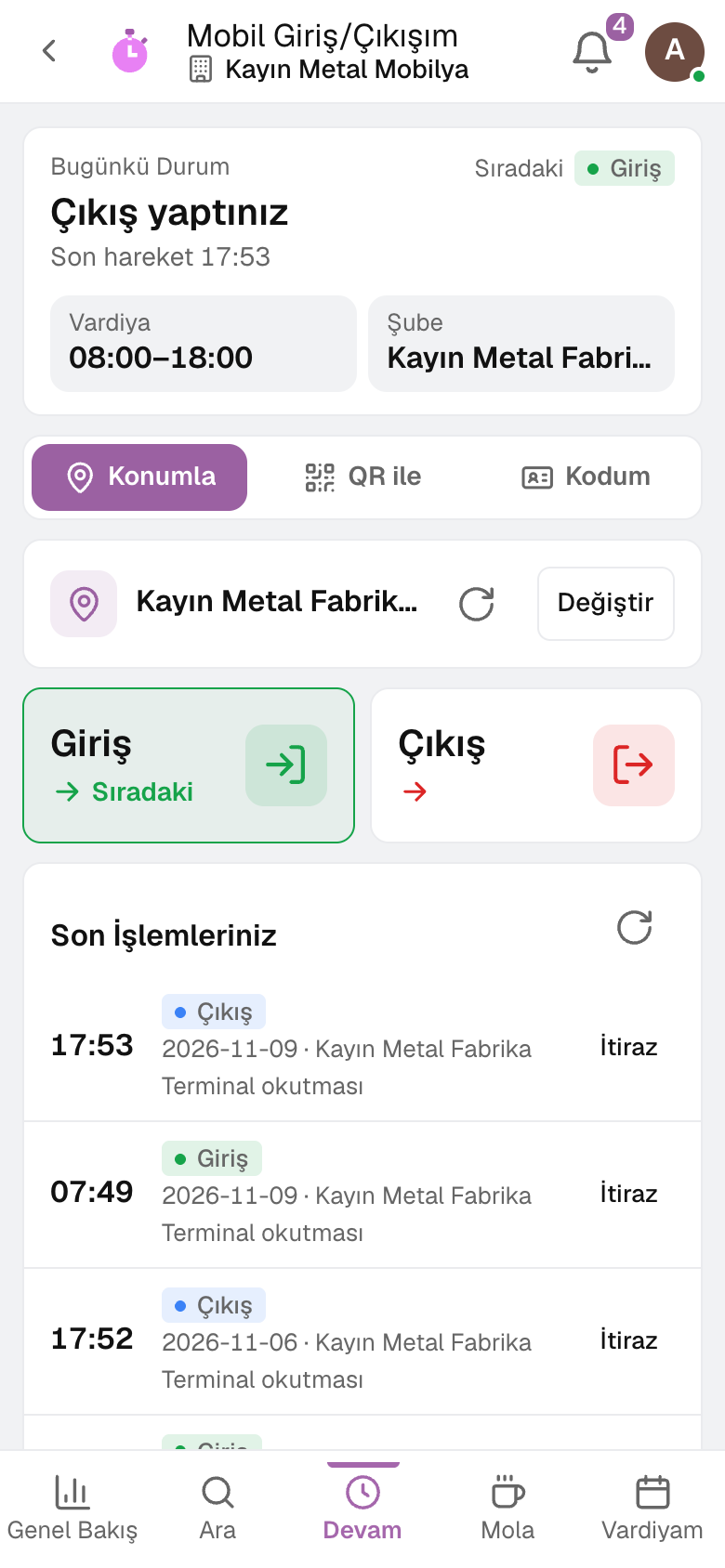
Clock in and out from the phone, my shifts, my trainings, my referrals and flexible benefit selection.
My Team screen and headcount requests; leave and overtime requests awaiting approval land in front of the manager.
An absence and turnover risk indicator shows problem patterns early.
Who came in today, who is in, who is on a break, who is absent and who was late; with the list of people, refreshed every minute.
The clock-in QR code left open on the branch tablet changes every 30 seconds; a photo of it is useless.
An employee requests a salary letter, proof of employment, or a bank or visa letter in Turkish or English; once HR approves, they receive the PDF with a QR code.
Sub-modules
This list is generated from the product itself; it grows as new functions are added to a sub-module. Master data and settings are the shared ground of every module and are not counted as sub-modules.
On the same data
Modules are separate screens, but the data is one: a record entered in one module is never re-entered in another.
From hiring to exit, the employee's whole story on one card.
From timesheet to withholding return, payroll ready every day, not just at month end.
Register, tables, branch orders and shelves on one branch screen.
Occupational safety, environment and carbon in one record.
Frequently asked
No. There are no licenses, and opening an account is free. Usage sets the fee; employees who only use the employee portal for leave, payslips and advances are not counted.
Yes. The Clock In / Out screen in the employee portal records clock-in and clock-out from the phone; the record goes to the timesheet.
The timesheet summary is the Payroll app's input; overtime and leave aren't carried over by hand at month end.
Try it free for 15 days; no credit card needed. We reply to your questions within one business day.