Department managerThe team's leave, hours and interviews in one portal.
The manager portal shows the team card by card; leave and overtime requests come in for approval, headcount requests are opened here, and evaluations for interviews on whose panel the manager sits are entered here.
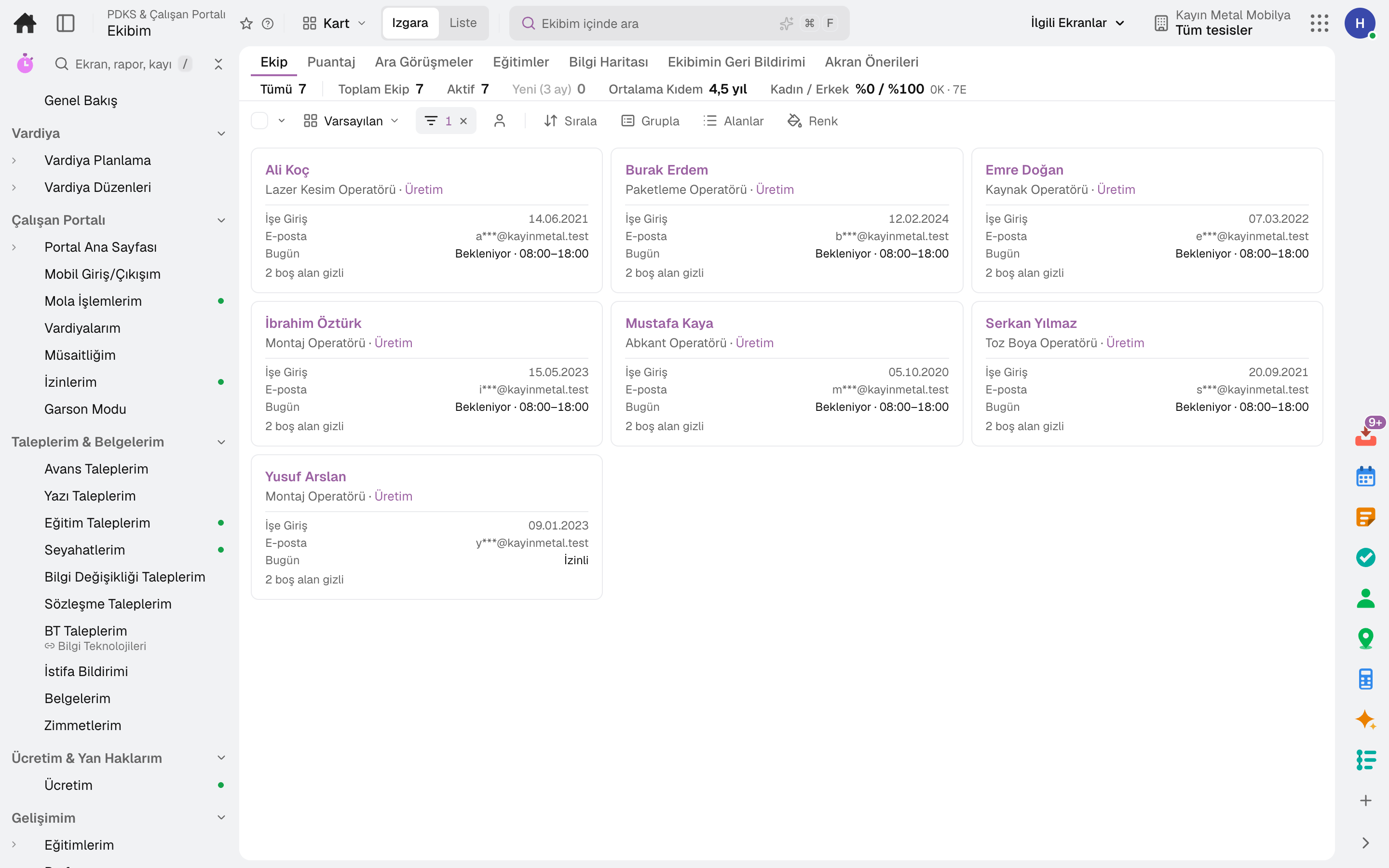
- My Team
Through the day
What does a department manager do on the platform?
Every step is a working feature of the product; click its name to go to the module it describes.
- 01Sees the team
Direct reports appear as cards and team headcount is summarised; who came in today, who is on a break and who is absent is on a separate screen.
- 02Approves requests
A leave request moves through the approval flow and is deducted from the balance; an overtime request is converted to pay or time off.
- 03Plans the shifts
The shift plan is built for the team; the monthly timesheet is approved and locked.
- 04Requests headcount, evaluates candidates
Opens a headcount request for the team and follows its candidates; enters their own scorecard on the interview panel.
Apps
What department managers use most
All on the same data model; whatever their role, everyone looks at the same record. The other 21 modules are open in your account too.
Lidyos Workforce
Attendance, shift and leave software
From shift to timesheet, employees and managers each on their own screen.
9 sub-modulesLidyos HR
Human resources software
From hiring to exit, the employee's whole story on one card.
10 sub-modulesLidyos Payroll
Payroll software
From timesheet to withholding return, payroll ready every day, not just at month end.
4 sub-modulesFrequently asked
For department managers
Do I see the candidate's pay details in the interview?
No. The interviewer sees the candidate's CV with contact and pay details hidden.
Can a timesheet I approved change later?
The period is approved and locked; after payroll, retroactive changes are blocked.
Human resources
On the same team
Close next month end without a reconciliation marathon.
Try it free for 15 days; no credit card needed. We reply to your questions within one business day.