Your own record type
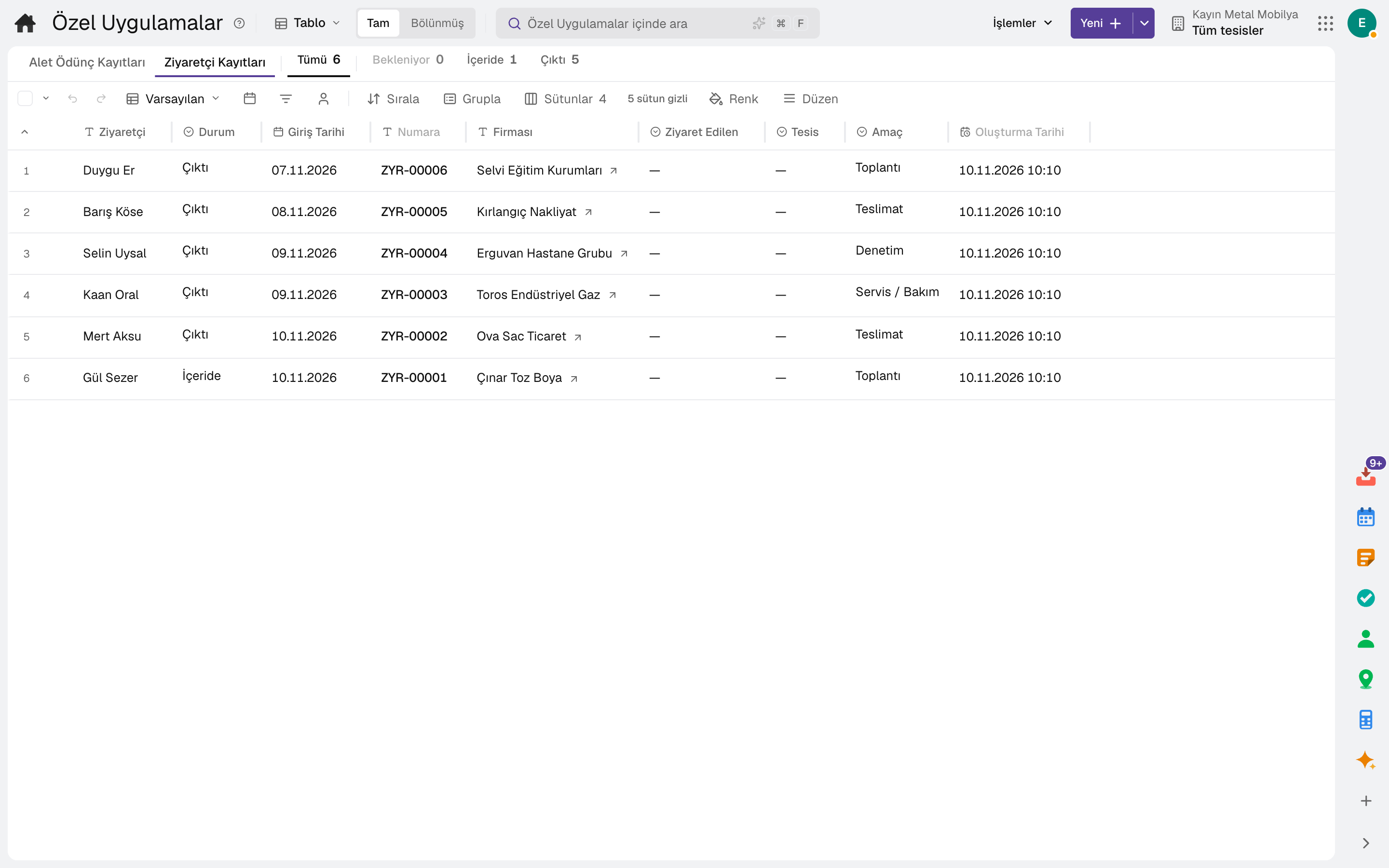
Fields (text, number, amount, date, choice, ERP record), title and status field, number prefix and the roles that can see it; once published it becomes a tab in Custom Records.
You define the record types the product does not have, with their fields, views and permissions. Automation rules send a notification, open a task or update a field when a record is created, a date approaches or an external system calls in.
The tool runs on the same account and the same data as the business apps; no separate setup is needed.
Highlights
Fields (text, number, amount, date, choice, ERP record), title and status field, number prefix and the roles that can see it; once published it becomes a tab in Custom Records.
Formula field; a rollup field giving the count, sum and average of linked records; relations between record types.
List, kanban and calendar views; grouping, filters and conditional colour. An external form can be opened from the record type.
It runs when a record is created or updated, when a threshold is exceeded, on a scheduled scan, when a date approaches, or on a webhook from an external system.
A rule runs if its condition is met; it branches with "If" and "Else", and a wait can be placed between steps.
Notification, task, e-mail, sending the document as a PDF, webhook, field update, comment on the record, message to a chat channel and creating a record in a custom application.
Frequently asked
No. Record types, fields, views and automation rules are defined on screen.
No. The field update step does not write to monetary, stock or technical fields.
Yes. Ready-made applications such as the visitor log are installed in one step and adjusted to your own needs.
On the same account
The tools are connected: a message becomes a task, a task goes on the calendar, a form response becomes work.
Team chat, right next to the record you are talking about.
DetailsEvents, tasks and appointments in one calendar.
DetailsPersonal tasks and a record's tasks in one list.
DetailsFiles, documents, sheets, wiki and whiteboard in one place.
DetailsBuild forms and surveys, turn responses into work.
DetailsApprovals, work, notifications and e-mail in one inbox.
DetailsTry it free for 15 days; no credit card needed. We reply to your questions within one business day.