List, board and table
Drag-and-drop board, column table and personal lists; quick filters and saved views.
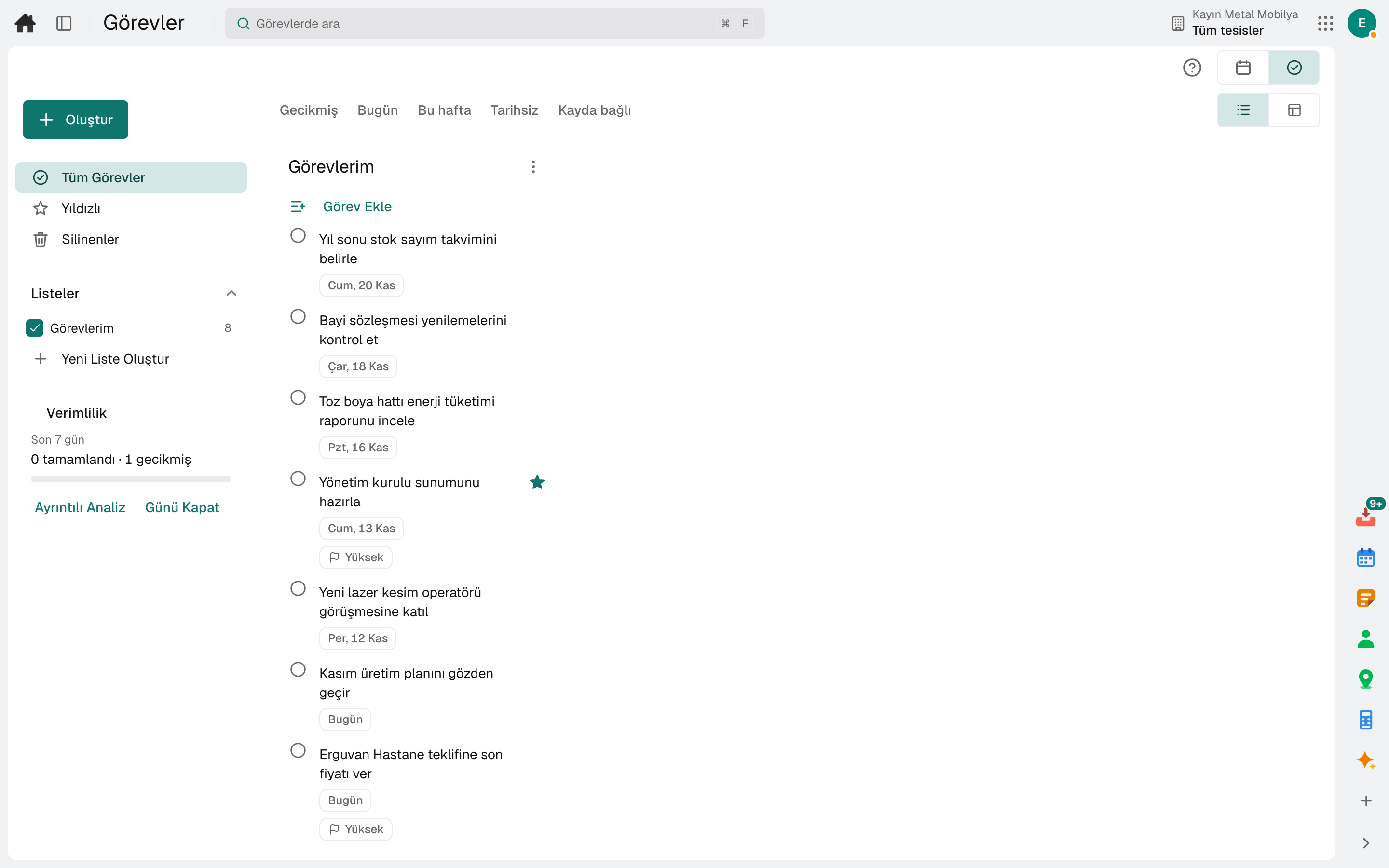
Tasks assigned to you and tasks you created, in list, board and table views. A task is opened from an e-mail, a chat message, a note or a form response; dragging it onto the calendar reserves the time.
The tool runs on the same account and the same data as the business apps; no separate setup is needed.
Highlights
Drag-and-drop board, column table and personal lists; quick filters and saved views.
Subtasks, recurring tasks and task templates; blocking and blocked-by links, with the owner notified when the blocker is cleared.
A task is opened from an e-mail, a chat message, a note, the whiteboard or a form response; type "tomorrow 15:00" and it understands the date.
The task appears on the calendar; dragging it onto the calendar sets its day and time, and an unplanned task becomes a focus block.
Comment threads, mentions and file attachments; whoever follows the task is told about changes, and the change history is kept.
At day close unfinished work is moved to tomorrow; on-time completion rate and a personal weekly summary.
Frequently asked
Yes. The Tasks side panel on every screen shows that record's tasks; quick add and completion are done there.
No. A task has a single owner; a task assigned to a role or group pool passes to the person who takes it on.
No. A user who signs in for tasks is not counted for billing.
On the same account
The tools are connected: a message becomes a task, a task goes on the calendar, a form response becomes work.
Team chat, right next to the record you are talking about.
DetailsEvents, tasks and appointments in one calendar.
DetailsFiles, documents, sheets, wiki and whiteboard in one place.
DetailsBuild forms and surveys, turn responses into work.
DetailsYou build the record and the rule the product does not have, without writing code.
DetailsApprovals, work, notifications and e-mail in one inbox.
DetailsTry it free for 15 days; no credit card needed. We reply to your questions within one business day.